


Updated on June 11th
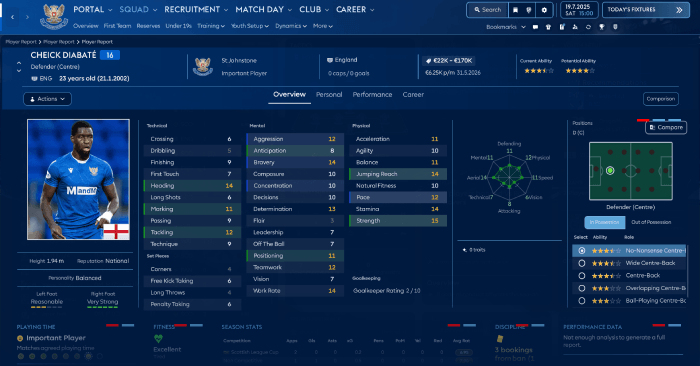
ASF FM26 Skin Preview


How to install the ASF FM26 Skin
The skin can be installed using the program FM Skin Builder. You will be able to create your own colors and much more.You can install it manually by putting the files from the folder packages:


And put them in the folder with the replacement files:
C:\Program Files (x86)\Steam\steamapps\common\Football Manager 26\fm_Data\StreamingAssets\aa\StandaloneWindows64
For proper display of player photos in Player Profile and Player Report you must manually install the following 2 bundle files:
- ui-styles_assets_default.bundle
- ui-tiles_assets_all.bundle
First install all files - then install these two with replacement in the folder StandaloneWindows64.
CAUTION!!!! Make a backup of the original game files!!!!
My Twitter - https://x.com/LuckyLukeFM
My Patreon - https://www.patreon.com/LuckyLukeFM





![FM24 2025-26 Real Fixture & Results (Start in 2025) [FINAL VERSION]](https://www.fmscout.com/datas/users/realresult_artv2_257759.png)


Discussion: ASF Skin for FM26 v26.3.2
83 comments have been posted so far.
I hope someone could remove those ugly player faces from the squad overviews. Have no idea who think it is cool to see a face there? What purpose do it do other than making the rows higher so I cant see the entire squad without scrolling up down. . .