


FM Live Editor 26 (FMLE26 for short) is a powerful real time editor with a scouting edge for Football Manager 2026.
Compatibility: It works with Windows 10/11 and the latest 26.3.2 Steam, Epic, Game Pass and Game Pass Console versions of FM 2026.FMLE26 has received 10 feature updates in just 10 weeks since launch, bringing a wealth of new functionality. With 46,500+ downloads, it's the most rapidly developed FM editor that keeps getting better.
Released: 23 January - v1.0.0 (early Beta)Updated: 9 June - v1.11.9 (patchfix update)
Redistribution Policy
Exclusively available from fmscout.com.If you want to put FM Live Editor on other sites, you may link back here but cannot host any files yourselves. Thank you!
Why Download?
✔ 4.6 MB - installs in seconds✔ Launches in 1 second, loads data in under 2
✔ Compatible with all PC editions on Windows
✔ Updated within hours of new FM patches
✔ All scouting & search features are 100% free
✔ Preview every editing feature before you buy
FMLE Features
FMLE26 is a fully featured real-time editor with a scouting edge. It's fast, clean, and focused on what matters. The scouting features are simple but super useful.For more advanced scouting, I recommend Genie Scout 26.Here's an overview of the key features.
Smart Edit History
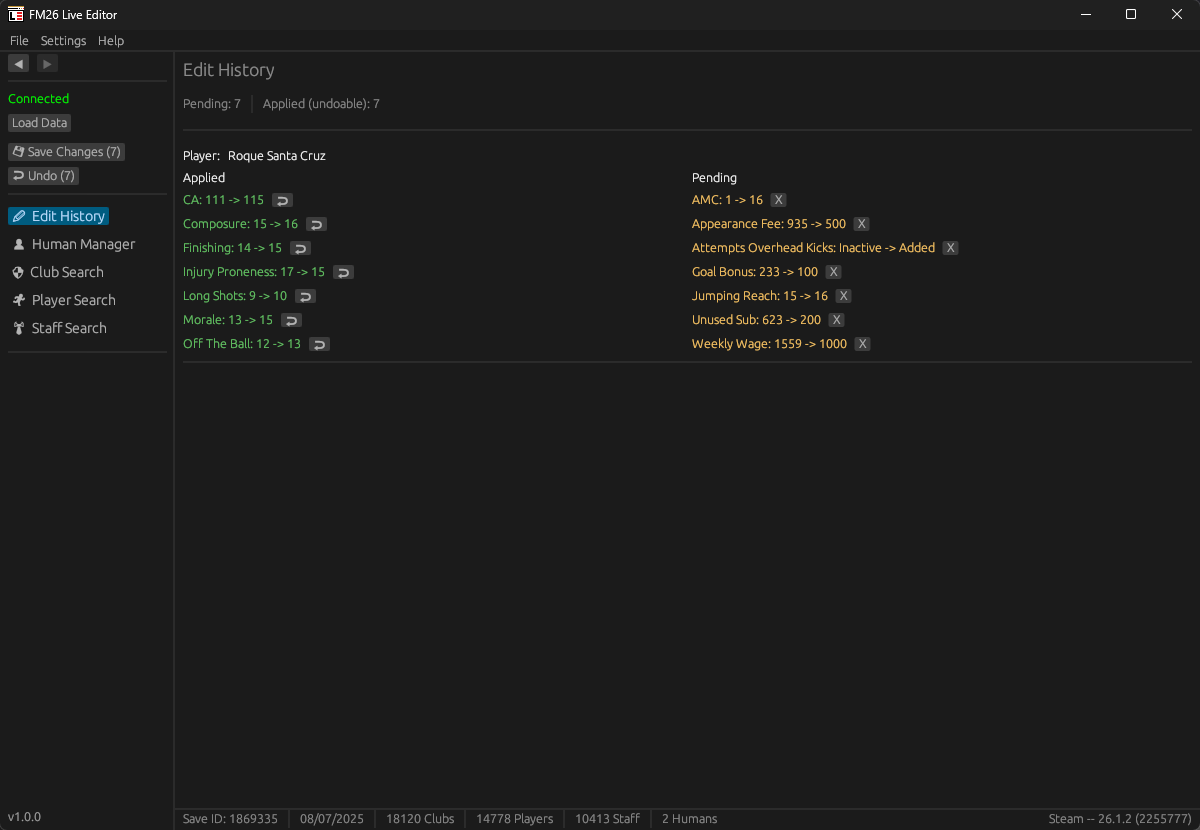
The first FM Editor with a "Pending & Undo" system; a unique feature designed for peace of mind.✔ Fields you change get a red border (pending), while those you save get a green border (applied).
✔ Edit History page shows everything you have edited in your current session.
✔ Made a mistake? You can remove pending changes or undo applied edits instantly.
Clean & Easy Interface
I've focused on Quality of Life features that save you time.✔ Editing should be fast and simple with click and drag fields wherever possible.
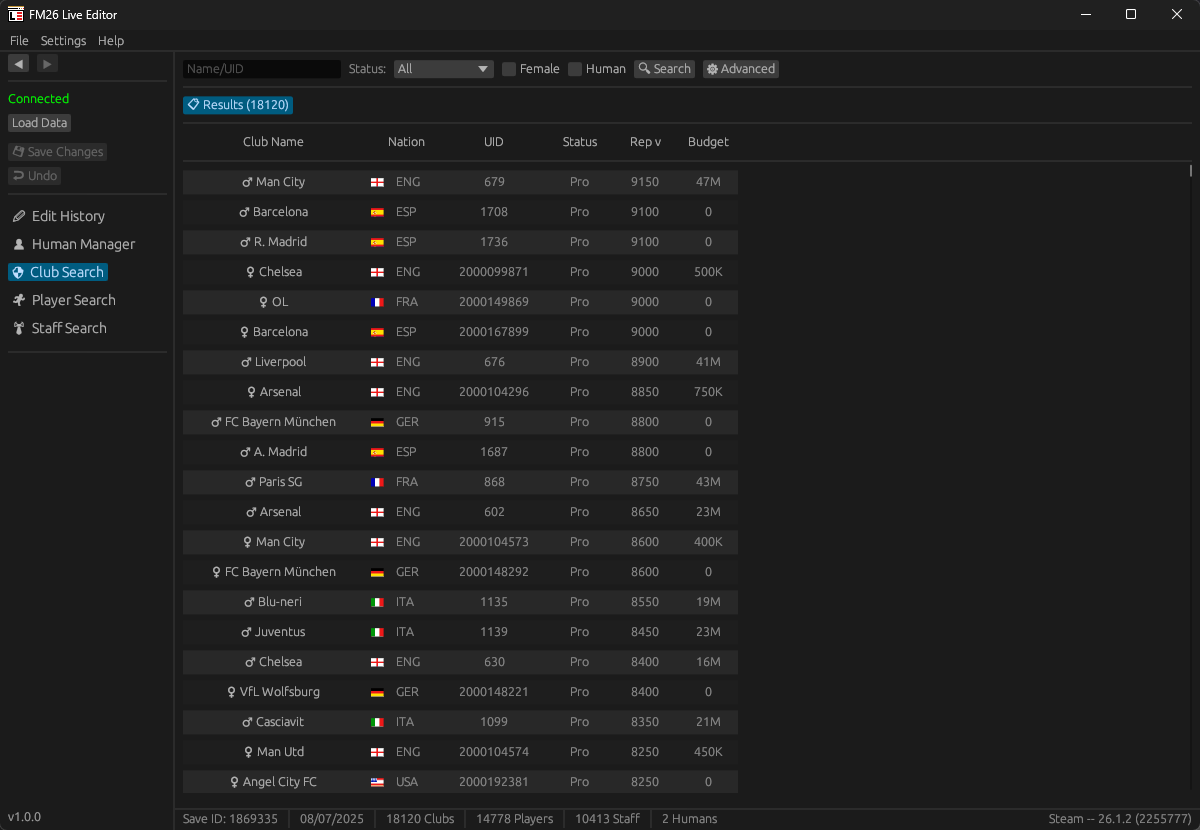
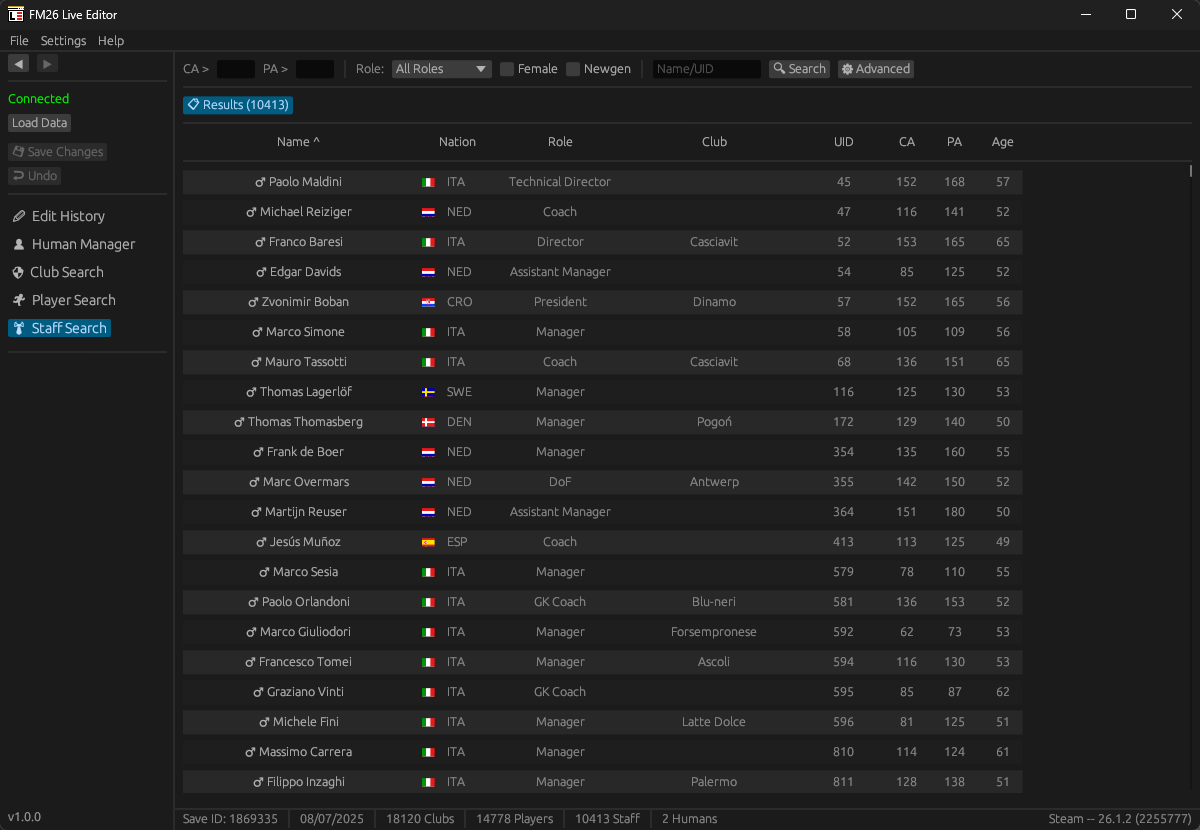
✔ Search works as live filtering and enables you to find any player, staff or club from your save instantly.
✔ Smart Navigation that remembers your last position and tab.
✔ Currency selector and UI zoom options for a personalized experience.
Powerful Search & Filters
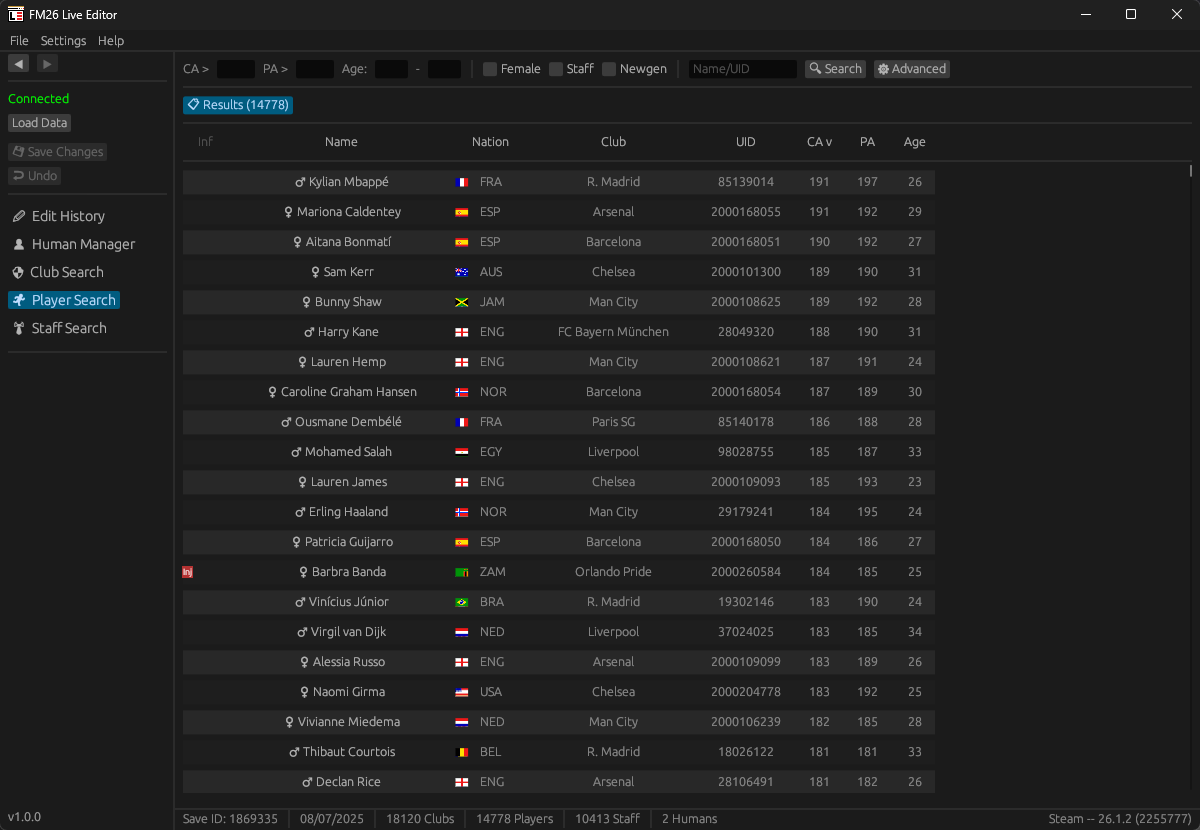
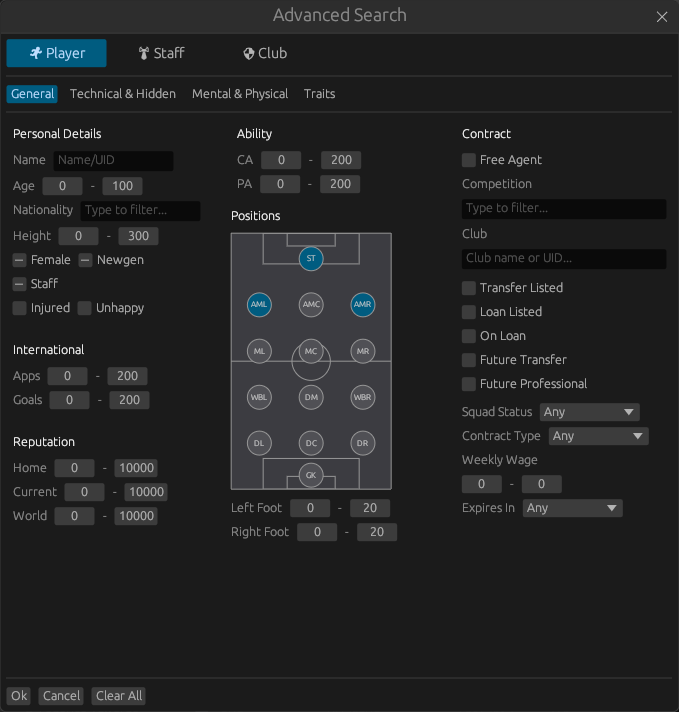
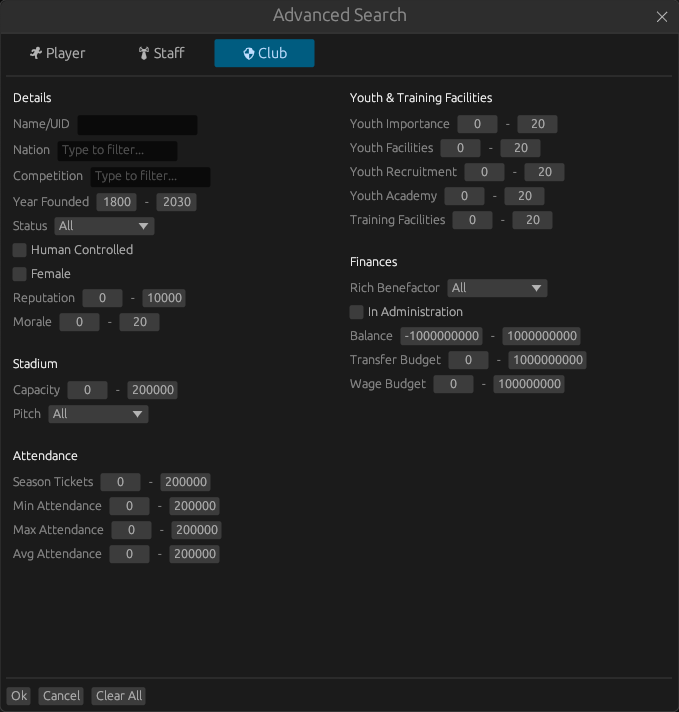
The Advanced Search is a high-speed engine built directly into the editor, and it is 100% free for everyone.✔ Find exactly who you need with powerful filters that go beyond the basic game.
✔ See critical data directly in your search results, which is ideal for quick scouting while you play.
What is Free - No License Required
✔ Full Advanced Search with overpowered filters✔ Live filtering - find any player, staff, or club instantly
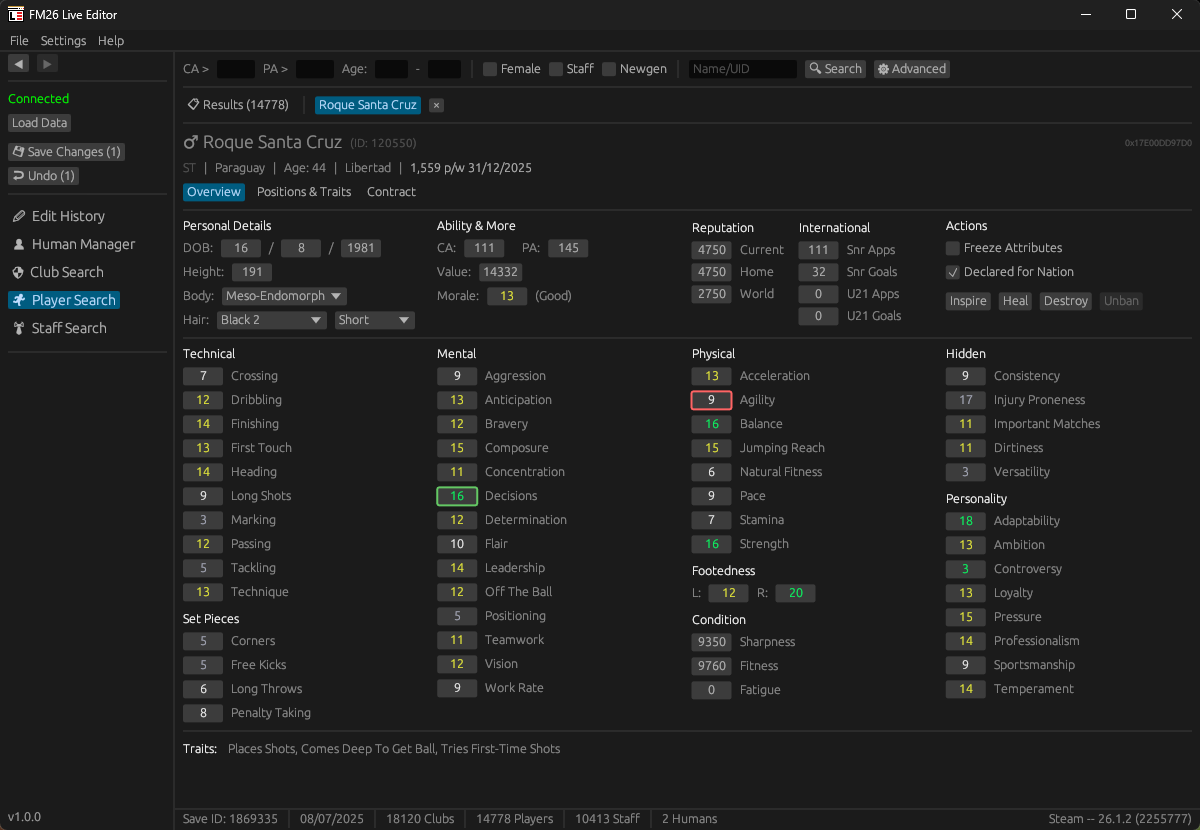
✔ View all player attributes, CA/PA, positions, traits, personality
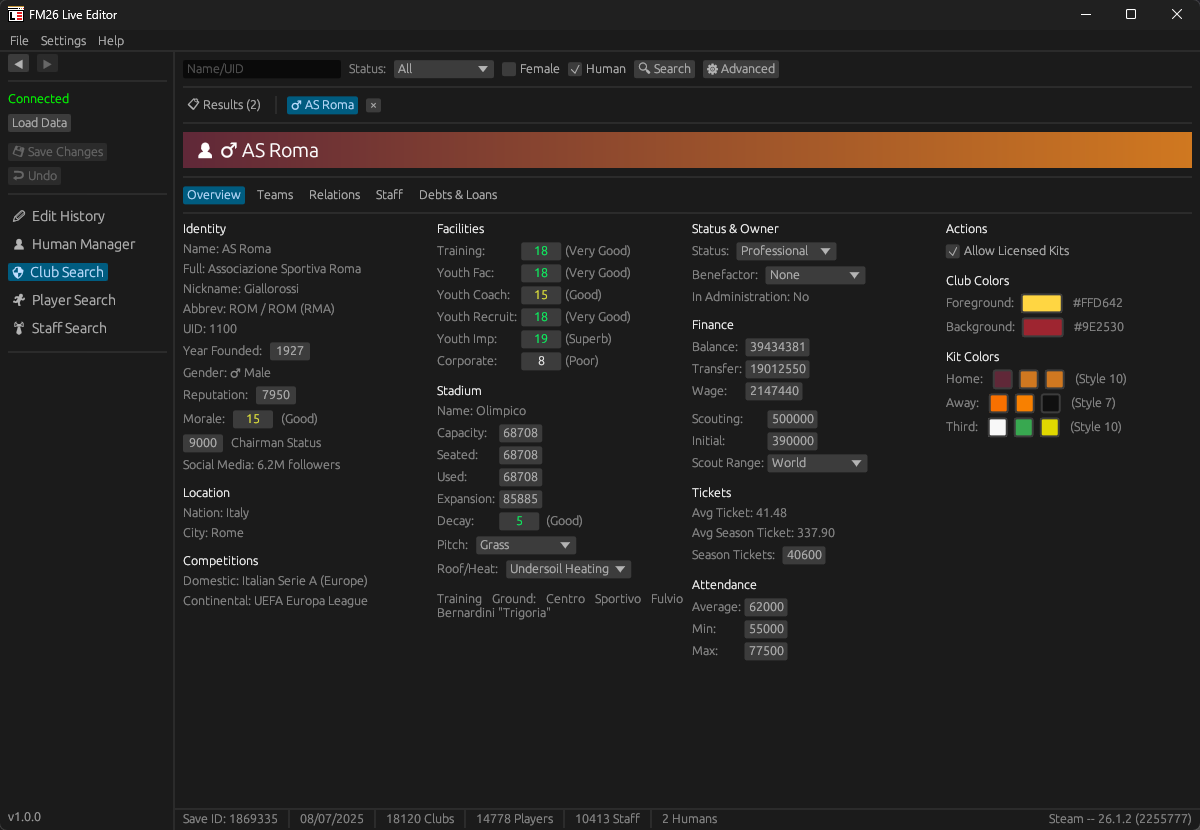
✔ View club finances, facilities, stadium details, relations
✔ View contracts, clauses, wages, transfer status
✔ Preview the full editing system (pending edits, edit history)
✔ No sign-up, no credit card, no time limit
FMLE is a genuinely useful scouting companion even without a license.
What can you Edit - License Required
|
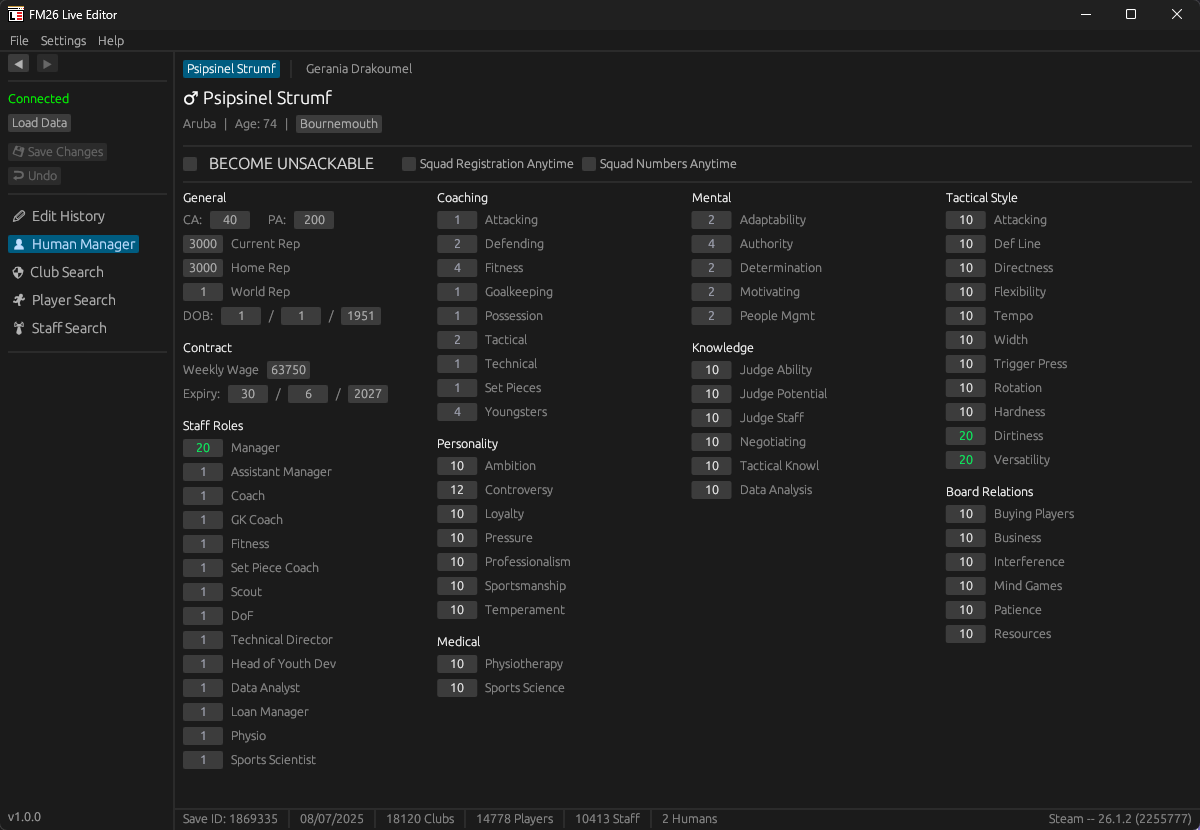
Human Managers Become unsackable, register squad at any time, and change your manager stats. |
|
Players All attributes (with freeze option), CA/PA, positions, traits, personality, reputation, happiness, 2nd nationalities, registration, languages, fav/disliked clubs & people. |
|
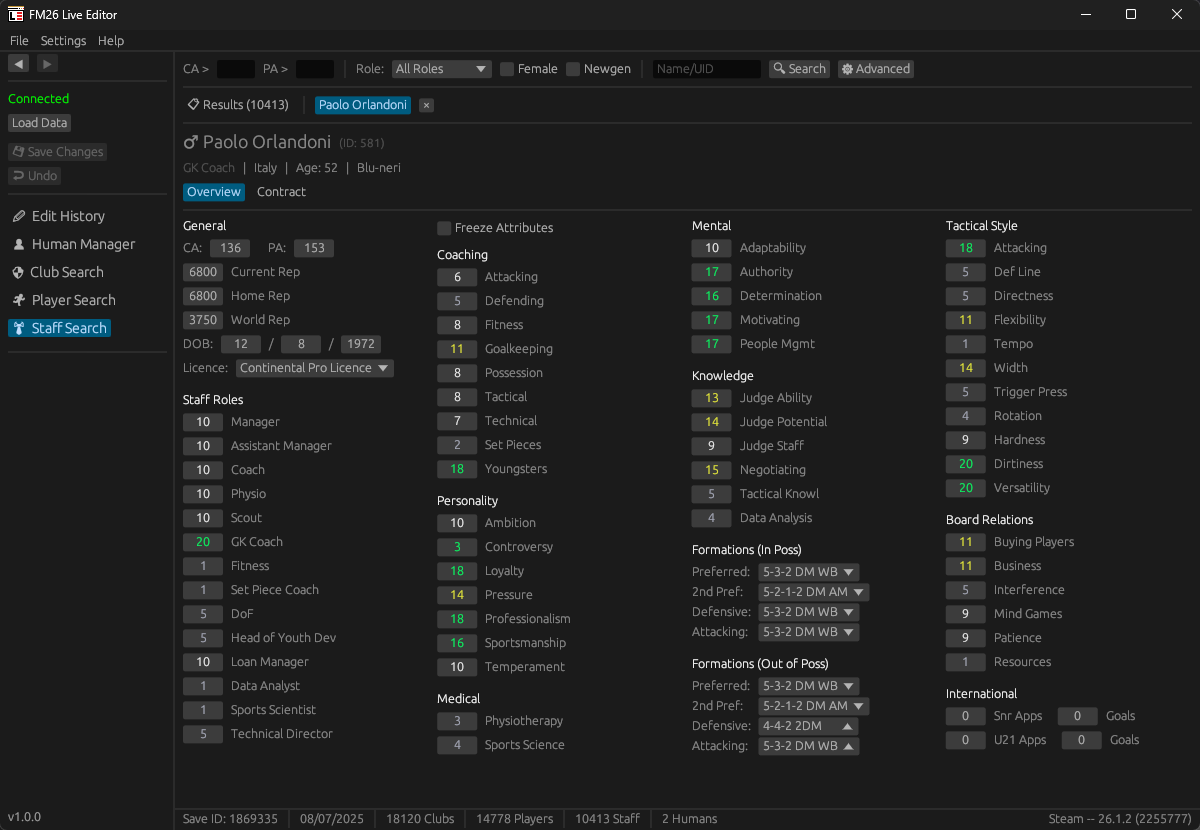
Staff Attributes (with freeze option), CA/PA, coaching licenses, staff roles, reputation, preferred formations, relations, personal info. |
|
Clubs Finances, income, facilities, stadium, kit styles & colors, relations, affiliations, benefactor status, vision, supporters, tactical attributes, and more. |
|
Contracts Wages, dates, clauses (release, bonus), loyalty bonus, move to other club, cancel loans & future transfers, release on free. |
|
Instant Actions Heal injuries, fix fitness, remove bans, boost morale, inspire player, maximize team cohesion & tactical familiarity. Mass edit for entire squads. |
Whenever there's a new official patch out, I'll do my best to update FMLE asap.
FMLE Screenshots
 |
 |
 |
 |
 |
 |
 |
 |
 |
 |
How to use FMLE
Current version 1.11.9 is compatible with the following Windows editions: Steam, Epic & Game Pass (including Console). Even the Demo.- Unzip and install by running the .exe file.
- Open Football Manager 26 and load your saved game.
- Open FMLE 26.
- Click on Load Data button. You need to be online for your first run and after an update.
- Search for clubs, players, staff.
- Double-click on an item from the results.
- The profile will open in a tab and you can edit data there.
- Once done editing click on the Save Changes button for the changes to take effect.
Support FM Live Editor
You can support the development of this tool by purchasing a license which unlocks the ability to save your edits for the 2026 version.This is an one time upgrade which costs £5.49 / €5.99 / $6.99 (VAT is included).

✔ Activate on up to 3 devices at no extra cost
✔ 10% loyalty discount on the next edition (FMLE 27)
✔ Exclusive supporter badge on your FM Scout profile
✔ All future FMLE 26 updates included
Licenses
For support queries regarding licenses, please contact me via private message, live chat or [email protected].Bug Reports
If you encounter any bugs, please report them in the official FMLE forum.Important:
Please keep a backup of your save game before using FMLE 26 to edit your game’s data. FMScout.com cannot be held liable for any corrupt game files, or any other issue caused by the use of FMLE 26. A backup will make sure that whatever happens, you will still have your saved game.
Version History
v1.11.9 -9 June
: Patchfix for 26.3.2.v1.11.8 -
8 June
: Color picker improved. Resolved 'view only' issue. v1.11.7 -
5 June
: National Teams overhaul. Misc improvements. Bug fixes.v1.11.6 -
26 May
: Feature update. Nation Search. Patchfix for 26.3.1. Misc improvements. Bug fixes.v1.10.6 -
11 Apr
: Patchfix for 26.3.0+2287101 Console. Add missing kits. Bug fixes.v1.10.5 -
6 Apr
: Feature update. Staff tab for player/staff hybrids. Move free agents and player/staff. Retirement actions. Bug fixes.v1.9.5 -
30 Mar
: Patchfix for 26.3.0.v1.9.4 -
27 Mar
: Feature update. Stadium Search. New editable fields for players. Works with Steam/Epic Demo. Misc improvements. Bug fixes.v1.8.4 -
18 Mar
: Feature update. Light theme. Fully editable club affiliations. 40% faster loading. Bug fixes.v1.7.4 -
11 Mar
: Patchfix for 26.2.0+2276383.v1.7.3 -
9 Mar
: Patchfix for 26.2.0.v1.7.2 -
8 Mar
: Feature update. Move players on loan. Move staff and humans to other club. Kits tab.v1.6.2 -
27 Feb
: Feature update. Currency selector, UI zoom, happiness editing, release on free.v1.5.2 -
22 Feb
: Feature update. Fully editable player relations, team cohesion, club supporters.v1.4.2 -
19 Feb
: Patchfix for 26.1.3+2266940.v1.4.1 -
15 Feb
: Feature update. Tactical familiarity, trained in nation/club, Game Pass Console.v1.3.1 -
11 Feb
: Patchfix for 26.1.3.v1.3.0 -
11 Feb
: Feature update. Personality, club income, transfer clauses, vision, affiliations, stadium dimensions.v1.2.0 -
31 Jan
: Feature update. Player relations, club relations, kit style preview.v1.1.0 -
25 Jan
: Feature update. Kit styles editing, advanced search filters.v1.0.0 -
23 Jan
: Initial release.








Discussion: FM Live Editor 26 - Exclusive
478 comments have been posted so far.
Hey!
I bought FMLive Editor in order to make my manager take the role of a national team following the game's update. However, until now the app doesn't help in that subject. Are you going to do something in that subject soon?
Howdy!
I noticed that coaching licences are editable for AI staff members but not for the human manager.
For example:
- My assistant manager shows a Licence dropdown (National A, Continental Pro, etc).
- My human manager profile does not display any Licence field.
- Searching for my manager through Staff Search also does not expose the field.
Is this an intentional limitation of FMLE, or could support for editing the human manager's coaching licence be added in a future update?
I think this would be useful for long-term saves where boards repeatedly refuse coaching courses and users want to correct their manager progression manually.
0) Did you press the "Save Changes" button after the move? If yes, continue with the next questions. yes i press save changes button after move
1) What platform are you on? Steam, Game Pass PC or Game Pass Console? im playing on pc game pass
2) You said "my player". Was he on loan to another team when you clicked the "move to my club" button? nope, he's other team player that i want him move to my club, because theres no option to transfer the player to my team like fm editor.
3) If the player wasn't yours at all, did the contract change to your team but does he only show up on their old team?the contract change to my team and registered on my team but they still playing on their old team (show up on their squad too). for example: i move harison dudziak from arsenal u-21 to walsall (my club), but dudziak still on arsenal u-21 squad and still playing their while i cant use him on match because he's already involve on arsenal u-21 match.
i try to edit switch him back to arsenal with contract expired in 1 day, after the free transfer. i move him again, but still he's on arsenal u-21. its happen just not for him, other player (not just dudziak) with the same move had the same problem.
0) Did you press the "Save Changes" button after the move? If yes, continue with the next questions.
1) What platform are you on? Steam, Game Pass PC or Game Pass Console?
2) You said "my player". Was he on loan to another team when you clicked the "move to my club" button?
3) If the player wasn't yours at all, did the contract change to your team but does he only show up on their old team?
@glogner: For the player who wants to leave, have you tried the Inspire button?
For moving staff from the U19 to the senior squad (or vice versa), I don't have a specific button. But I could introduce one.
@coldz2k: No, I haven't fiddled with competition editing so far.
@Valult_4: I haven't mapped out promises yet, but it's on my list of things to investigate and work on for this summer.
how i move staff from u19 to my senior squad?
@mariuszxmaras: That's my bad, as I forgot to explicitly set the Epic data points for this version. It's sorted now.
Since the latest 2026 World Cup update, the custom competition colours I originally set in the Pre-Game Editor are no longer showing correctly on the league competition pages, even though they still appear correctly in other places such as the calendar and match screens.
Has anyone tested this feature on FM26?
@santino.34: The "Save Changes" requires a license to unlock. I can see you've done that. You can edit positions and attributes to better serve a desired role. Not sure if you're asking for a selection of roles that can highlight the key attributes for each. Please try to write in English even if it's an auto-translation.
@mariuszxmaras: Well, it should normally work then. Since you have 26.3.2 and v1.11.9, the only possibilities I can think of are (1) lack of rights to read memory and (2) some antivirus or firewall blocking the app from syncing the data points for its first run. Try to "run as administrator": right-click on FMLE desktop shortcut icon and select that option.
@mariuszxmaras: Are you 100% sure you have FMLE v1.11.9? I literally tested it across all platforms after the 26.3.2 patch got released & worked.
Fm Higher up " oh look Fm scout just dropped an update quick launch our game update so it breaks everything again"
Que evil laugh