


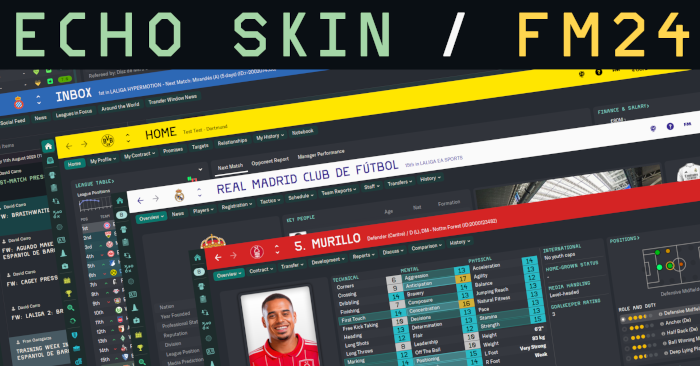
- Designed for use with DF11 faces
- Designed with 'sidebar icons only' interface option selected (not essential, but I'm unsure how well some panels will align without it)
- Built on a 1080p monitor. I'm unsure what it will look like on ultrawide etc.
- A stadium images pack is required for the Home panel
- You can customise colours using settings/echo settings.xml
- Low quality 3D environment backgrounds (e.g manager's office) have been removed
- Optional 'condition and sharpness as percentages' mod, which requires a pair of fixed custom views (Squad and Tactics) - please see the image at the bottom of this page for an example. Detailed instructions are included in the 'mods' folder, which is found in the root folder of the skin.
Credits
- OPZ and TCS for trophy icons and home screen foundation
- TCS and Tato for home screen tabbed panel foundations
- Tangfu for report card icons
- Statman for star and role rating graphics
- Tato for eligibility and performance panels reverse engineering
- Material awards panel reverse engineering
- Zealand skin for match footer base panels, club panel inspiration
- Rensie for match footer foundation, in-between hightlights foundation, match continue panel reverse engineering, hall of fame table, player popup, non-player 'tactical style' fix, positions element + pitch graphic, nation or club logo panel for eligibility panel
- Woz for reverse engineering
- Fusiondb for the column sorting solution for the in-match player stats
- Wannachup for Instant Result foundation
- the_hoyle from the SI forums for the new shirt number fonts
Fixes and Notes
- Changed action bar graphics, fixed vanilla action bar hover bug - the hover colour no longer remains after clicking away from the button
- I've redesigned the pre-match team sheet graphics to have better alignment etc., but was unable to get a satisfactory result with the pre-match league table, so it has been removed.
Installation
- Unzip the archive and put the 'Echo' folder into Documents/Sports Interactive/Football Manager 24/skins
- If the skins folder doesn't exist, create it
Updates
(20-11-25)
- Added optional 'condition and sharpness as percentage' mod. See instructions in Echo/mods folder
- Increased size of clock area in the scoreboard - there (hopefully) shouldn't be any clipping during extra-time now
- Increased the size of the half-time backroom advice panel so that all match stats are now visible
- Fixed the goalkeeper height/weight area in the attributes panel
- Increased kit size + added new shirt number graphics on tactics screen (increases file size to 22mb)
- Fixed broken scoreboard (uploaded incorrect version)
(13-11-25)
- Quick fix for broken spacing on pre-match fixture screen
- Fixed inconsistent spacing on titlebar
- Fixed scoreboard injury time spacing
(11-11-25)
- Removed player images from the tactics screen as the player relationship lines don't look good unless the shirt is centered. If you'd like to change it back, look in panels/tactics/backups, then drag and drop tactics icon info panel overview.xml into the panels/tactics folder
(09-11-25)
- Fixed trophies vertical spacing
- Removed inconsistent 'view job advert' widget that showed on the club overview panel when a club has no manager
- Fixed incorrect font on press conference continue button
(04-11-25)
- Quick fix to revert Bundesliga scoreboard change (possible issue)
- Slightly lightened 'Must Respond' email colour for better contrast
(03-11-25)
- Fixed negative finances colour (reverted back to red)
- Slightly lightened ‘read’ message colour to improve visibility after selecting then deselecting a Must Respond email
(01-11-25)
- Improved inbox colours for better contrast
- Improved the contrast between the preferred and required attribute highlight boxes
- Added an Instant Result button
- Changed the Bundesliga scoreboard to the standard one, to better fit with the in-between highlights panel (if you'd like to revert this change, go to panels\match\comps\ger\bundesliga\ and delete match score area panel.xml
Screenshots
Club Overview

Home

Inbox

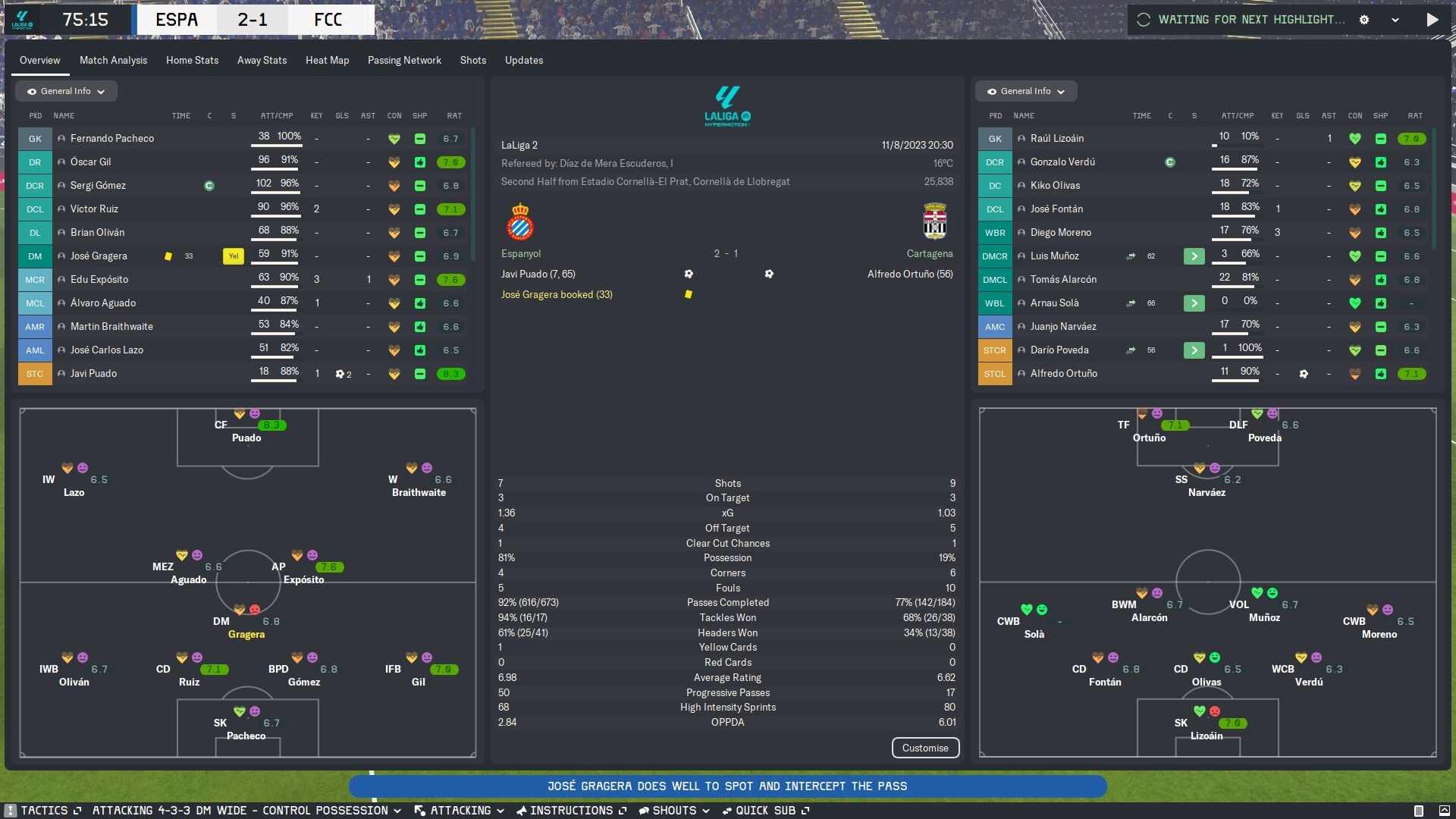
Match

Match In-Between Highlights
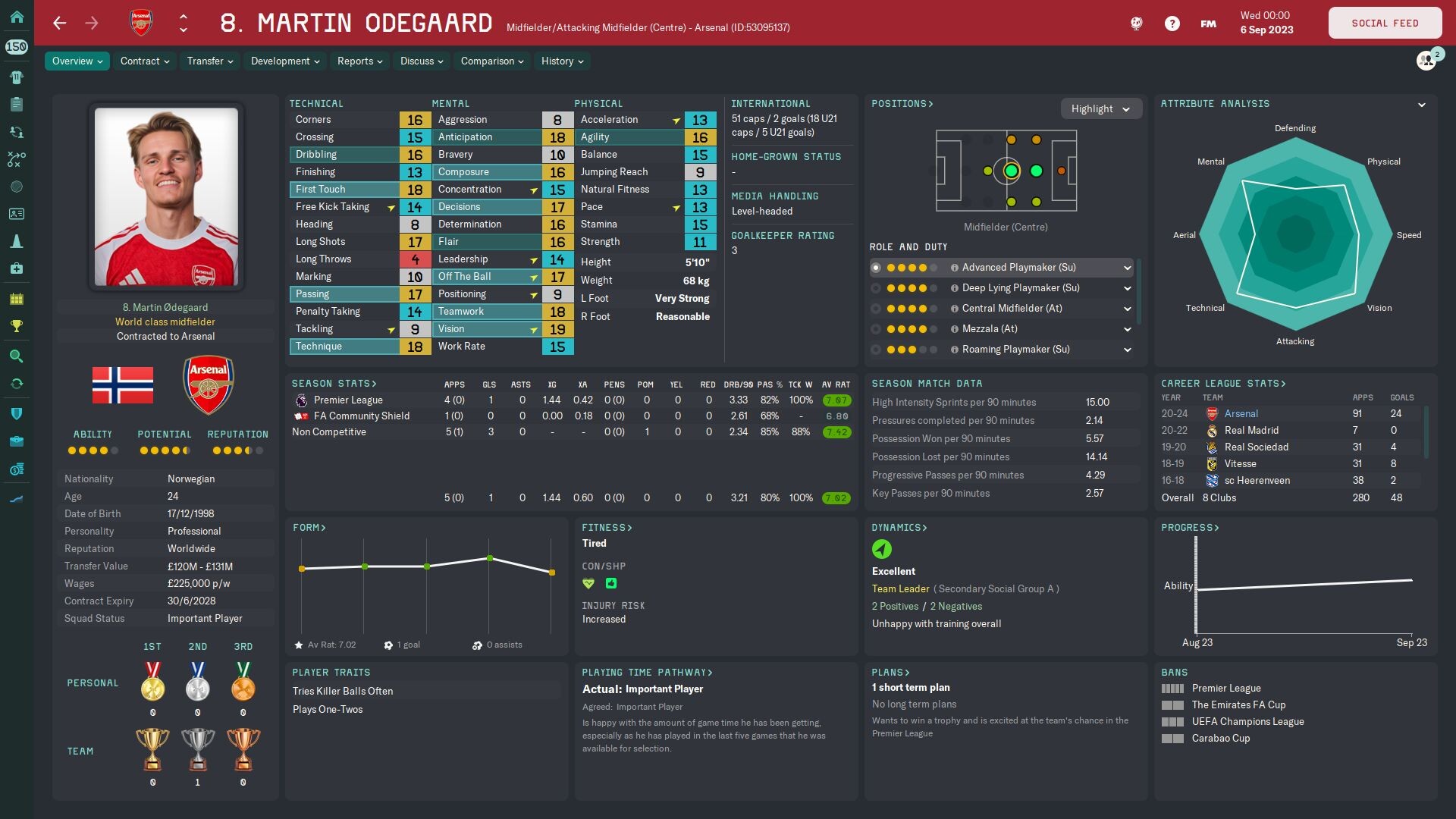
Player Overview
Player Popup

Main Menu

[Optional] Condition and sharpness as percentages mod




![FM24 2025-26 Real Fixture & Results (Start in 2025) [FINAL VERSION]](https://www.fmscout.com/datas/users/realresult_artv2_257759.png)


Discussion: Echo Skin for FM24
49 comments have been posted so far.
edit: nevermind, i just opened it back and now it shows
I have made a few custom views (squad, tactics, in-between highlights) in this way that show the percentages, but they might not be to everyone's taste, as most people (I imagine) like to create their own views. Plus, some people may prefer the vanilla symbols.
If you're interested, though, send me a PM and I'll upload the files (+ instructions) to Mediafire for you.
@cagrier Cheers! Glad you're liking it.
le skins que j'utilise avec c'est option est le fm2024flutskin_dark
encore bravo en tout cas mis à part ces deux point le votre correspond exactement à ce que je recherche
super boulot encore
I've played around with custom fonts (Inter, Proggy), but just went for a vanilla+ look in the end, mostly because the default font is so condensed, so everything fits nicely. If you want to play around with it, most of the default text is determined by fonts/text.fontxml - you could try pulling something from another skin.
I added an instant result button to the pre-game screen at the request of another user, but that's probably as far as I'll go, in all honesty. I didn't even realise that some skins have it available during the game. It's likely that the file being edited is panels/match/match title bar.xml, so I'd start by looking there in a skin that has it, then perhaps adding it to my file. The process of comparing xml files and seeing how things fit in is pretty simple once you get into it.
1. Have you experimented to change all of the fonts into whatever signature fonts you are using right now? Kinda curious if that makes the skin looks more united and appealing.
2. Could you please tell how to change the custom main menu background? Because I'm using 2560x1440 monitor and your background only covers 70% of it.
3. I just realized during the match, there is no instant result button. Was that intended or you will add it on the next update? Just feels a lil bit irritated when I am already winning with big margin and want to skip the match XD
Thanks in advance!
Very nice work man !
I asked a question in the SI Forum under your post regarding scout report colours, with picture attached.
Could you please reply there?
@Ambassador242 Glad you like it. I'll have a look at the opposition instructions screen in a bit. As for the footer, if you follow these instructions, it'll add the condition heart, body language emoji and rating back to the footer:
open panels/match/match console quick tactics panel.xml
search for:
height="56", then change it to height="84"
open panels/widgets/match players bar widget.xml
search for:
<widget class="spacer" height="9"/>
delete this line and replace it with this block of code:
<container class="main_box_no_margin" appearance="" height="34">
<attachment_group class="horizontal_arrange" horizontal_alignment="middle" horizontal_offset="0" vertical_inset="0" horizontal_gap="4"/>
<widget class="player_condition_icon_widget" icon_alignment="centre" width="16" navigation_focus_target="false" id="PcOI" label_disabled="true" show_hover_popup="false"/>
<widget class="body_language_widget" id="Pmtc" label_disabled="true" width="16" icon_alignment="centre" appearance="" navigation_focus_target="false">
</widget>
<widget class="match_rating_label_formatted" id="rtIc" format="[%fraction#1-2.1]" dont_format_numeric_grouping="true" alignment="centre" navigation_focus_target="false" auto_size="horizontal" wants_mouse_events="false">
</widget>
</container>
Suggestion tho: please add enemy's weaker foot in opposition instruction screen and player's mood at the bottom of match screen.
Thank you!
I'll have to revert the Bundesliga scoreboard back to the defaut one. Out of interest, was there anything unique about this game? Or was it just a standard season game?