


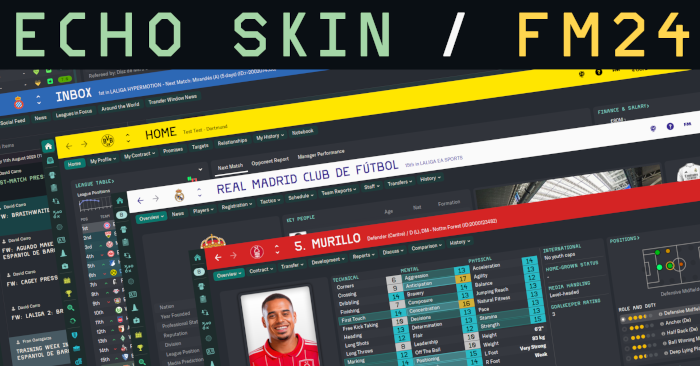
- Designed for use with DF11 faces
- Designed with 'sidebar icons only' interface option selected (not essential, but I'm unsure how well some panels will align without it)
- Built on a 1080p monitor. I'm unsure what it will look like on ultrawide etc.
- A stadium images pack is required for the Home panel
- You can customise colours using settings/echo settings.xml
- Low quality 3D environment backgrounds (e.g manager's office) have been removed
- Optional 'condition and sharpness as percentages' mod, which requires a pair of fixed custom views (Squad and Tactics) - please see the image at the bottom of this page for an example. Detailed instructions are included in the 'mods' folder, which is found in the root folder of the skin.
Credits
- OPZ and TCS for trophy icons and home screen foundation
- TCS and Tato for home screen tabbed panel foundations
- Tangfu for report card icons
- Statman for star and role rating graphics
- Tato for eligibility and performance panels reverse engineering
- Material awards panel reverse engineering
- Zealand skin for match footer base panels, club panel inspiration
- Rensie for match footer foundation, in-between hightlights foundation, match continue panel reverse engineering, hall of fame table, player popup, non-player 'tactical style' fix, positions element + pitch graphic, nation or club logo panel for eligibility panel
- Woz for reverse engineering
- Fusiondb for the column sorting solution for the in-match player stats
- Wannachup for Instant Result foundation
- the_hoyle from the SI forums for the new shirt number fonts
Fixes and Notes
- Changed action bar graphics, fixed vanilla action bar hover bug - the hover colour no longer remains after clicking away from the button
- I've redesigned the pre-match team sheet graphics to have better alignment etc., but was unable to get a satisfactory result with the pre-match league table, so it has been removed.
Installation
- Unzip the archive and put the 'Echo' folder into Documents/Sports Interactive/Football Manager 24/skins
- If the skins folder doesn't exist, create it
Updates
(20-11-25)
- Added optional 'condition and sharpness as percentage' mod. See instructions in Echo/mods folder
- Increased size of clock area in the scoreboard - there (hopefully) shouldn't be any clipping during extra-time now
- Increased the size of the half-time backroom advice panel so that all match stats are now visible
- Fixed the goalkeeper height/weight area in the attributes panel
- Increased kit size + added new shirt number graphics on tactics screen (increases file size to 22mb)
- Fixed broken scoreboard (uploaded incorrect version)
(13-11-25)
- Quick fix for broken spacing on pre-match fixture screen
- Fixed inconsistent spacing on titlebar
- Fixed scoreboard injury time spacing
(11-11-25)
- Removed player images from the tactics screen as the player relationship lines don't look good unless the shirt is centered. If you'd like to change it back, look in panels/tactics/backups, then drag and drop tactics icon info panel overview.xml into the panels/tactics folder
(09-11-25)
- Fixed trophies vertical spacing
- Removed inconsistent 'view job advert' widget that showed on the club overview panel when a club has no manager
- Fixed incorrect font on press conference continue button
(04-11-25)
- Quick fix to revert Bundesliga scoreboard change (possible issue)
- Slightly lightened 'Must Respond' email colour for better contrast
(03-11-25)
- Fixed negative finances colour (reverted back to red)
- Slightly lightened ‘read’ message colour to improve visibility after selecting then deselecting a Must Respond email
(01-11-25)
- Improved inbox colours for better contrast
- Improved the contrast between the preferred and required attribute highlight boxes
- Added an Instant Result button
- Changed the Bundesliga scoreboard to the standard one, to better fit with the in-between highlights panel (if you'd like to revert this change, go to panels\match\comps\ger\bundesliga\ and delete match score area panel.xml
Screenshots
Club Overview

Home

Inbox

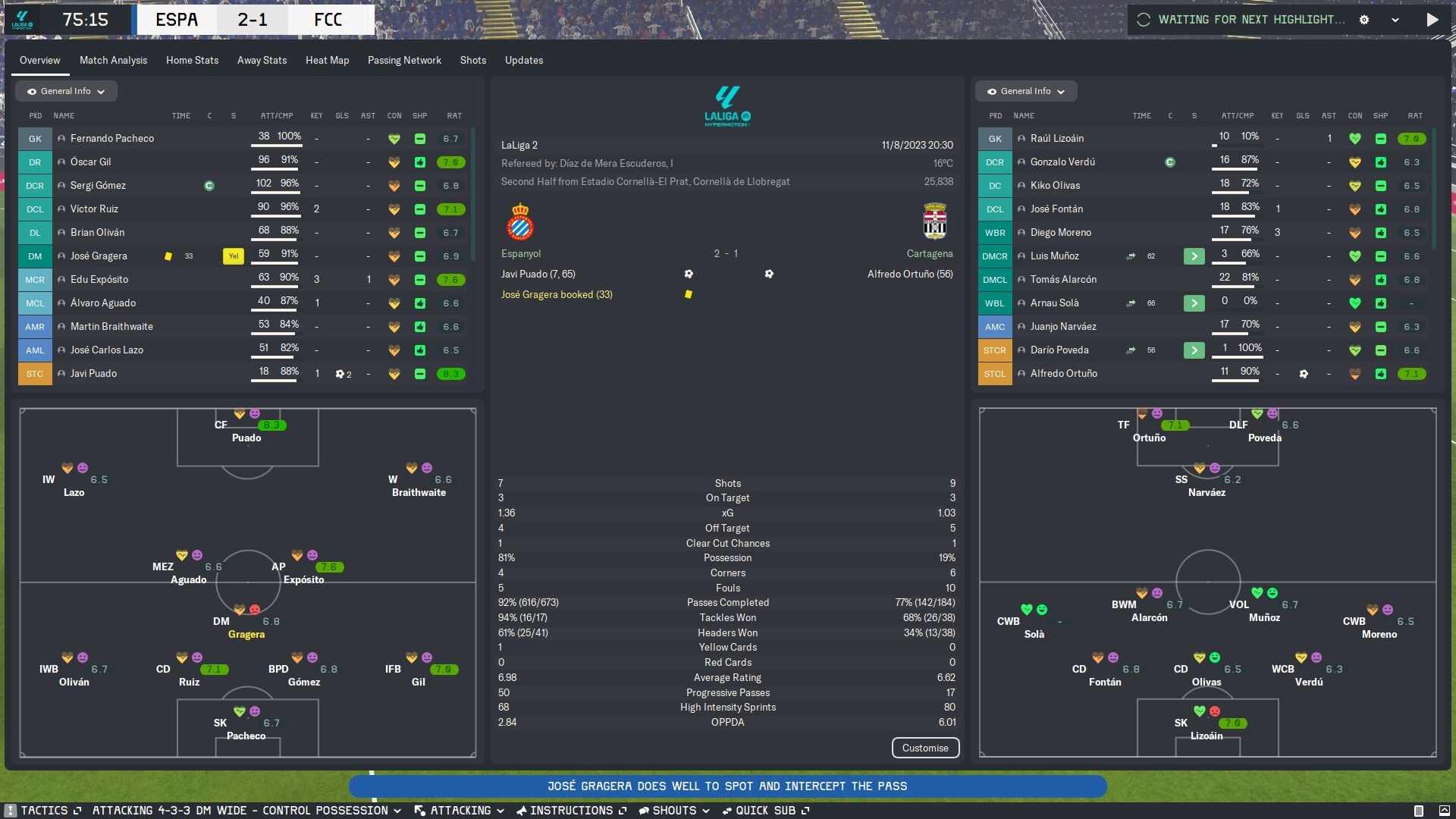
Match

Match In-Between Highlights
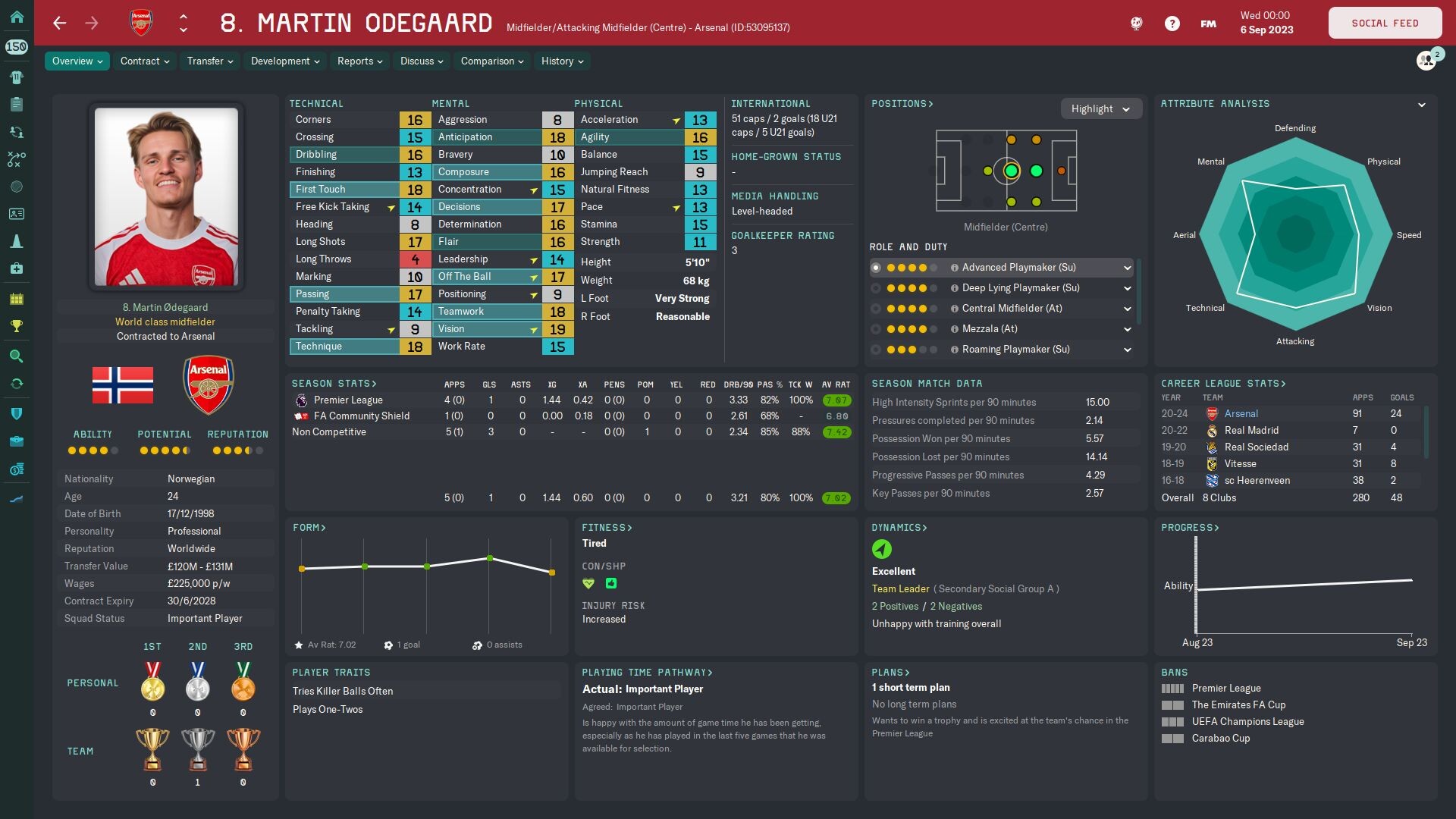
Player Overview
Player Popup

Main Menu

[Optional] Condition and sharpness as percentages mod



![FM24 2025-26 Real Fixture & Results (Start in 2025) [FINAL VERSION]](https://www.fmscout.com/datas/users/realresult_artv2_257759.png)


Discussion: Echo Skin for FM24
49 comments have been posted so far.
colour="black" use_attribute_colour_as_bg="true" appearance="echo/boxes/attributes/100"
from these files (open with notepad or notepad++, use search function if needed):
panels/player/echo/attributes panel.xml (1 instance)
panels/player/echo/player attributes panel popup.xml (1 instance)
panels/non_player/non player attributes panel.xml (6 instances)
panels/human/echo/tab manager overview.xml (3 instances)
I think that covers everything. Let me know if you find them anywhere else.
@kmalove I'll have a look into that. Do you mean 'Above Average' etc., or numerical values? I think I've seen a couple of skins with numerical values but I haven't used those myself.
I had a look into it and that particular colour is seemingly hardcoded to the 'fg negative' colour. Giving it a custom colour doesn't work, so I've reverted the whole thing back to the usual red.
@nicolas_om I'm just trying to make a skin that looks cool, man. If you want a UI revolution then FM26 might be up your alley!
Preferences Screenshot
Open Preferences. Select Interface in the top right box. The first row says Skin. The box to the right, showing the current skin, will say Football Manager. Click the box and select Echo, then click Confirm at the bottom. Easy peasy.
@Ayt7s Go to Preferences > Interface > Skin dropdown box.
@nicolas_om It isn't a compilation of well-known skins - when I give credit, it's usually for the underlying code that makes the skin work. In terms of design, the club, player, in-between highlights, scoreboard etc. panels have been built from scratch. A lot of work goes into something like this - you should give it a try.
If you'd like to use them, it should be easy enough to go into a skin that uses them, find the relevant widgets, then add them to:
panels/player/player additional attributes panel.xml
panels/player/echo/player attributes panel popup.xml.xml
On the popup, you'd want to put them beneath the 'Left Foot' and 'Right Foot' section, because there isn't much room left on the right side when a player has a few traits. I've highlighted most of the sections in this XML file, so it should be easy to navigate.
If you need any extra help you can send me a DM.
If anyone has any other suggestions, please let me know.
I'm speaking with a lad from FM Scout about fixing it, so it'll be sorted soon.