


You don't need to start a new save for this to take effect.
With the exception of Brazilian clubs.
With the exception of Brazilian clubs.
An fmscout.com EXCLUSIVE
This is an essential add-on for FM 2026. Due to licensing issues, FM26 contains fake names for a number of competitions, clubs and awards. With this add-on, you can fix that and enjoy FM 26 with real names.FM26 Real Names Corrected
- All playable clubs names from all continents
- All major leagues names
- All non-playable Europe Top Leagues club names
- Almost all minor leagues names
- All Continental, National and National Cups names
- Continental awards
- Some stadium names
2026 Name Fix Preview
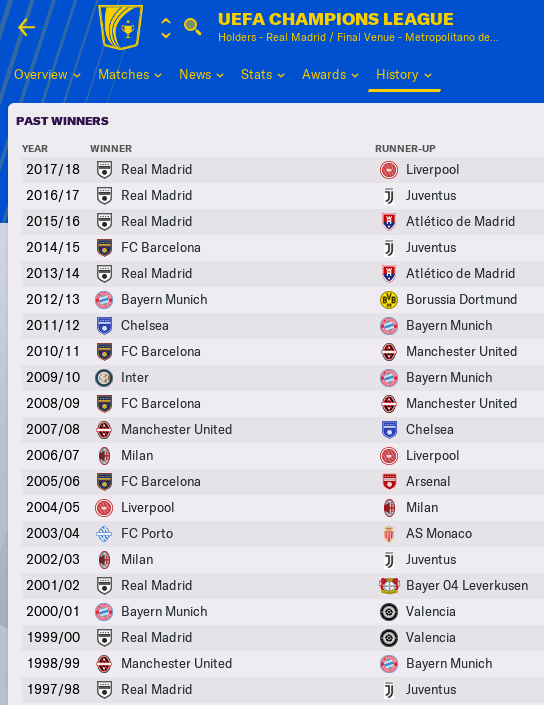

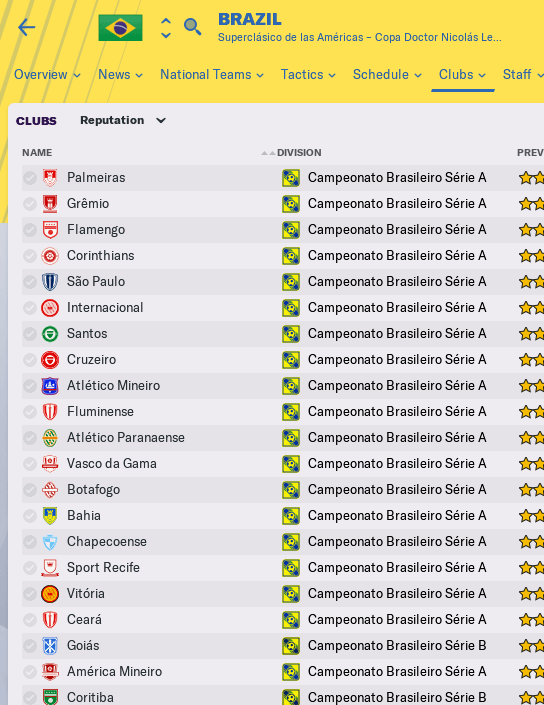
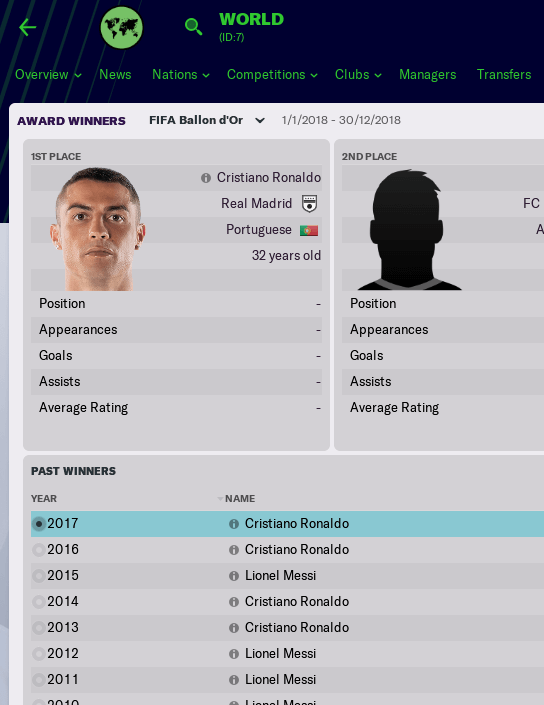
Feedback
If you find errors in translation / names or need a fix for other club / league / competition names, please post a comment below and I'll try my best to update these files.Real Names Fix Instructions
How to fix fake competition and club names in FM 2026
- Quit the game (if it's open).
- Extract the contents of the pack you downloaded from here to a temporary location. You'll need them for step 6.
- Find the 2620 folder.
Windows:
Mac:STEAM
\Program Files (x86)\Steam\steamapps\common\Football Manager 26\shared\data\database\db\2620\
EPIC GAMES
\Program Files\Epic Games\FootballManager26\shared\data\database\db\2620\
STEAM
/Users/[username]/Library/Application Support/Steam/steamapps/common/Football Manager 26/fm.app/Contents/PlugIns/game_plugin.bundle/Contents/Resources/shared/data/database/db/2620/
EPIC GAMES
/Users/Shared/Epic Games/FootballManager26//fm.app/Contents/PlugIns/game_plugin.bundle/Contents/Resources/shared/data/database/db/2620/ - Open the lnc folder and then enter the all sub-folder.
- Delete the following 14 files:
- ac milan (wom).lnc
- acc Inter unlic 24.lnc
- acmilan unlic 24.lnc
- atalanta u23 (men).lnc
- fake.lnc
- inter (wom).lnc
- inter u23 (men).lnc
- inter unlic 24.lnc
- japanese names.lnc
- lazio (wom).lnc
- lic_dan_swe_fra.lnc
- licensing club name_fm24.lnc
- men lazio.lnc
- men.atalanta.lnc
- Move FM26 Fix by FMScout.lnc and FM26 Club Names by FMScout.lnc inside this all folder.
- Go 2 folders back to find the edt folder.
Open it and then enter the permanent sub-folder. - Delete the file "fake.edt".
This will fix Niko Kovač from getting renamed to Max Freund, Oliver Kahn from getting renamed to Jens Freund, and a couple of more people. - Again go 2 folders back, this time to find the dbc folder.
Then enter the permanent sub-folder.
Delete the following 7 files:
- 1_japan_removed_clubs.dbc
- brazil_kits.dbc
- forbidden names.dbc
- japan_fake.dbc
- japan_unlicensed_random_names.dbc
- j league non player.dbc
- licensing26.dbc
- Now enter the language sub-folder.
Delete the following 2 files:
- Licensing2.dbc
- Licensing2_chn.dbc
- Open the game and enjoy Football Manager 2026 with real names.
IMPORTANT: The fix for Brazilian clubs can only take effect with a new save because dbc files affect the saved game when it's first created.
IMPORTANT: If your saved game was started prior to the 26.2.0 patch, you need to apply this fix to the 2600 folder as well!
For reference, the folder structure of the path you need to apply the fix is as follows:
- 2620
- 2620_fm
- dbc
- permanent
- 1_japan_removed_clubs.dbc
- brazil_kits.dbc
- forbidden names.dbc
- japan_fake.dbc
- japan_unlicensed_random_names.dbc
- j league non player.dbc
- licensing26.dbc
- ...
- permanent
- edt
- permanent
- fake.edt
- ...
- language
- Licensing2.dbc
- Licensing2_chn.dbc
- permanent
- lnc
- all
- ac milan (wom).lnc
- acc Inter unlic 24.lnc
- acmilan unlic 24.lnc
- atalanta u23 (men).lnc
- fake.lnc
- inter (wom).lnc
- inter u23 (men).lnc
- inter unlic 26.lnc
- japanese names.lnc
- lazio (wom).lnc
- lic_dan_swe_fra.lnc
- licensing club name_fm24.lnc
- men lazio.lnc
- men.atalanta.lnc
- ...
- all
I want to help with proper real names for my country.
We welcome everyone to suggest and contribute changes to this name fix. Feel free to send a PM to Stam or to pr0.Brazilian clubs have three-letter names in my game. How to fix?
Even though Brazilian club names are fixed in our files, the game will continue to show the 3-letter name instead of the full name. That is due to certain dbc files that affect them when you save your game for the first time. You need to start a new save AFTER applying this fix (in full), for Brazilian team names to be correct.I applied the fix, but I'm still seeing some wrong club names.
During career game set up, you will still see incorrect names for some clubs, but once you select your club and start playing, the names will be correct.Where is Application Support folder on Mac OS X
Mac users who have trouble locating their Application Support folder, please follow these steps:- Open a Finder window
- Press CMD + Shift + G on your keyboard to open the “Go to folder” window
- Type: ~/Library/Application Support/Steam/steamapps/common/Football Manager 26/fm.app/Contents/PlugIns/game_plugin.bundle/Contents/Resources/shared/data/database/db/2620 and press “Go” or hit enter
Don't agree with a name? You can change it.
If your opinion for a name change isn't widely accepted, it's advised to change the name yourself.Open the fix file in a text editor such as Notepad, search for the name you want to change, change it, and save. It's really that simple. The fix will apply the next time you start FM26.


![FM26 International fixes & Nationalities update [Final Version out]](assets/downloads/fm26/fm26-international-fixes-and-nationalities-update.th.jpg)





Discussion: Football Manager 2026 Real Names Licence Fix
119 comments have been posted so far.
When I follow the procedure you mentioned, I'm getting an error on my Mac.
The game won't start; it says there's an error in the fm file.
However, I noticed that in my original dbc folder, some of the original files to be deleted are missing. For example:
- England.dbc
- France.dbc
- licensing_post_data_lock.dbc
- licensing2.dbc
- netherlands.dbc
Do you know how to fix this? Or why the problem is happening?
In versions prior to this update, it was working correctly.
Thank you
"CHANGE_PLAYER_NAME" 8152558 "Vincent" "" "Kompany"
save and then restart game
acc Inter unlic 26.lnc
acmilan unlic 26.lnc
instead of 26 they have 24, anybody else found this 'issue'?
However, I don't understand why it is written on the Facebook page that the first update for the FM26 is coming today, and it's 21:20 and nothing. And you're waiting here. Everyone can have problems, and you're doing it for free, okay, but at least write that it's not coming today and that's it, people shouldn't wait here..
What can I do ? This changed back on a new save I just made. My previous save stayed the same.
Why?
Edit: Once i started playing, the names kicked back in.
When starting a new save, everything seems to be in order, haven't deep dived yet.