






skogr skin free
Key Differences from Vanilla Skin
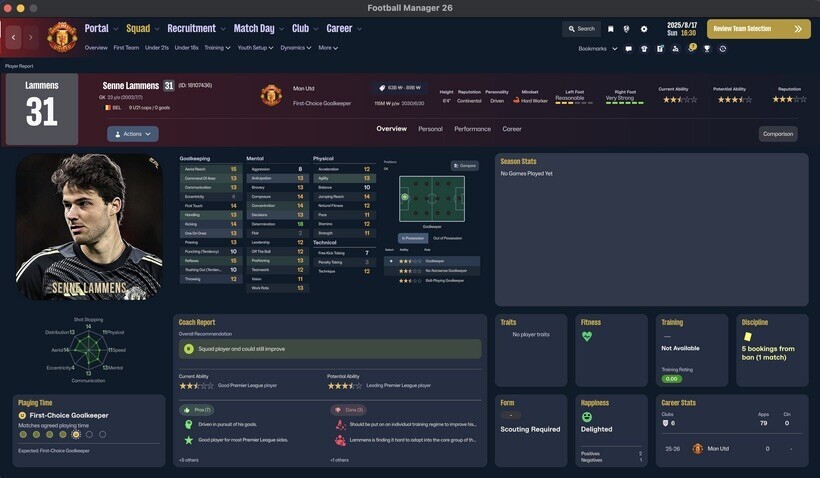
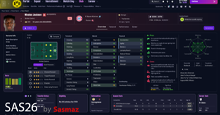
Manager Photo Replacement: Change your manager's profile picture without any extra software, just like player or staff facepacks.
Simply find your Manager ID and place the desired photo in your graphics folder using that ID.
(Tip: Search for "facepack installation guides" for detailed instructions.)
Opponent Tactics Preview: View the opposing team's tactics in advance.
Enhanced Profile Photos: Larger, better-scaled images for both player and staff profiles.
Visual Improvements: Various UI/UX enhancements for better gameplay convenience.
[IMPORTANT] The "Numerical Attributes" feature (displaying player/staff attributes as numbers) is excluded from this free version.
Compatibility & Installation
Both Mac and Windows versions are provided. Please download the version compatible with your OS.
How to Install (Mac Version)
Download the Mac version.
Copy the 17 files located inside the free folder.
Paste them into the directory below and replace the existing files. [IMPORTANT: A backup of your original files is mandatory before replacing.]
/Users/(YourName)/Library/Application Support/Steam/steamapps/common/Football Manager 26/fm.app/Contents/Resources/Data/StreamingAssets/aa/StandaloneOSX/
How to Install (Windows Version)
Unzip the downloaded file and locate the free skin folder.
Copy only the files inside that folder (do not copy the folder itself).
Paste them into the following directory: [IMPORTANT: A backup of your original files is mandatory before replacing.]
\Football Manager 26\fm_Data\StreamingAssets\aa\StandaloneWindows64
For more information regarding our paid and membership skins, please check the link below: https://www.patreon.com/skogr/posts/skogr-skin-has-161889818



![FM26 Data Tweaks [v3.6 | v5.3]](https://fmdatatweaks.com/wp-content/uploads/fmdt-cover.webp)


Discussion: skogr skin free (win + macOS)
36 comments have been posted so far.
I offer custom skins on my Patreon. If you wish to make changes to the public version, please make a request after purchasing.
The In-Game Editor (IGE) is not compatible by default. If you wish to use the IGE comfortably and properly, you will need to use a different skin. This is an intentional modification. The workaround mentioned in the post is simply a method discovered by a user in the Korean community who wanted to use the editor with this skin.