


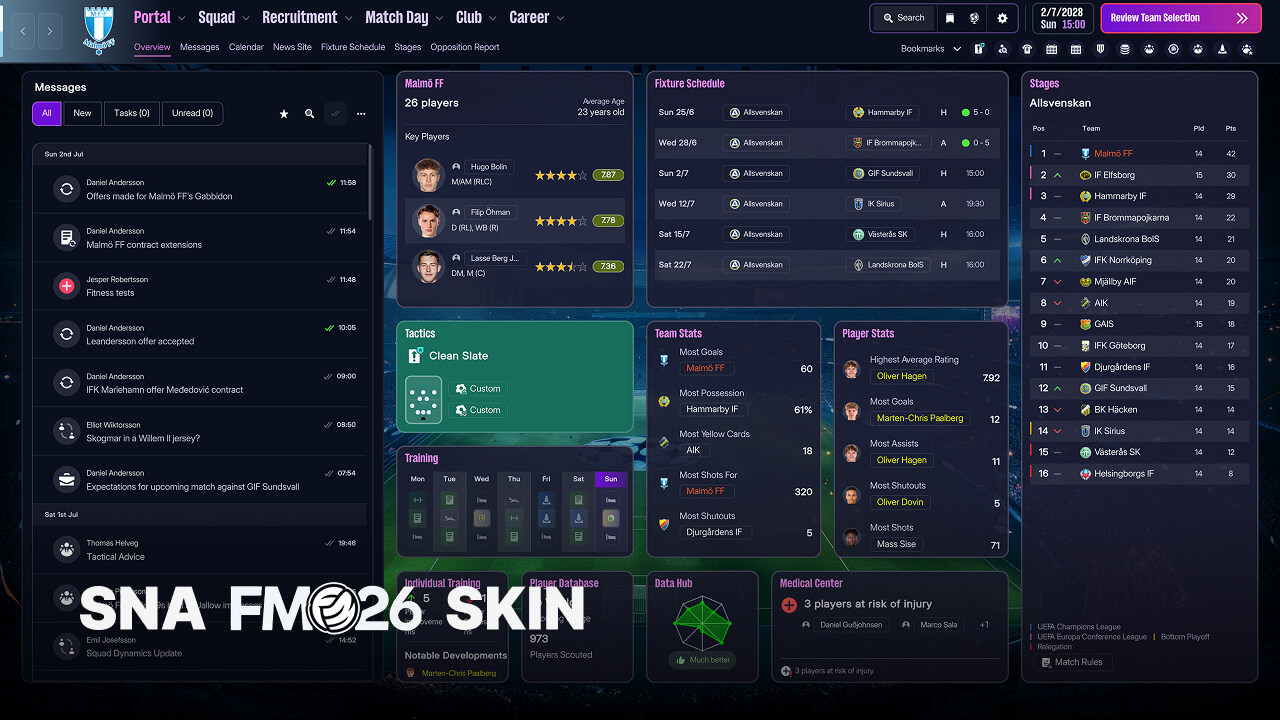
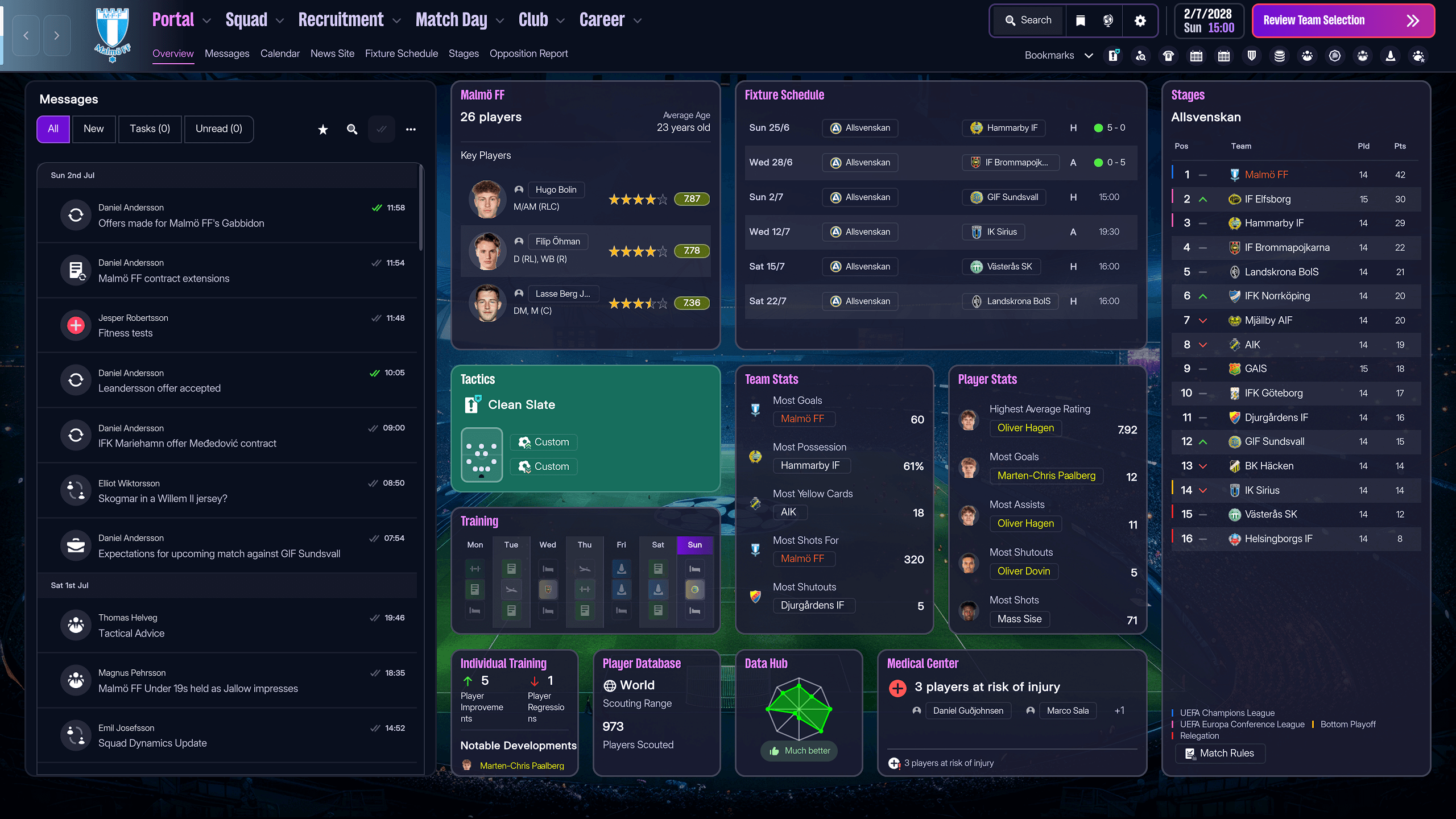
Inspired by MrTini23’s layout structure, this version prioritises readability, spacing and logical grouping of information across key screens.
Future updates will refine layouts further and introduce additional usability improvements.
The goal was simple:
Keep the authentic FM26 visual identity, but improve how information is structured and presented. Instead of redesigning colours, this version stays true to the default Football Manager 2026 palette, ensuring the skin feels native and familiar. The focus is entirely on usability, clarity and logical panel organisation.
SNA FM26 Skin improves:
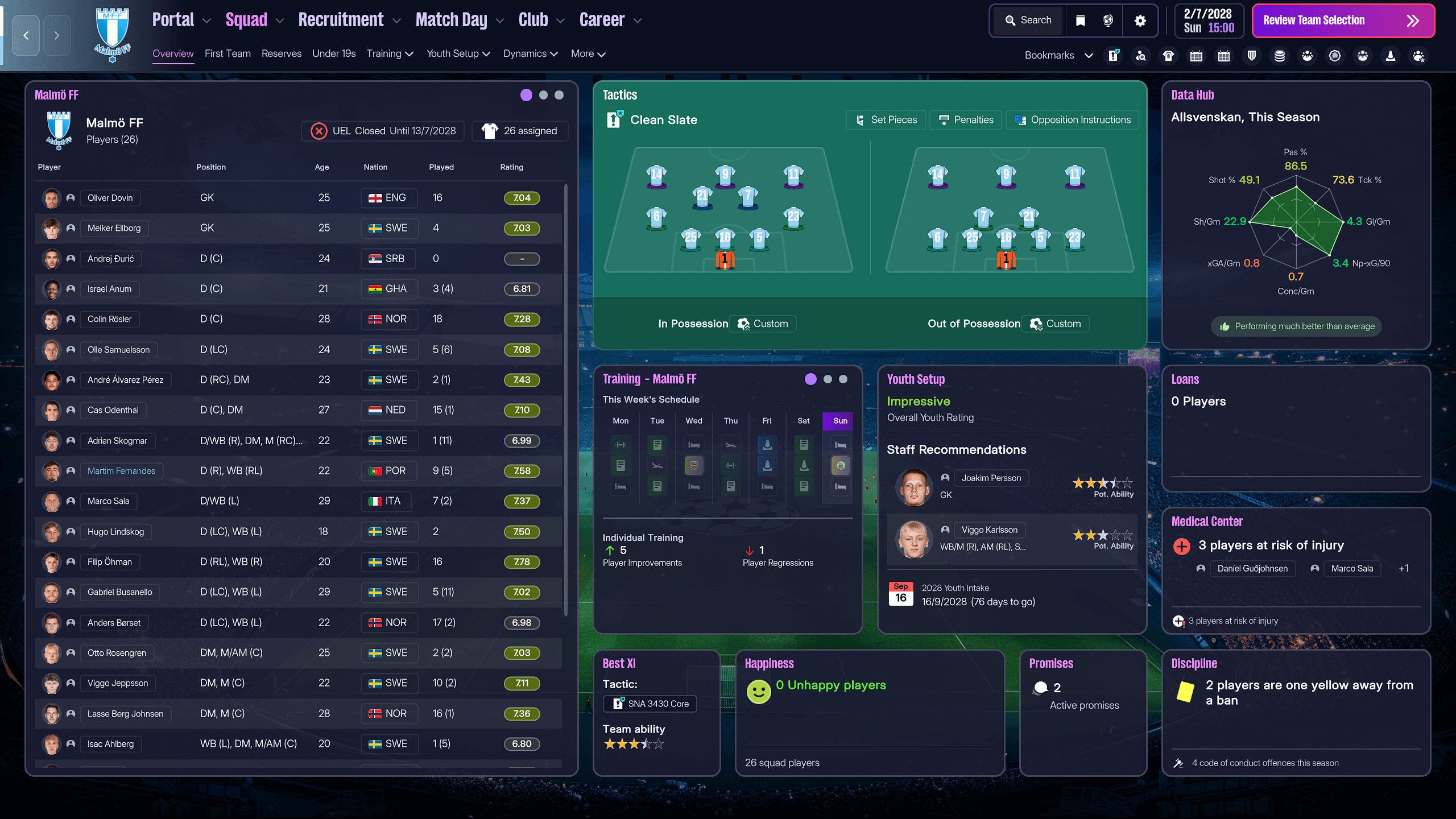
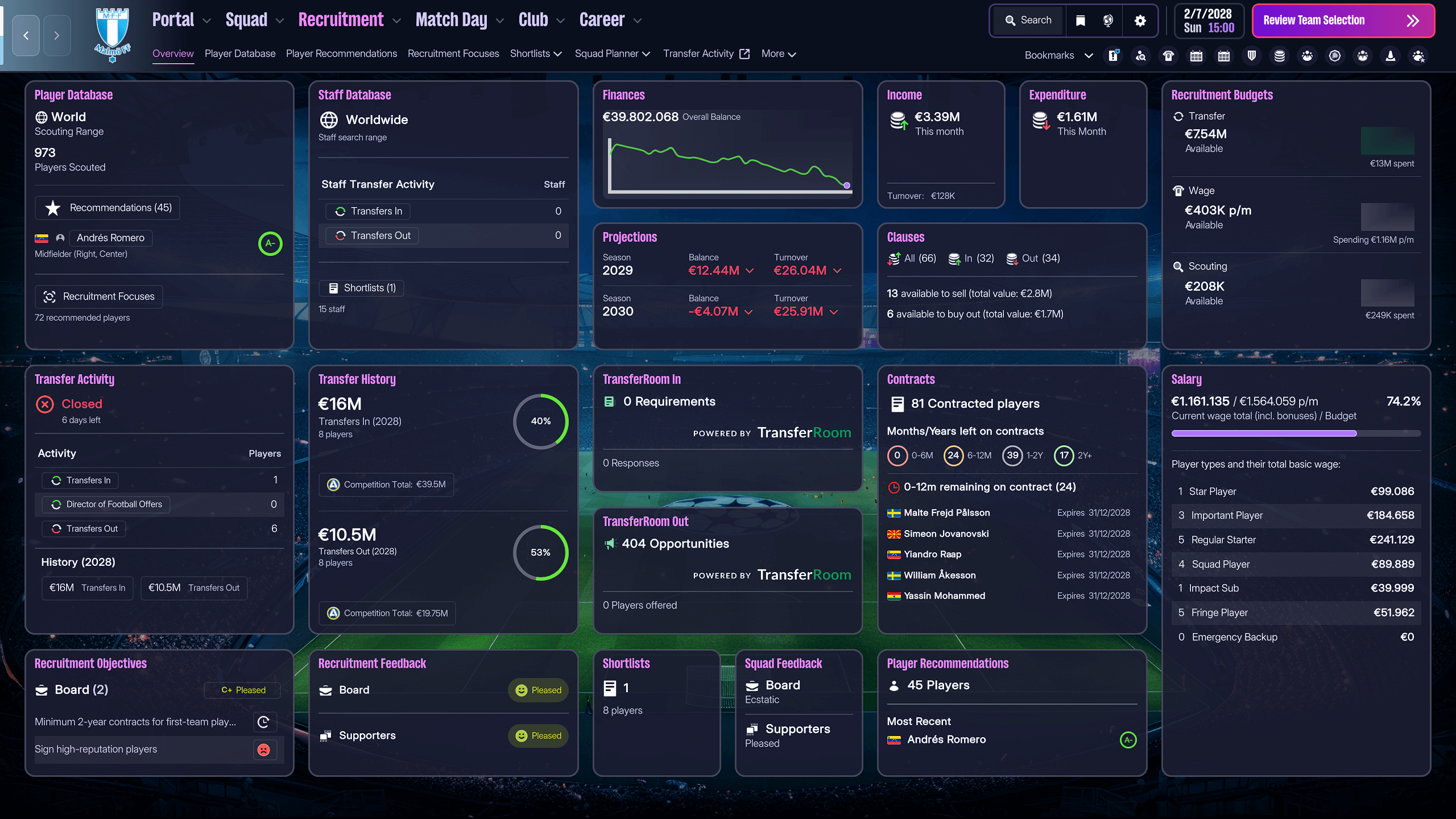
- Panel positioning and logical grouping
- Tile hierarchy and content balance
- Spacing and readability
- Information density without visual overload
- Cleaner alignment across major screens
The layout structure is based on the panel logic originally developed by MrTini23, but adapted to keep default FM26 colours and a more natural in-game feel. This is not a radical redesign. It is a structured refinement.
Key Screens:
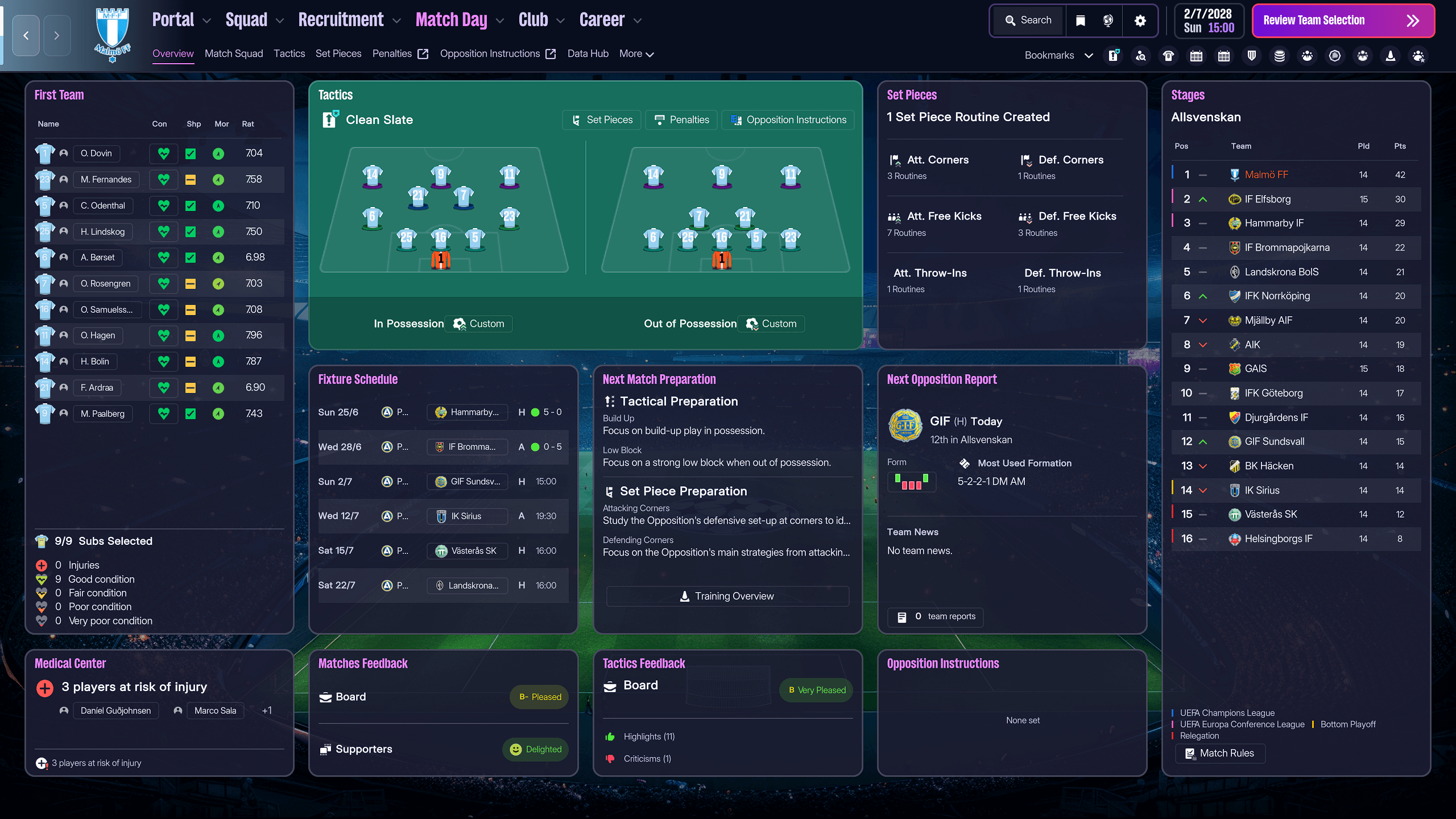
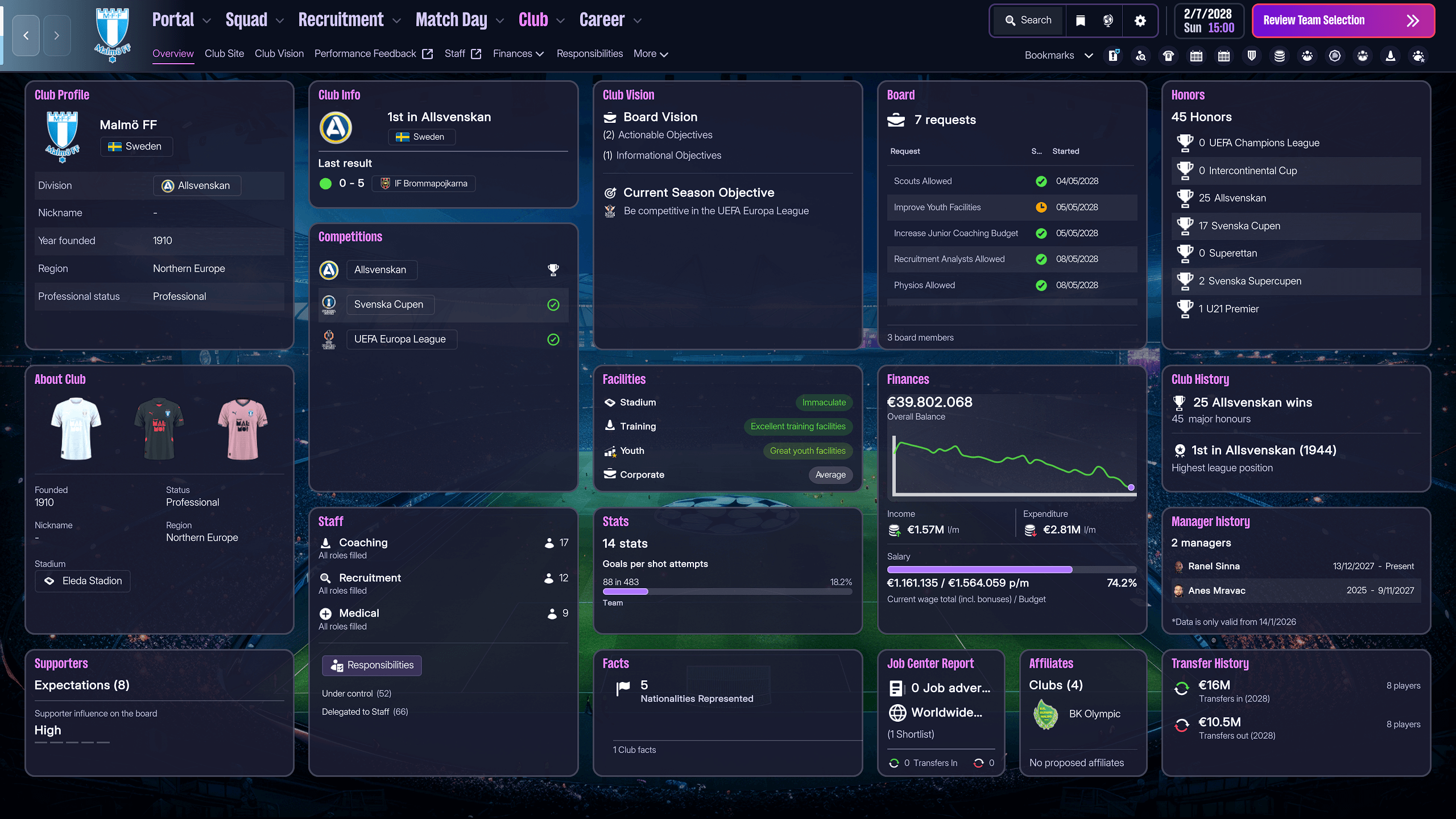
FM Skin Builder Install Guide
The first step is to download the FM Skin Builder tool from: https://fmskinbuilder.comAlways download the latest beta version.
Support and help for the tool can be found in the FM Matchlab Discord: https://discord.com/invite/Dr9gaChvRG
Make sure the Beta version is selected, then download and run the installer.
After Installation
When you launch FM Skin Builder for the first time, it will create a skins folder in:Documents\FM Skin Builder\skins
Copying the Skin
- Download the SNA FM26 Skin v1.0 zip file.
- Extract the archive.
- Copy the SNA FM26 Skin v1.0 folder from the extracted files.
- Paste it into:
Documents\FM Skin Builder\skins
Linking the Game Bundles
Open FM Skin Builder.By default it installs to:
C:\Program Files\FM Skin Builder
Click the cog icon in the bottom left corner.
Locate Game Bundles Directory and click Browse.
You need to select the folder where the FM bundle files are located.
Typically on PC this is:
C:\Program Files (x86)\Steam\steamapps\common\Football Manager 26\fm_Data\StreamingAssets\aa\StandaloneWindows64
Once selected, confirm and return to the main screen.
Building the Skin
- Click Explorer in the top left.
- Click Open Skin and select SNA FM26 Skin v1.0.
- The skin will now load inside the tool.
To install:
- Click Build on the left-hand side.
- Click Build again in the top right.
- Wait for the tool to compile the skin files. This may take one to two minutes.
Make sure Football Manager 2026 is completely closed.
When the build finishes:
- Click Apply to Game.
- Launch Football Manager 2026.
The skin should now be active.
Important
Whenever a new Football Manager patch is announced:Before downloading the update, restore the original game files via Steam.
To do this:
- Right click Football Manager 26 in Steam
- Click Properties
- Go to Installed Files
- Select Verify Integrity of Game Files
This ensures FM Skin Builder always works with the latest official files.







Discussion: SNA FM26 Skin | Default Colours + Optimized Panel Layout
4 comments have been posted so far.
But download not starting