Search
On FM Scout you can chat about Football Manager in real time since 2011. Here are 10 reasons to join!

TinyHips' Dark Mode Skin v5.3 [Win + MacOS] *UPDATED 26.1.1 HOTFIX*

Dark mode skin that recolours Football Manager 26, adding new graphical elements, decluttering the interface and making a OLED friendly skin.

By Updated on Dec 12, 2025   95989 views   39 comments
Download Now
Downloads: 15908 / Size: 186.0 MB / Added: 2025-11-12
Football Manager 2026 Skins - TinyHips' Dark Mode Skin v5.3 [Win + MacOS] *UPDATED 26.1.1 HOTFIX*
Updates
v5.3 - Updated for Patch 5 Hotfix, 26.1.1 (12-12-25)

Either read the written instructions below or watch a quick video for an installation guide.

To install:

1. Navigate to StandaloneWindows64/StandaloneOSX:

Windows C: (or your installation drive)/Program Files (x86)/Steam/steamapps/common/Football Manager 26/fm_Data/StreamingAssets/aa/StandaloneWindows64

~Library/Application Support/Steam/steamapps/common/Football Manager 26/fm.app/Contents/Resources/Data/StreamingAssets/aa/StandaloneOSX
TO SEE OSX .bundle FILES YOU MAY NEED TO UNHIDE THE FILES, USE Command + Shift + Period (⌘ + ⇧ + .).

Alternatively, you can navigate to the Football Manager 26 folder by clicking the ‘cog’ next to the game screen on steam:

manage -> browse local files

*Some users experience crashes with ui-styles_assets_match.bundle (with speed-up mod) & stadium-ads_assets_all.bundle (some languages)*

2. Backup files in StandaloneWindows64/StandaloneOSX that have the same name as those in '.bundle', in case you need to revert your game files:

- stadium-ads_assets_all.bundle
- ui-backgrounds_assets_common.bundle
- ui-mainmenu-assets_assets_all.bundle
- ui-match_assets_all.bundle
- ui-prematch-backgrounds_assets_common.bundle
- ui-styles_assets_common.bundle
- ui-styles_assets_default.bundle
- ui-tactics_assets_all.bundle
- ui-textures_assets_all.bundle
- ui-tiles_assets_all.bundle
- ui-widgets_assets_all.bundle
- ui-styles_assets_match.bundle

3. Drag and drop the files from the skin pack into StandaloneWindows64/StandaloneOSX.

4. Click replace.

5. Start Football Manager 26 and enjoy!


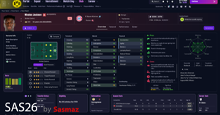
Dark Mode FM26 Skin Preview


How to install FM26 mods:


Download Now
Downloads: 15908 / Size: 186.0 MB / Added: 2025-11-12
Your content on FM Scout

We are always looking for quality content creators, capable of producing insightful articles. Being published here means more exposure and recognition for you.

Do YOU have what it takes?

Discussion: TinyHips' Dark Mode Skin v5.3 [Win + MacOS] *UPDATED 26.1.1 HOTFIX*

39 comments have been posted so far.

  • JordzFM95's avatar
    Just tried this and it crashed my game every time, tried the beta version and base version twice each and didn't work, I had to verify files to the normal stuff back. Maybe I messed up somewhere but will try again tomorrow
  • JordzFM95's avatar
    @tinyhips you legend!
  • tinyhips's avatar
    Updated for Update 2 (FM26.0.5) for both Mac and Windows.
    1
  • notfoundPT's avatar
    You have a date for release with new update?
    1
  • singa paddlepop's avatar
    this is good
  • JordzFM95's avatar
    @tinyhips thought so, I will keep an eye out mate cheers
  • tinyhips's avatar
    @JordzFM95 I'll have to update it to work with the new patch sadly.
    2
  • JordzFM95's avatar
    Love this skin it's exactly what I want my game to look like but now with todays beta update it's reverted back to original, do we know if this still works or would the files need to be updated for it to work again?
    1
  • tinyhips's avatar
    @kfnielsen I currently don't have this issue. If it persists, try changing the attribute colours in your preferences.
  • NeXoR's avatar
    AMAZING!!!
    1
  • kfnielsen's avatar
    Thanks Mate looks cool
    The attribute colors are all white
  • tinyhips's avatar
    Svartowiz is right, for some reason OSX hides .bundle files. You can access StandaloneOSX by right-clicking on the fm26 app file and selecting 'show contents'.
  • Svartowiz's avatar
    No, the .bundle folder is hidden. If you're on Mac "CMD+Shift+." should unhide it.
    1
  • theadeile's avatar
    the folders are empty

FMS Chat

Stam
hey, just wanted to let you know that we have a fb style chat for our members. login or sign up to start chatting.