


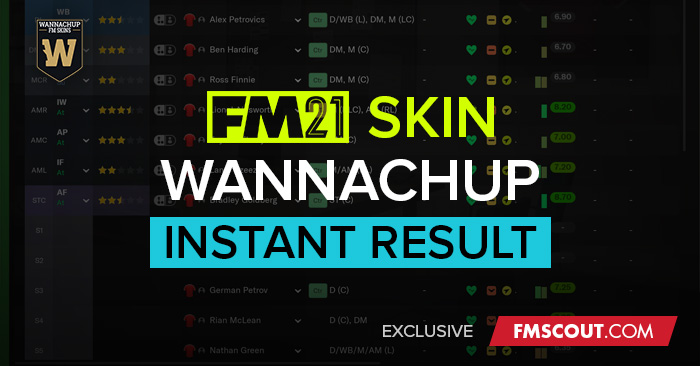
This is ideal if you don't wish to play a match and get straight to the result.

PayPal donation: paypal.me/wannachup
How to install the Instant Result FM21 Skin
- Download the .zip archive and use a tool such as 7-zip for Windows or The Unarchiver for MacOSX to extract its contents.
- Move ALL extracted folders to your skins folder.:
Documents\Sports Interactive\Football Manager 2021\skins\ - Run Football Manager 2021 and go to Preferences > Interface.
You should see "FMSCOUT-FM21-Instant-Result”, "FMSCOUT-FM21-Instant-Result-Dark" or "FMSCOUT-FM21-Instant-Result-Light" as an option in the skin drop down of the General options section.
Hit the Confirm button.
The Light skin requires FM21 Light Skin by michaelmurrayuk to be installed. This just adds the instant result button to his skin, the rest of the light skin is his work. DO NOT ADD THESE FILES TO HIS SKIN. Just put each skin in their own folder inside the skins folder.
F.A.Q.
Q: The skin doesn't show up in the skin selection menu on Mac
A: Make sure you have installed the skin in the correct location. The install location for Mac has changed. Read this.
Q: I can't select a match plan
A: You need to create a match plan first before you can select one.


![FM26 Data Tweaks [v2.9 | v4.2]](https://fmdatatweaks.com/wp-content/uploads/2026/04/fm-datatweaks.webp)


Discussion: FMScout Instant Result FM21 Skins by Wannachup V1.03
199 comments have been posted so far.
It won't show until you are submitting a team for a match, then it will appear under the list of players on the right, just like the screenshot.
thanks a lot bro
Your AssMan should make changes.
I'll need more information. Did you put both folders in the skins folder? Which skin did you try to load when you had the issue?
I'll have to have a better look at what's going on inside your files. I'll PM you.
Okay, I got it working my using the content you just sent me in that dropbox and pasting and replacing the content in the normal Instant-Replay skin, instead of the Dark one.
It resulted in the initial issue with the skin where it would glitch out my screen and take me to a press conference with nothing on my screen.
Nope?
Try deleting everything inside the dark skin folder and replace with this:
https://www.dropbox.com/sh/nw7s8ai8xn7b9qc/AABg0V00nsvZjujbLVTuADxVa?dl=1
Yeah, I just abbreviated it in my message. Well I don't know why it's not working since I have a clean slate basically. Thanks for trying to help though, I will just wait for a different skin.
One more time : very big thanks !
Currently it is
Documents/Sports Interactive/FM21/skins/FMSCOUT-FM21-Instant-Result/settings/ - which has 2 readable files called config.xml and FMSCOUT-FM21-Instant-Result settings.xml. And I just load up FMSCOUT-FM21-Instant-Result as the skin in my preference correct?
I dunno man. It's working for me, I just sent it to someone else and it's working for them. Either you're doing something wrong or there's something wrong with your pc.
But how would I get it to work with just the default skin? Because your instructions were to put it in your Instant-Replay skin, which unfortunately isn't working for me.
Putting the settings folder I sent you a link to is how you edit the default base skin to be the dark skin
Delete "titlebar.xml" in "panels\generic"
Just tried it and still purple/white. Is there any way I can just edit the default base skin to be the dark skin?
Did you try restarting FM?