


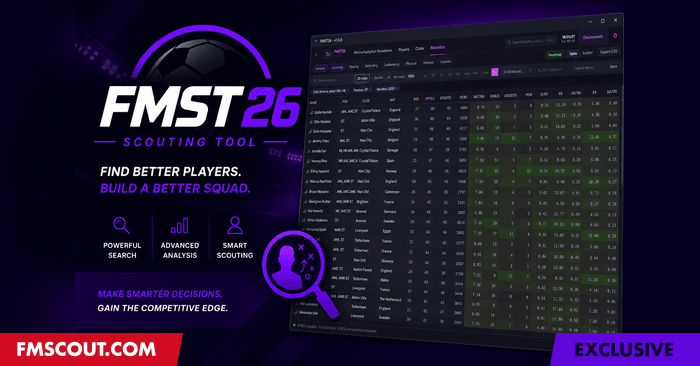
Released: July 2026 (v2.0.0)
Redistribution Policy
Exclusively available from fmscout.com.If you want to put FM Scouting Tool on other sites, you may link back here but cannot host any files yourselves. Thank you!
What's New in 2.0
A huge update. Highlights: a full percentile and distribution engine, Create your own Metrics, Compare Against custom player pools, position benchmarks, relative (percentile) and field-vs-field filtering, grouped filter conditions, shortlists, attributes and world reputation as columns, colour-blind palettes, save-change detection, auto-refresh, and Korean language support. Full list below.Why Download?
✔ 100% free - every feature, no licence required✔ Read Only - your save is never touched
✔ Loads 50,000+ players in seconds
✔ Analytics-grade statistics with p90 and xG metrics - everything that FM exports
✔ Scatter charts, percentile heatmaps, and CSV export
✔ Full attributes, CA/PA, contracts, club financials
✔ Live tracking - watch a player's data update in real time
✔ Save-change detection - the tool notices when you save or advance the date and refreshes automatically
✔ Colour-blind friendly palettes
✔ Now available in English and Korean
✔ Compatible with the latest 26.3.2
FMST26 Features
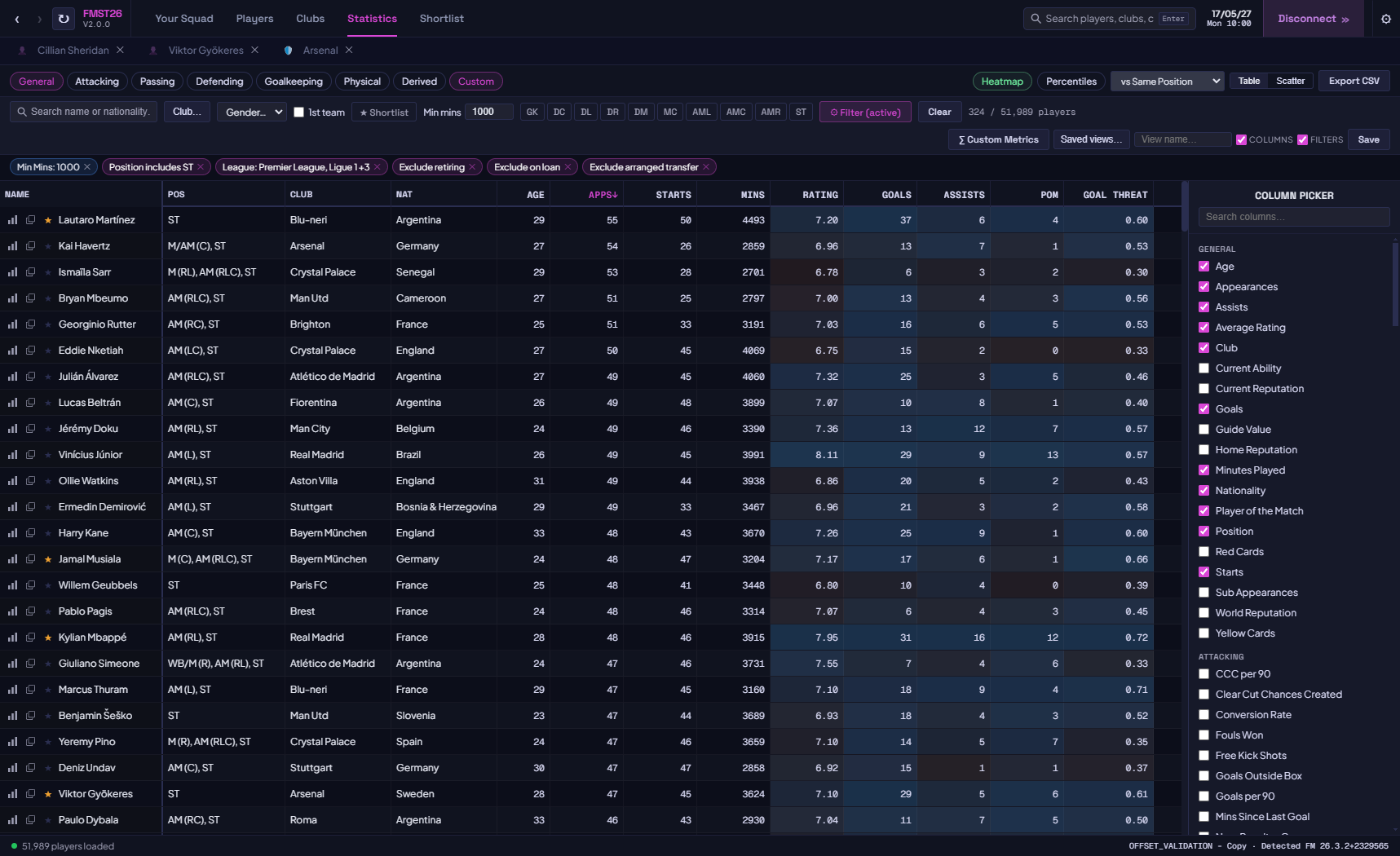
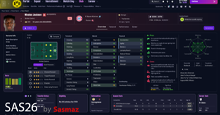
Statistics PageThe centrepiece of FMST26. A full league-management-style analytics table across every player in your save.
✔ 100+ stat columns across 8 categories: General, Attacking, Passing, Defending, Goalkeeping, Physical, Derived, and Custom.
✔ Full attributes and world reputation available as sortable columns alongside the performance stats.
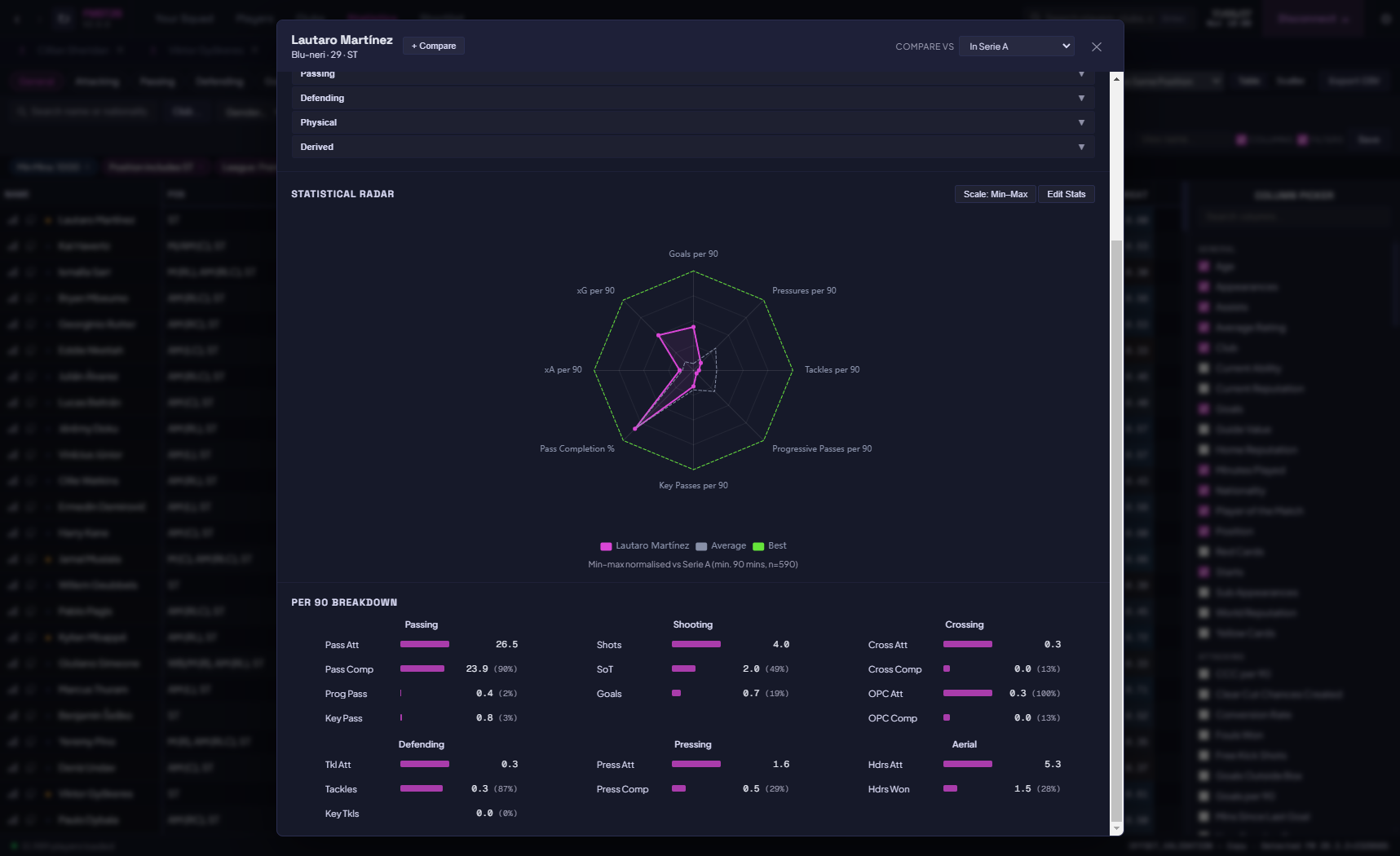
✔ Per-90 metrics for goals, assists, xG, xA, shots, tackles, pressures, progressive passes, and more.
✔ Percentile heatmap - columns shade green-to-red to show each player's rank among peers at a glance.
✔ Percentile and distribution engine - every stat can be read as a raw value or as a percentile rank against your chosen comparison pool.
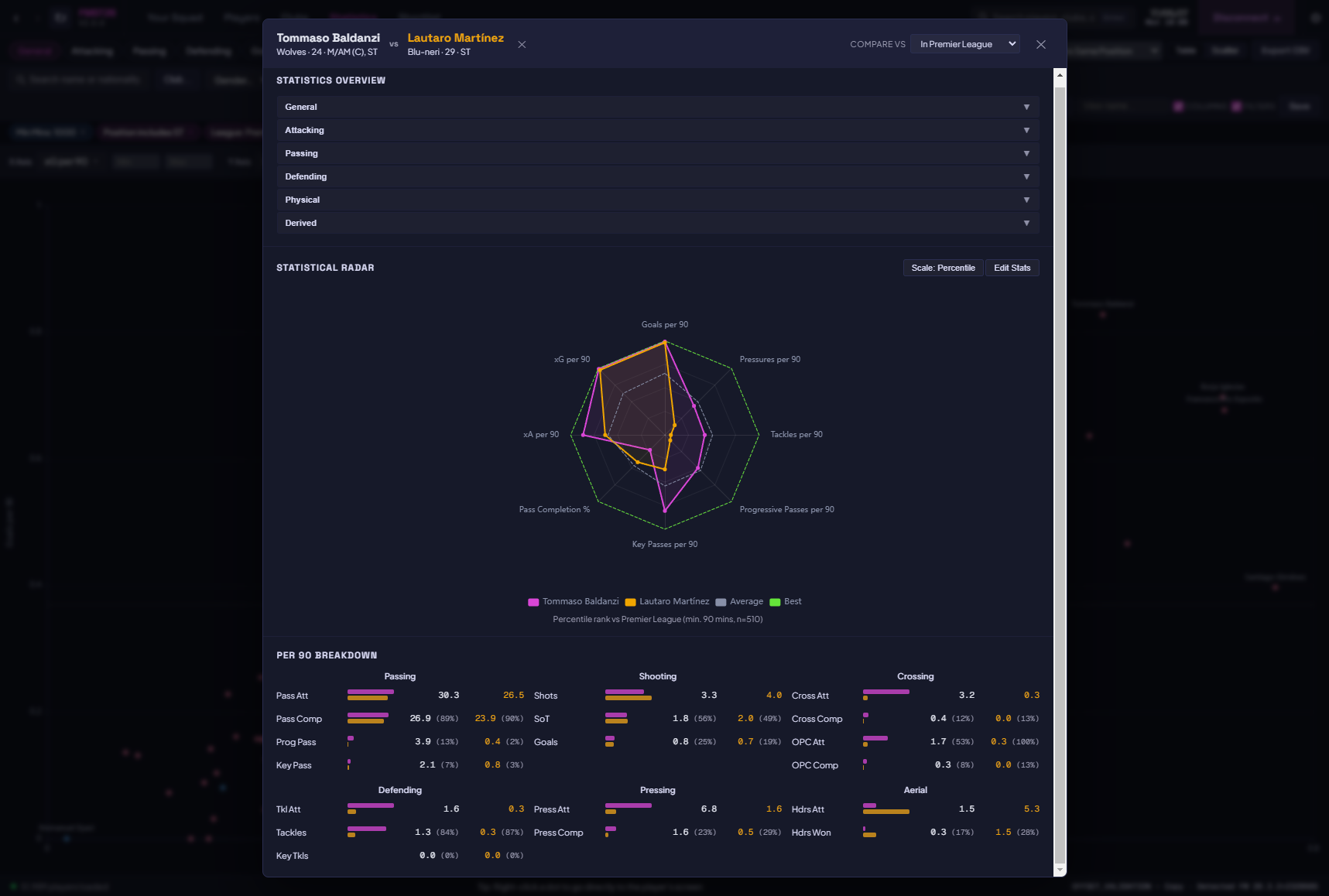
✔ Compare Against - choose the pool a player is measured against (whole save, a league, a position, or a custom filtered set) so percentiles mean what you want them to mean.
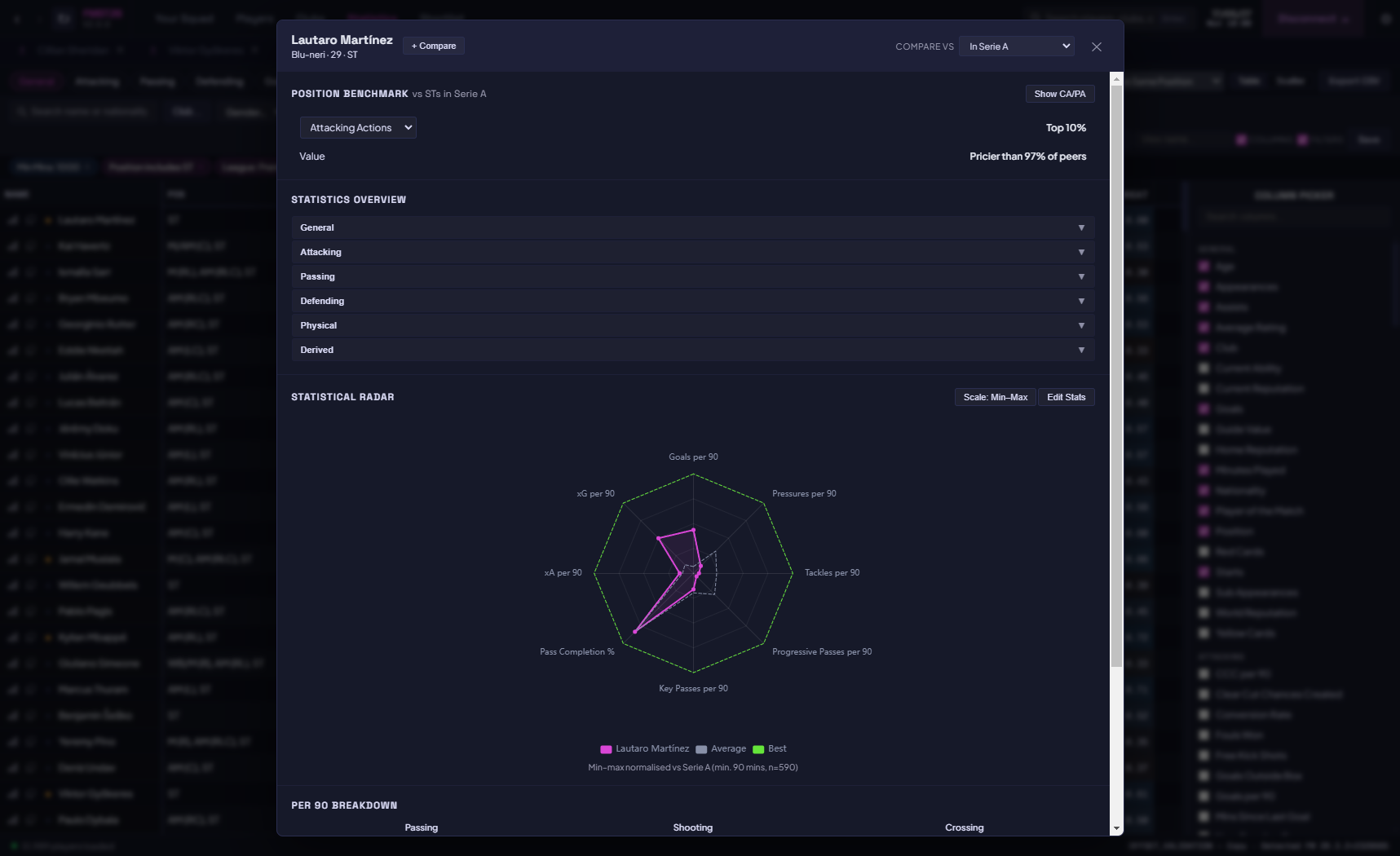
✔ Position benchmarks - see how a player stacks up against the typical profile for their role.
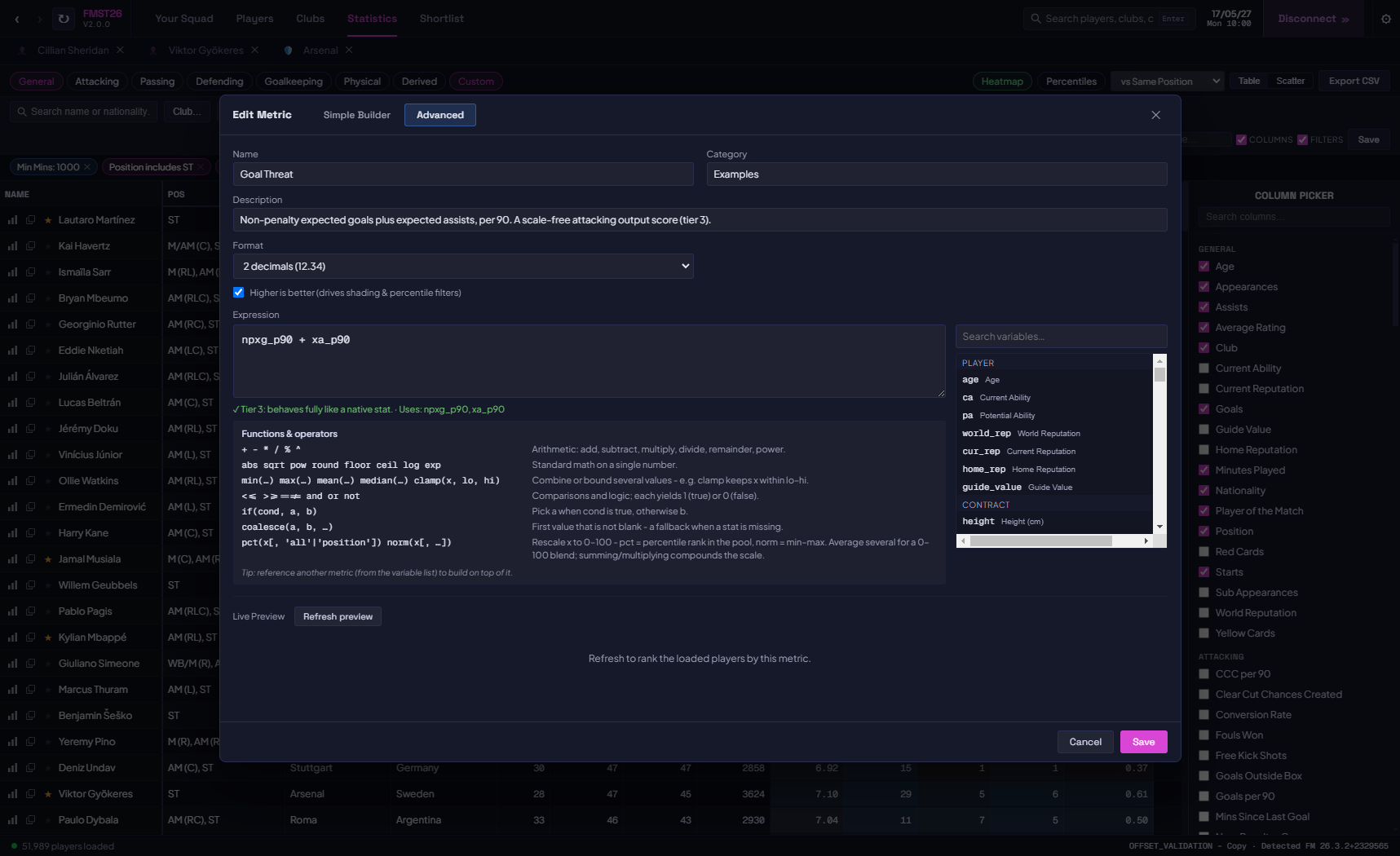
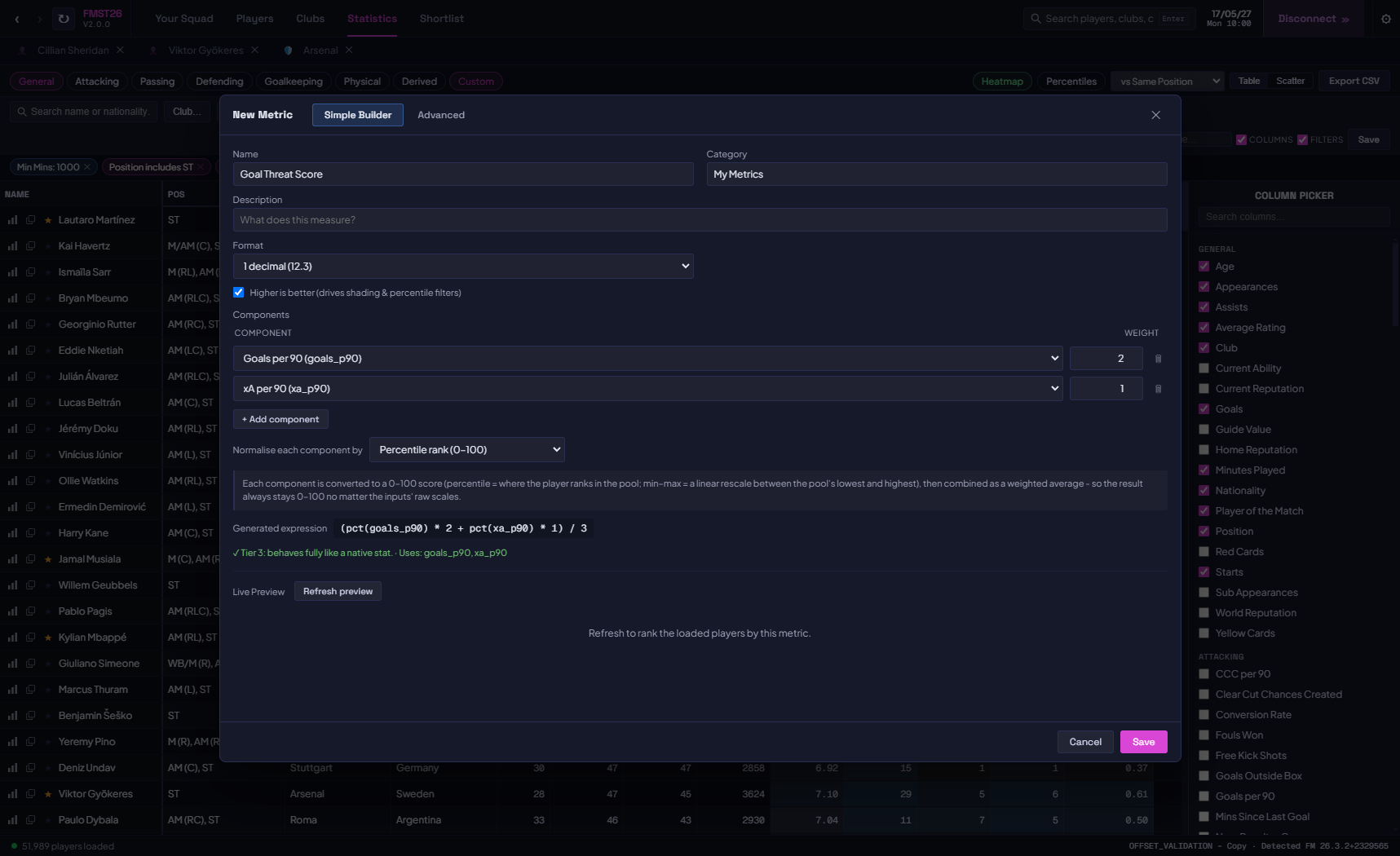
✔ Custom metrics - build your own stats with a simple formula builder or the advanced engine, then chain and reuse them as columns.
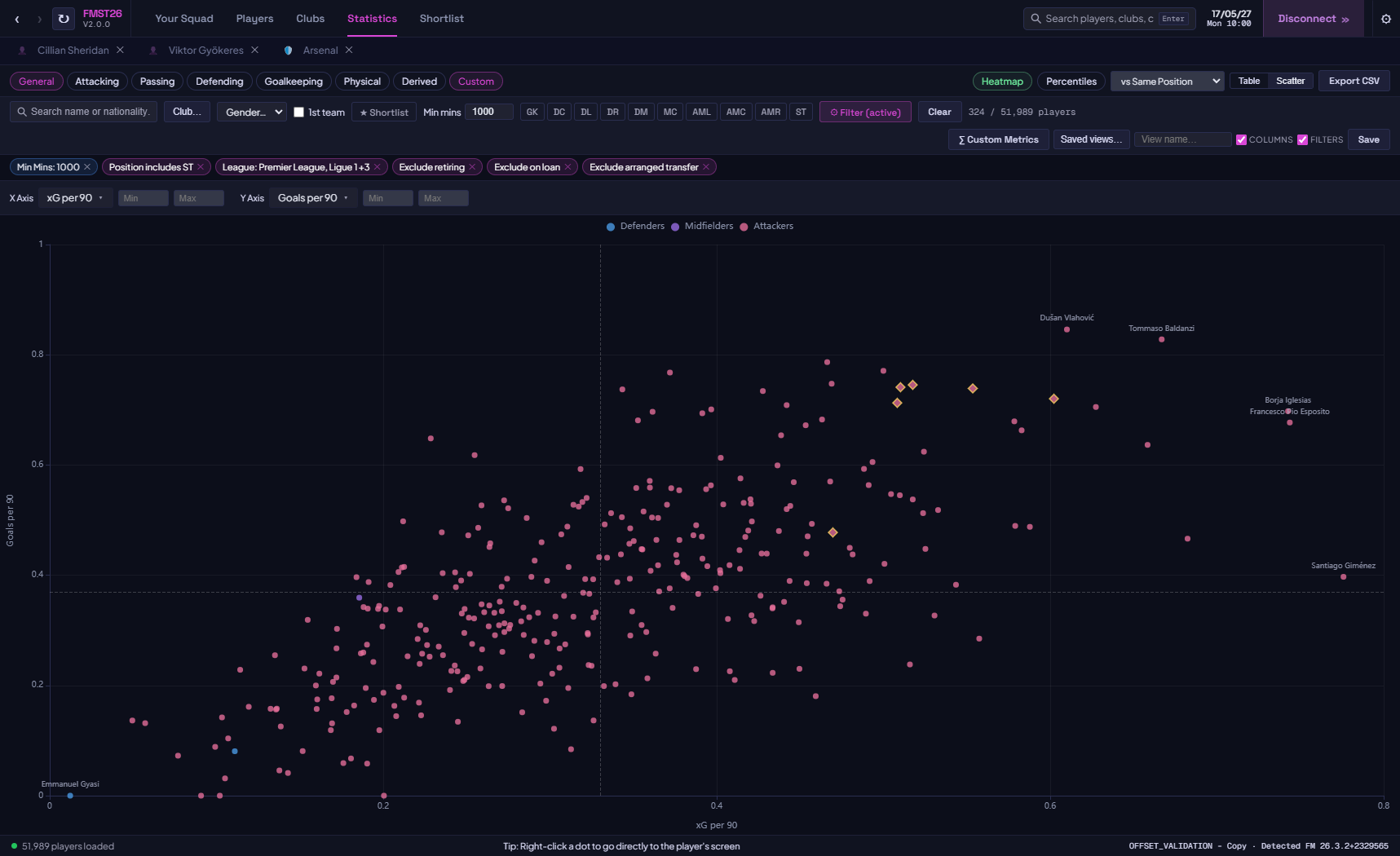
✔ Scatter chart mode - plot any stat on X vs any stat on Y to find hidden gems and outliers interactively.
✔ Position quick-filters - one click to isolate between positions.
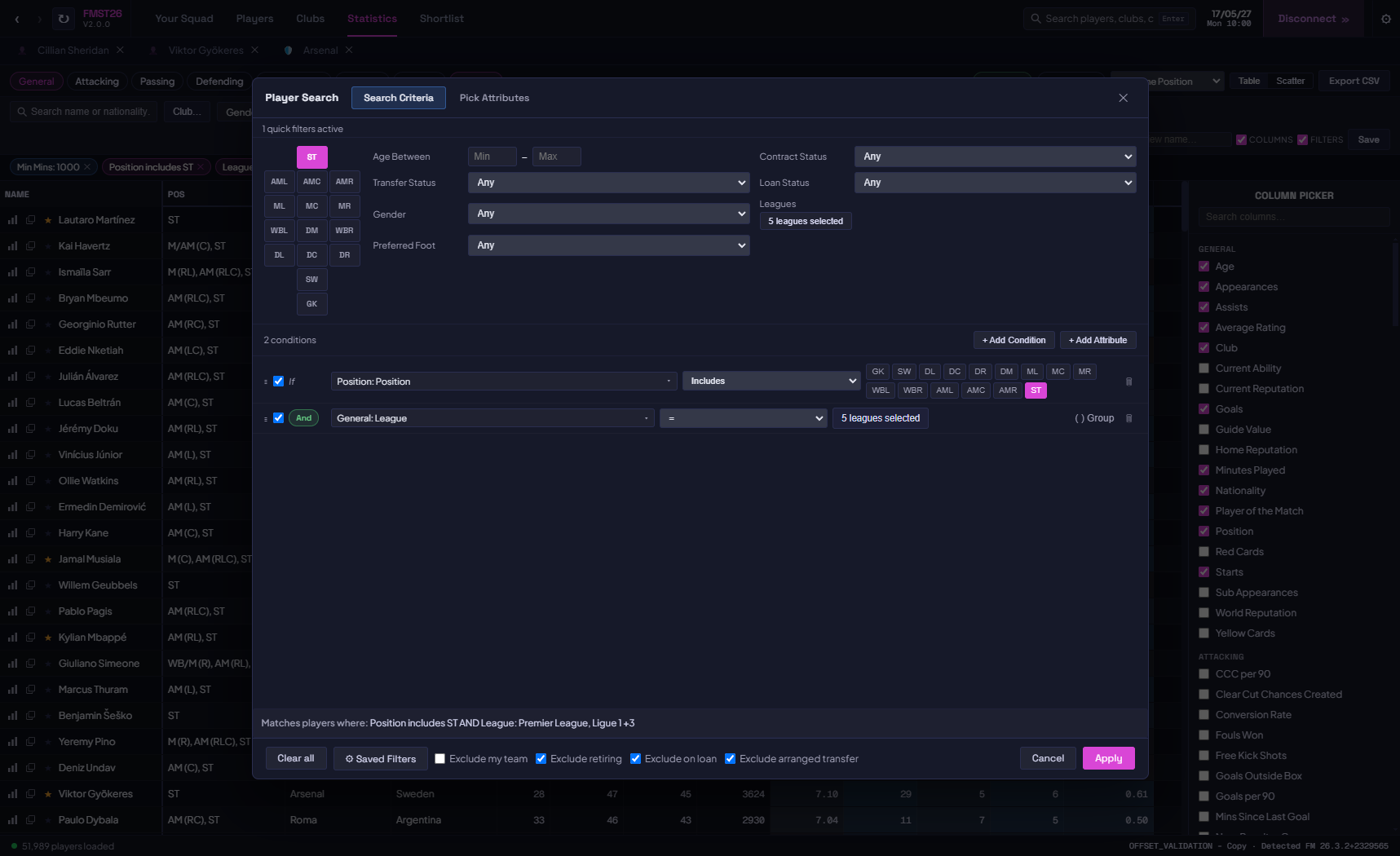
✔ Advanced filter modal - build multi-condition criteria (e.g. "Finishing ≥ 15 AND CA ≥ 140 AND Club = Arsenal") with AND/OR logic.
✔ Grouped conditions - nest filter groups to express complex logic such as (A AND
 OR (C AND D).
✔ Relative filtering - filter on percentile thresholds (e.g. "top 10% for progressive passes among midfielders"), not just raw numbers.
✔ Field-vs-field filtering - compare one stat directly against another (e.g. xG vs actual goals) to surface over- and under-performers.
✔ Save and load layouts and filters - store your favourite column combinations and filter sets by name.
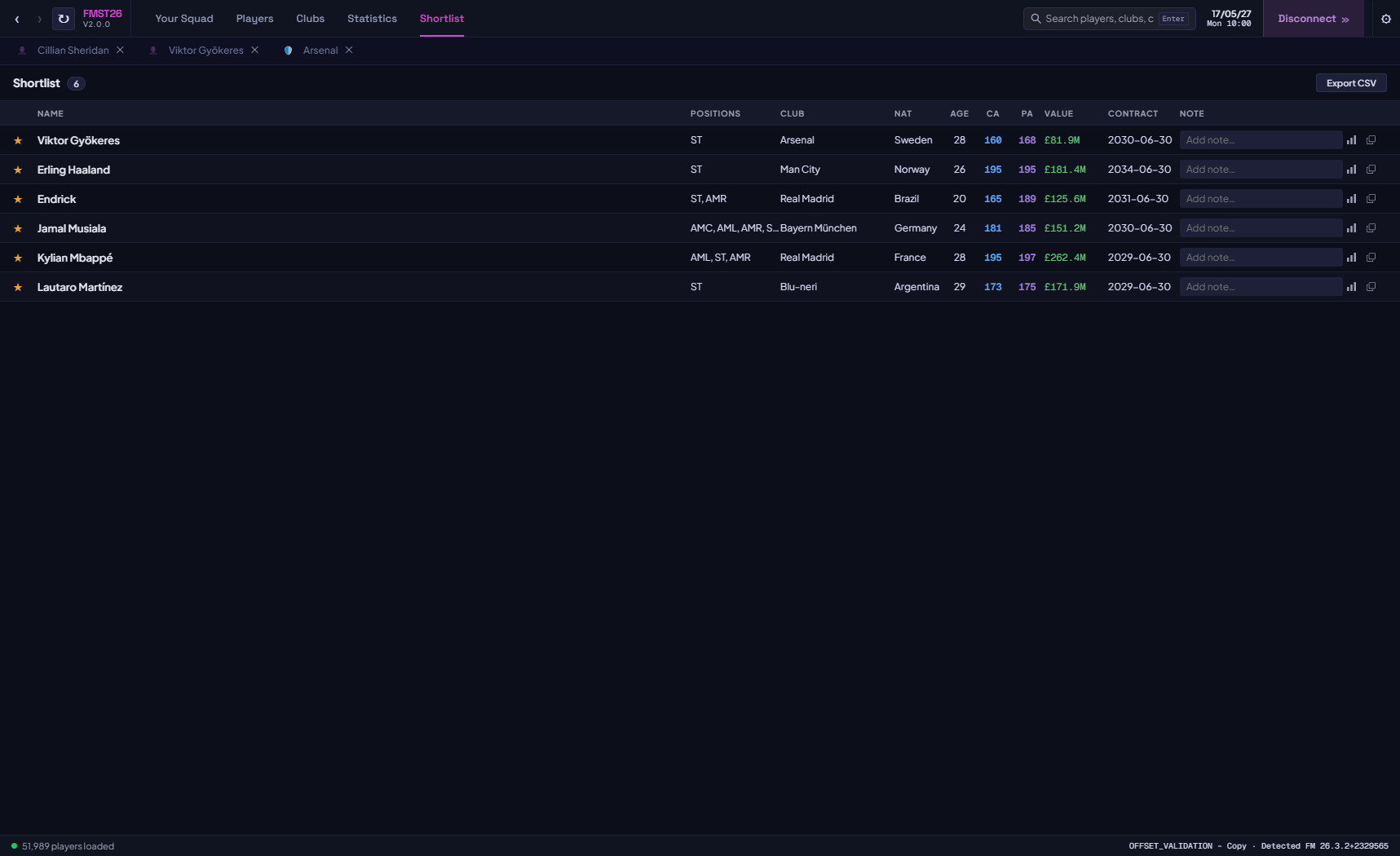
✔ Shortlists - flag and collect players into your own lists as you scout.
✔ Export CSV - send your filtered dataset to a spreadsheet in one click.
✔ Filter by club, league, minimum minutes played, position, gender, own-team exclusion, and retiring players.
✔ Player view with player comparison - view a radar chart of selectable statistics and a conversion funnel for evaluating player efficiency at a glance.
Player Profiles
Every player opens in its own tab with three sub-sections.
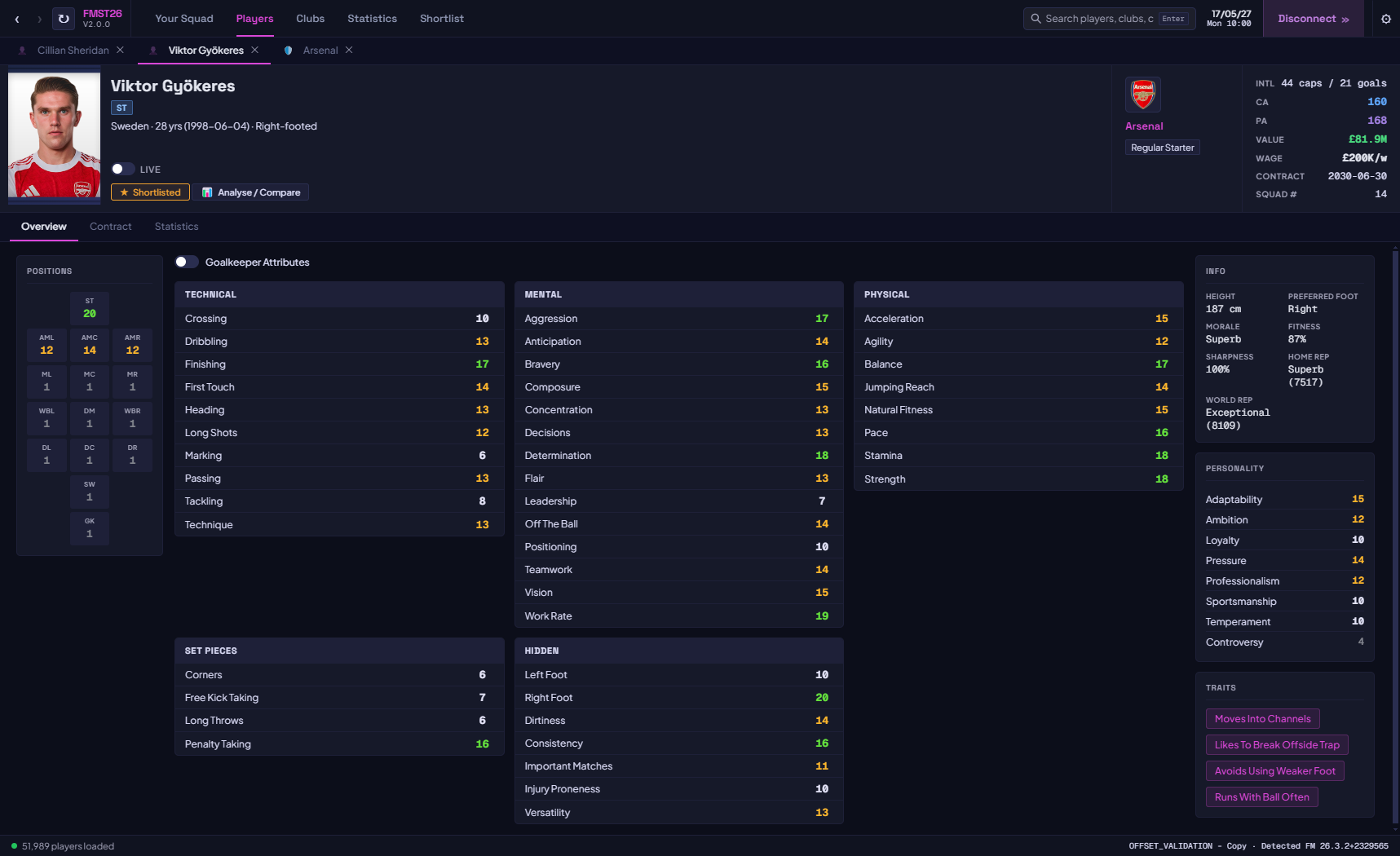
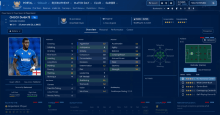
✔ Overview - full attribute grid across Technical, Mental, Physical, Set Pieces, Hidden, and Personality groups with colour-coded values. Positions displayed on a pitch map. Traits listed as tags. Toggle Goalkeeper attributes on/off.
✔ Contract - visual duration bar, weekly wage, contract type, squad number, loyalty bonus, agent fees, loan details (loan club, buy clause, monthly fee), and pre-agreed future transfers.
✔ Statistics - full season stats for the player's current campaign, with position-aware sections (outfield or goalkeeper layout).
✔ Position benchmark mini-profile - a quick read on how the player compares to the benchmark for their position.
✔ CA, PA, value, wage, contract expiry, squad number, international caps and goals - all visible in the header at a glance.
✔ Live toggle - enable 1-second live refresh on any player to watch attributes, fitness, and morale update in real time while you play.
✔ Player portraits and club logos loaded automatically from your FM graphics folder.
Club & Competition Profiles
✔ Clubs - balance, transfer budget, wage budget, total wage bill, max wage allowed, transfer revenue split, training facilities, youth facilities, youth coaching, youth recruitment, stadium, average attendance, ownership type, and morale.
✔ Competitions - full name, nation, continent, tier, reputation, competition type, and squad registration rules.
Instant Search
✔ Search bar always visible - results update as you type across all players, clubs, and competitions loaded from your save.
✔ Results open in separate tabs so you can compare multiple players or clubs side by side without losing your place.
✔ Smart tab navigation remembers your last scroll position and active sub-tab.
Quality of Life
✔ Save-change detection - FMST26 spots when you save or move the in-game date forward and refreshes its data automatically, so what you see always matches your save.
✔ Colour-blindness support - alternative palettes for the heatmaps and charts.
✔ First-run welcome guide and clear, actionable messages if a connection fails.
✔ Performance improvements throughout - faster memory loading and a smoother UI.
FMST26 Screenshots
How to Use FMST26
FMST26 is compatible with FM 2026 v26.3.2 and FM 2024 24.4.2 on Steam only for now. Might work with Epic Games versions. Confirmed not to work for Game Pass at the moment. Only compatible with Windows.- Download and run the .exe file.
- Open Football Manager 2026 and load your saved game.
- Open FMST26.
- Click Connect Game. The tool will detect FM, scan all players, clubs, and competitions, and be ready in seconds.
- Use the search bar to find any player, club, or competition instantly.
- Open the Statistics tab to access the analytics table. Toggle column categories, apply position filters, or open Advanced Filters to drill down.
- Use Compare Against to set your comparison pool, then read any stat as a percentile.
- Switch to Scatter view to plot any two stats against each other.
- Enable the Live toggle on any player profile to watch their data refresh every second while you play.
Graphics: To display player portraits and club logos, click the settings gear and point FMST26 to your FM graphics folder. It will find and load images automatically.
Language: FMST26 is available in English and Korean, with more to come. Change it under the settings gear. Translators can also load their own language file at runtime. If you're interested in helping translate, get in touch!
Bug Reports
If you encounter any bugs, please report them in the comments below or via private message.Important: FMST26 is a read-only tool and does not modify your save game. As always, keeping a save backup is good practice.
Version History
v2.0.0 - 5 July: Major update. Added a percentile and distribution engine, Compare Against custom player pools, position benchmarks, relative (percentile) filtering, field-vs-field filtering, grouped filter conditions, custom metrics, shortlists, attributes and world reputation as columns, colour-blindness support, and save-change detection with auto-refresh on date change. Added Korean translation (by korzzzzeda). Many bug fixes and performance improvements.v1.1.0 - 14 June: Added support for FM24. Various other bug fixes and UI improvements.
v1.0.1 - 11 June: Fixed bug with incorrect Age showing for players. Added Guide Value (Transfer Value) and Age throughout statistics page.
v1.0.0 - 10 June: Initial release. Compatible with FM 2026 v26.3.2.



![FM26 Data Tweaks [v3.6 | v5.3]](https://fmdatatweaks.com/wp-content/uploads/fmdt-cover.webp)


Discussion: FMST 26 - FM Scouting Tool 26
32 comments have been posted so far.
I was wondering, is there really no way to view stats from previous seasons? That way, I wouldn’t just have a sample of one or two matches at the start of the season.
Thanks in advance
jarsen - To save the column view, you can give your view a name by entering text in the 'View name' box, then click the 'Save' button. Both of these features are at the right of the quick filter bar, above the statistics table.
RPGFan - Thanks for confirming, I've updated the page accordingly
fotisk7 - That's an interesting one - I haven't seen that before. I'd guess that you're right and that it might be a memory issue.
milenec11 - I think I've identified the statistics radar (player polygon) bug, fix coming soon. I've also added the annual wage to the todo list too. For the second, my maths isn't great, but I believe what you're looking for is: (poss_won * 100) / (poss_won + poss_lost).
Danny04 - Unfortunately, this is blocked by SI/SEGA's EULA policy which prohibits the export of data in this manner.
You have the ability to make what ever you want . I have one or two things to say . First at the player polygon scheme we can add what stats we want but the GKs stats remain by default, we must have the ability to add remove like the rest stats . The second at custom stats (which is incredible idea and feature) it seems that the functions is not very clear . For example I want to make a custom stats to find the possession efficiency in % with that = (poss.W *100)/pos L but it not work . What kind of function works excel python ?
Great tool hope you consider compatibility for Epic Store users.
@Stonewall458 - I am looking into this. It'd just take some time to figure out the best way to do it for every single role. An alternative at the minute is creating your own using the Custom Metrics feature.
@LeAlan - I'm afraid the tool is Windows only. Not sure if a Mac alternative exists elsewhere:
@19Nigel64 - Thanks! Feel free to PM me explaining what you've attempted so far. The tool looks for config.xml files in the graphics folder that you've provided and uses that the assign portraits/logos properly.
I just download it, and now all my saves are corrupted !!!
I did nothing else, just add FMST, and my 5 seasons career is now in the garbage !!
My problem is that I cannot get the graphics to upload into it?
I believe I have done the exact way it tells you to upload them?
@je674 - Unfortunately not present now but I've added this to the next update which will be coming next week.
@dankrzyz - Also another nice feature. Looking to add this in the next update. Unfortunately, it's against the SI EULA to allow the export of this data so it'll be blocked from being exported in the CSV. Still visible on the in-tool table though.
@rvwzas - Been thinking about this one myself. Should be possible, will look at adding it to the next update too.
@BobJones - I've just released a new update adding this as an option to the advanced filtering.
@moschonitro - No Mac support for now, I'm afraid.
@GfxJG - Early thoughts are that this would be really tricky to implement. Added it to the to-do list and will have a play around with it if I get some time.
The app successfully finds fm.exe and "connects" to it, but it doesn't load any players/clubs/competitions. It doesn't throw any errors, but it also doesn't load anything.
I'm using the Game Pass version of FM26, but Genie Scout works fine with my version.
I am on Macbook, is there a programm to run it because i dont gewt any other option