


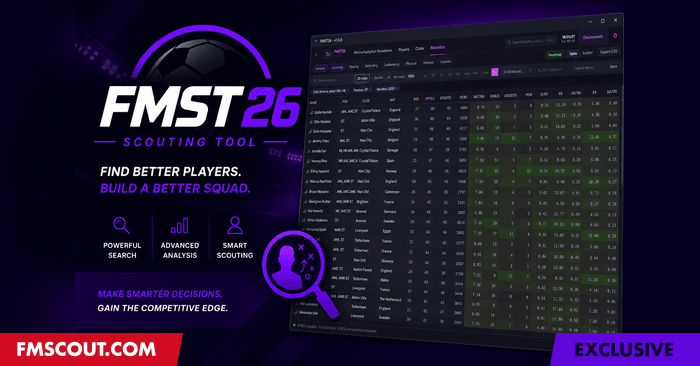
Released: July 2026 (v2.0.0)
Redistribution Policy
Exclusively available from fmscout.com.If you want to put FM Scouting Tool on other sites, you may link back here but cannot host any files yourselves. Thank you!
What's New in 2.0
A huge update. Highlights: a full percentile and distribution engine, Create your own Metrics, Compare Against custom player pools, position benchmarks, relative (percentile) and field-vs-field filtering, grouped filter conditions, shortlists, attributes and world reputation as columns, colour-blind palettes, save-change detection, auto-refresh, and Korean language support. Full list below.Why Download?
✔ 100% free - every feature, no licence required✔ Read Only - your save is never touched
✔ Loads 50,000+ players in seconds
✔ Analytics-grade statistics with p90 and xG metrics - everything that FM exports
✔ Scatter charts, percentile heatmaps, and CSV export
✔ Full attributes, CA/PA, contracts, club financials
✔ Live tracking - watch a player's data update in real time
✔ Save-change detection - the tool notices when you save or advance the date and refreshes automatically
✔ Colour-blind friendly palettes
✔ Now available in English and Korean
✔ Compatible with the latest 26.3.2
FMST26 Features
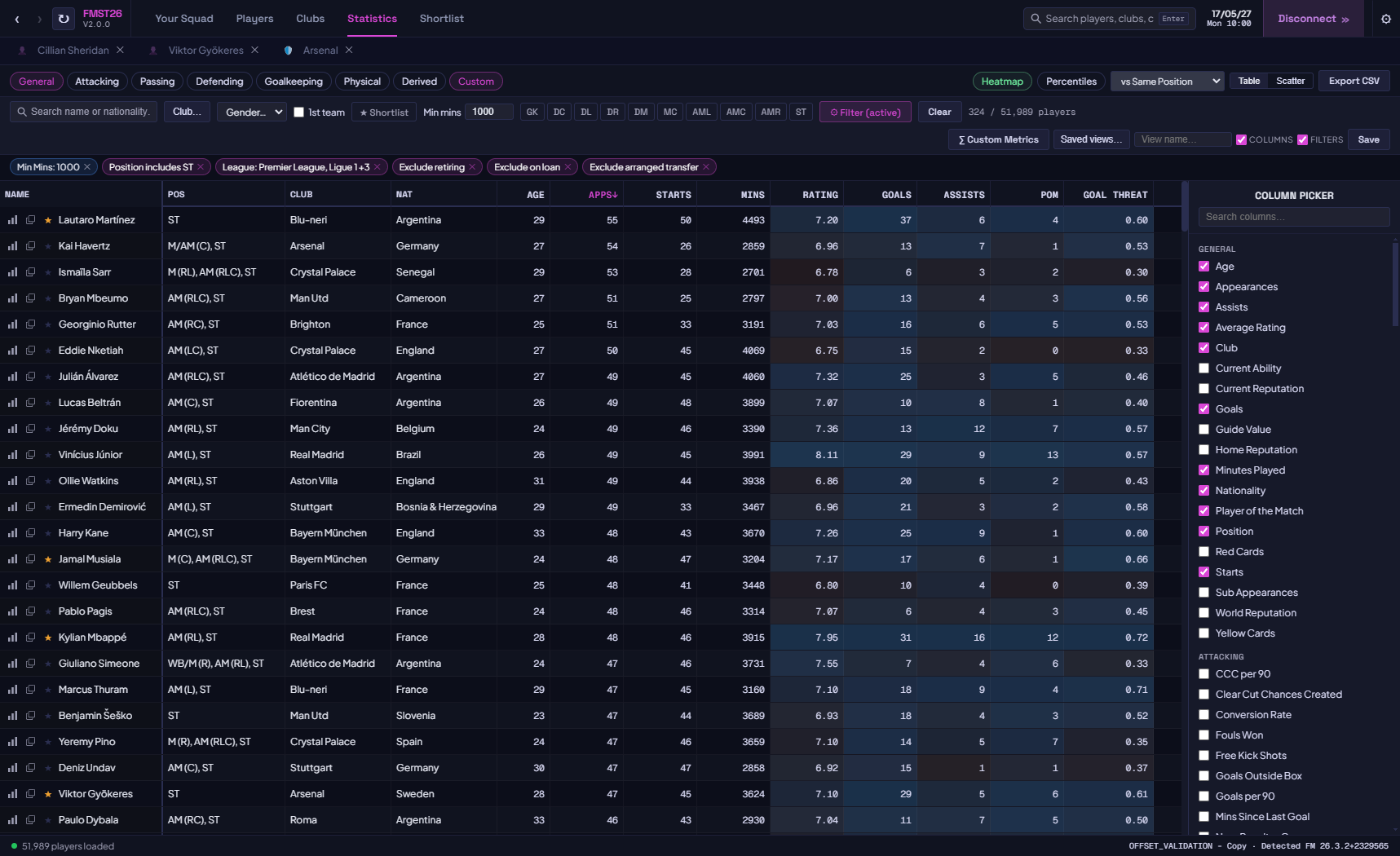
Statistics PageThe centrepiece of FMST26. A full league-management-style analytics table across every player in your save.
✔ 100+ stat columns across 8 categories: General, Attacking, Passing, Defending, Goalkeeping, Physical, Derived, and Custom.
✔ Full attributes and world reputation available as sortable columns alongside the performance stats.
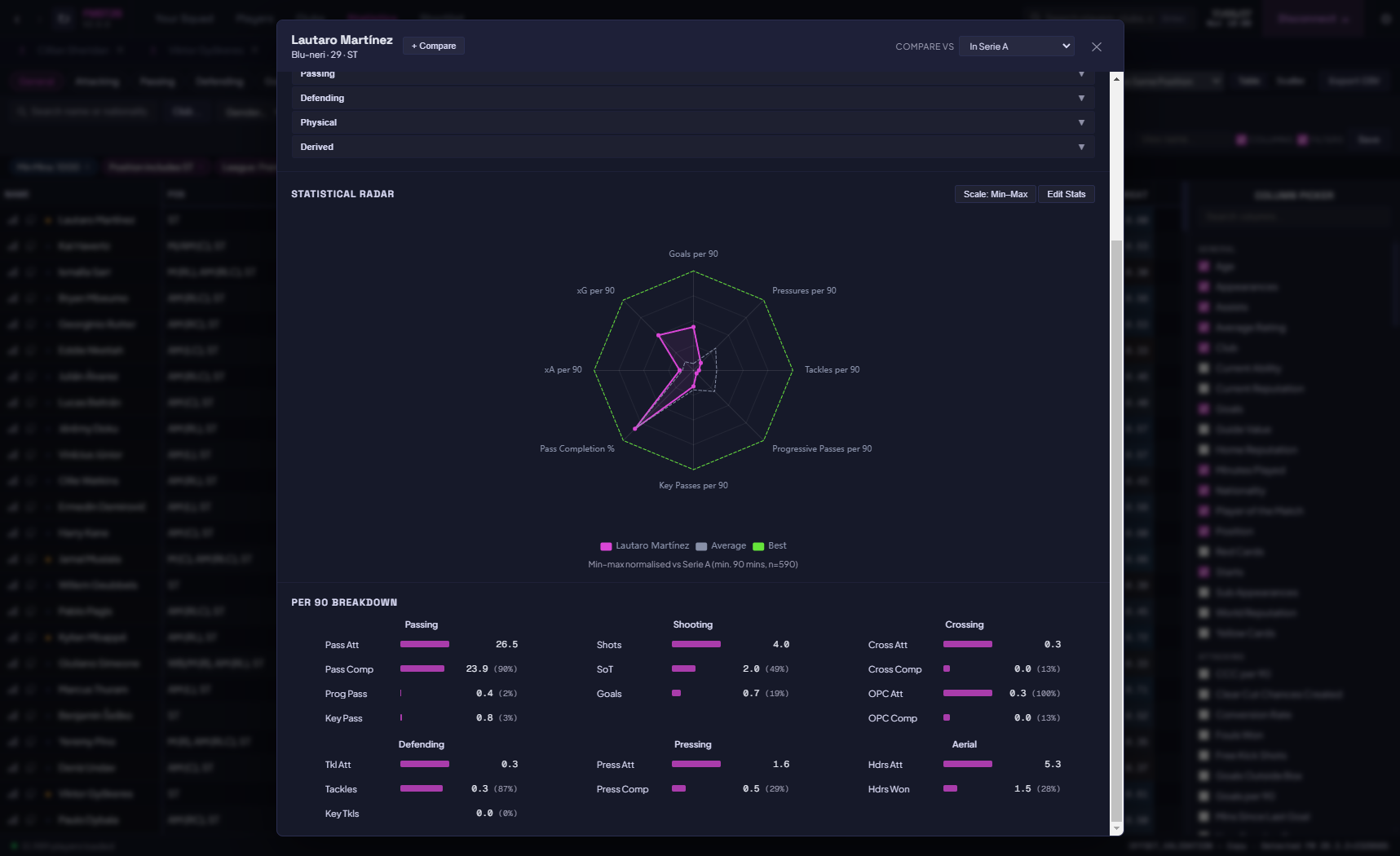
✔ Per-90 metrics for goals, assists, xG, xA, shots, tackles, pressures, progressive passes, and more.
✔ Percentile heatmap - columns shade green-to-red to show each player's rank among peers at a glance.
✔ Percentile and distribution engine - every stat can be read as a raw value or as a percentile rank against your chosen comparison pool.
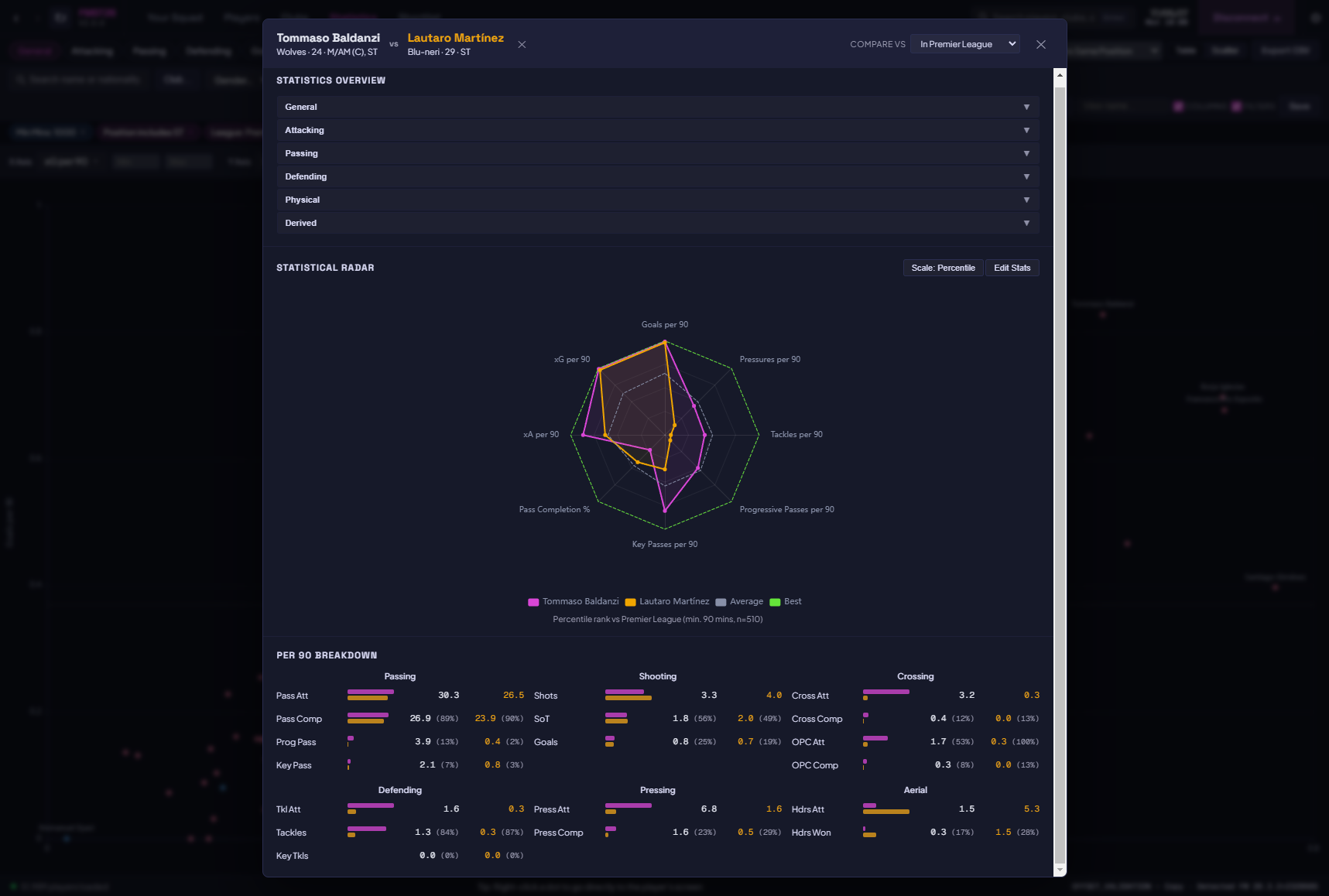
✔ Compare Against - choose the pool a player is measured against (whole save, a league, a position, or a custom filtered set) so percentiles mean what you want them to mean.
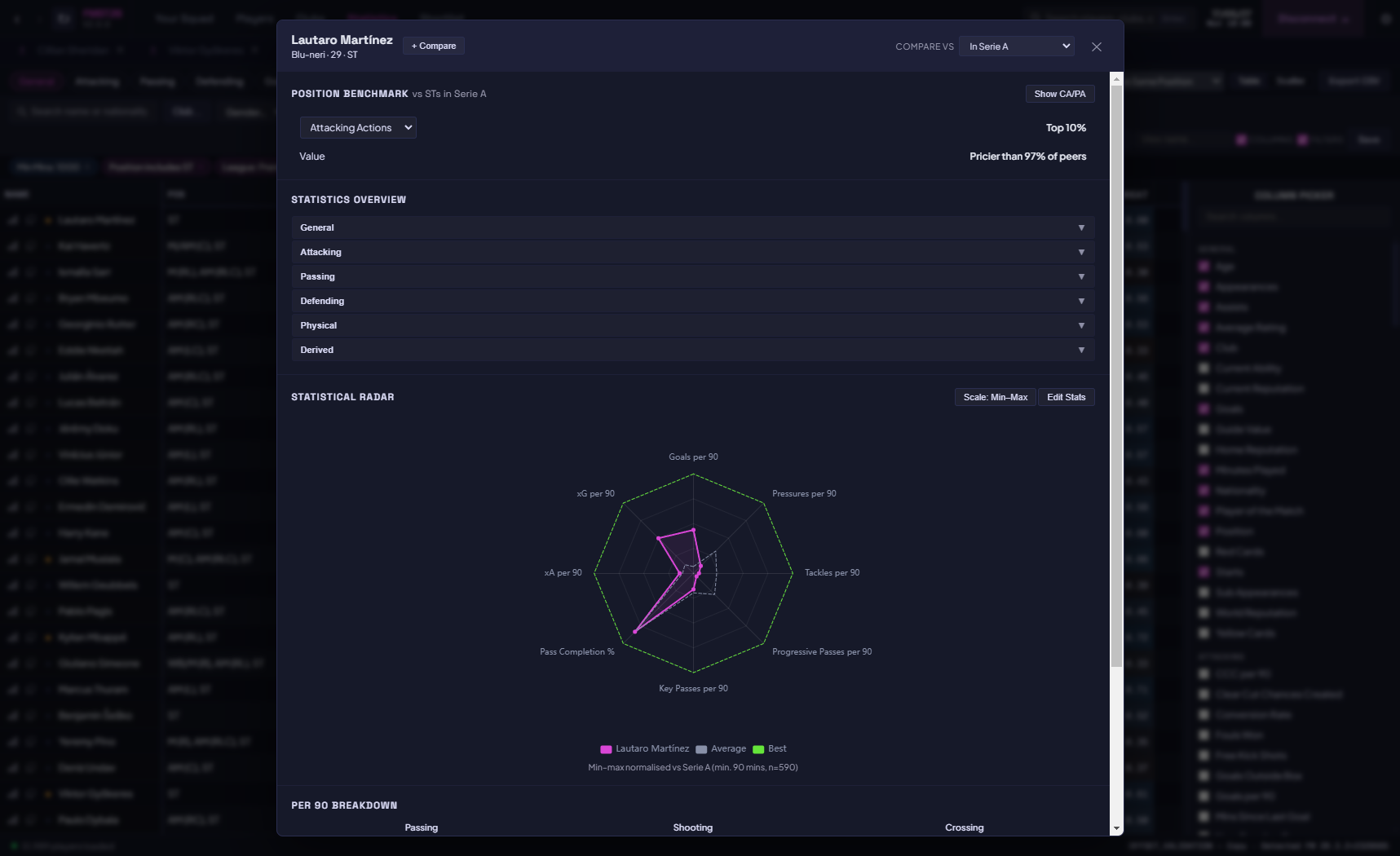
✔ Position benchmarks - see how a player stacks up against the typical profile for their role.
✔ Custom metrics - build your own stats with a simple formula builder or the advanced engine, then chain and reuse them as columns.
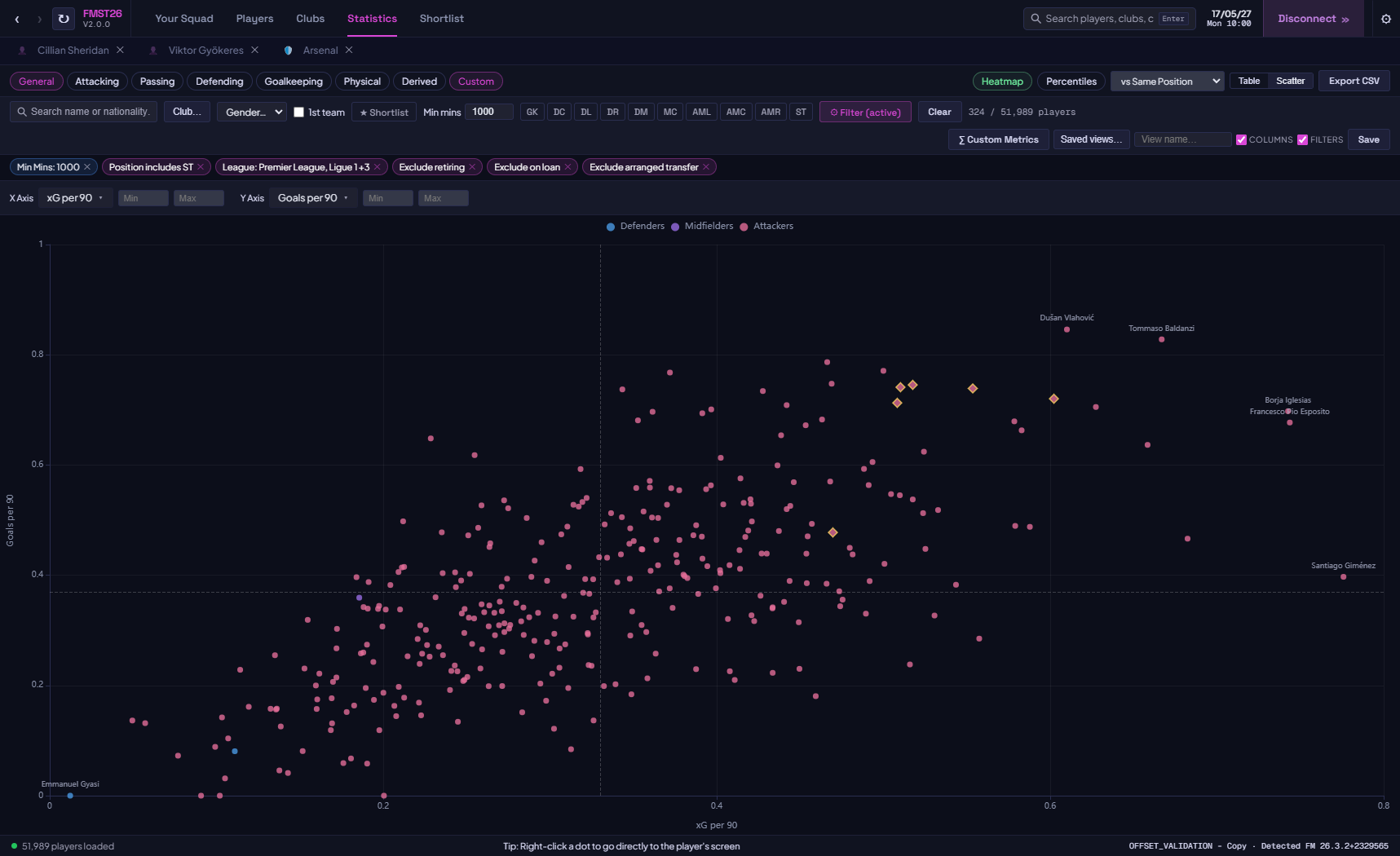
✔ Scatter chart mode - plot any stat on X vs any stat on Y to find hidden gems and outliers interactively.
✔ Position quick-filters - one click to isolate between positions.
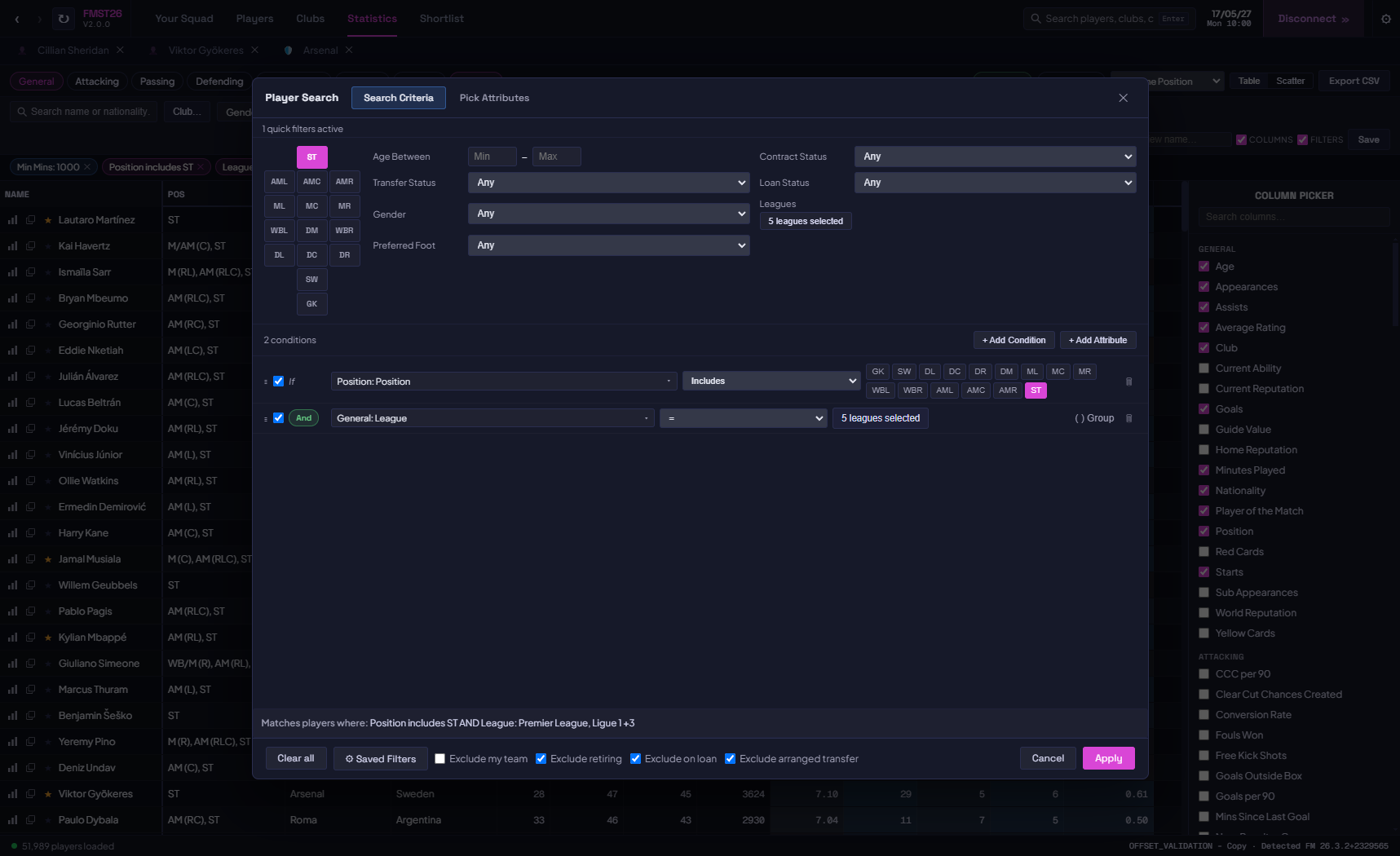
✔ Advanced filter modal - build multi-condition criteria (e.g. "Finishing ≥ 15 AND CA ≥ 140 AND Club = Arsenal") with AND/OR logic.
✔ Grouped conditions - nest filter groups to express complex logic such as (A AND
 OR (C AND D).
✔ Relative filtering - filter on percentile thresholds (e.g. "top 10% for progressive passes among midfielders"), not just raw numbers.
✔ Field-vs-field filtering - compare one stat directly against another (e.g. xG vs actual goals) to surface over- and under-performers.
✔ Save and load layouts and filters - store your favourite column combinations and filter sets by name.
✔ Shortlists - flag and collect players into your own lists as you scout.
✔ Export CSV - send your filtered dataset to a spreadsheet in one click.
✔ Filter by club, league, minimum minutes played, position, gender, own-team exclusion, and retiring players.
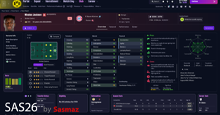
✔ Player view with player comparison - view a radar chart of selectable statistics and a conversion funnel for evaluating player efficiency at a glance.
Player Profiles
Every player opens in its own tab with three sub-sections.
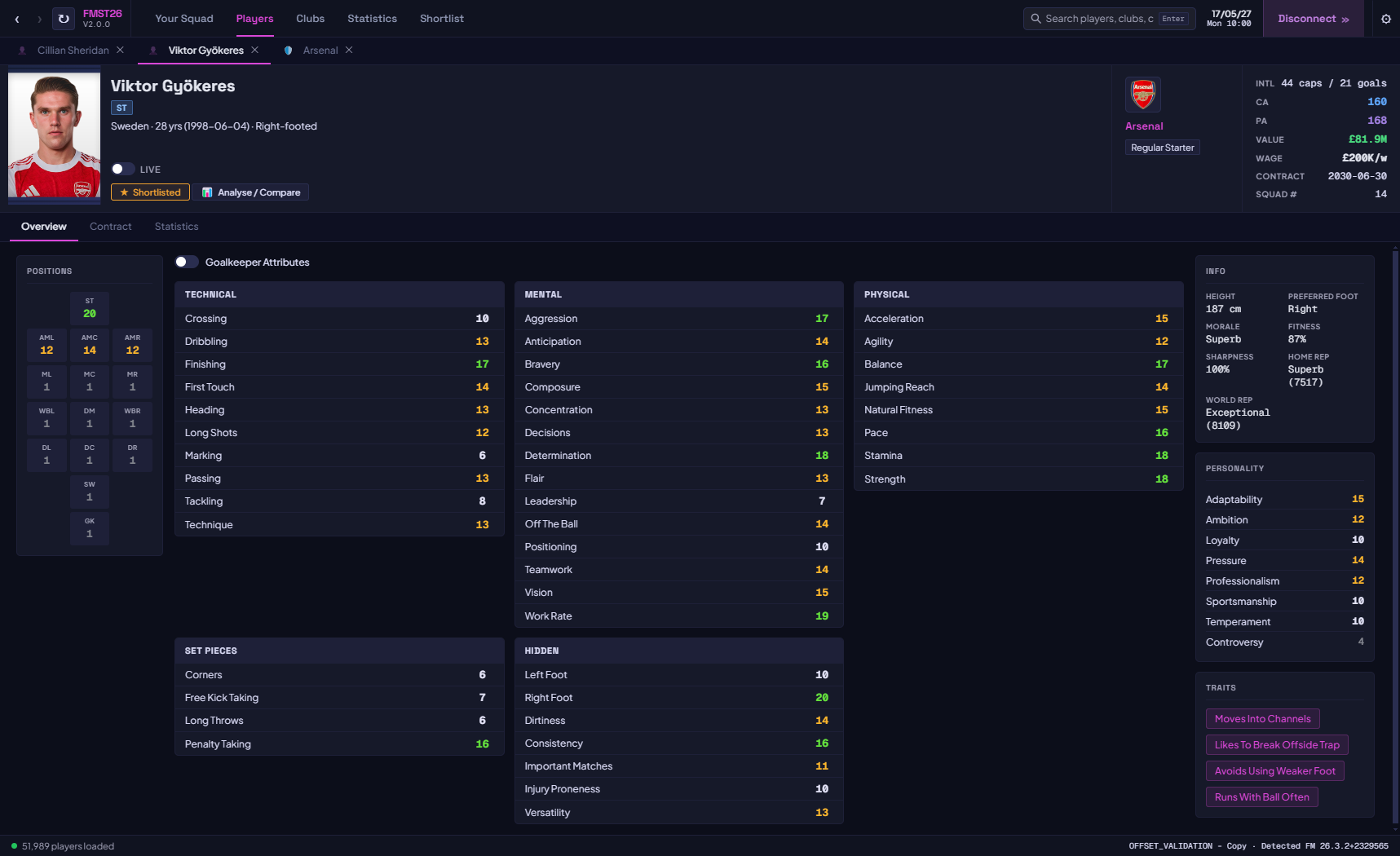
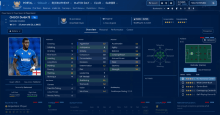
✔ Overview - full attribute grid across Technical, Mental, Physical, Set Pieces, Hidden, and Personality groups with colour-coded values. Positions displayed on a pitch map. Traits listed as tags. Toggle Goalkeeper attributes on/off.
✔ Contract - visual duration bar, weekly wage, contract type, squad number, loyalty bonus, agent fees, loan details (loan club, buy clause, monthly fee), and pre-agreed future transfers.
✔ Statistics - full season stats for the player's current campaign, with position-aware sections (outfield or goalkeeper layout).
✔ Position benchmark mini-profile - a quick read on how the player compares to the benchmark for their position.
✔ CA, PA, value, wage, contract expiry, squad number, international caps and goals - all visible in the header at a glance.
✔ Live toggle - enable 1-second live refresh on any player to watch attributes, fitness, and morale update in real time while you play.
✔ Player portraits and club logos loaded automatically from your FM graphics folder.
Club & Competition Profiles
✔ Clubs - balance, transfer budget, wage budget, total wage bill, max wage allowed, transfer revenue split, training facilities, youth facilities, youth coaching, youth recruitment, stadium, average attendance, ownership type, and morale.
✔ Competitions - full name, nation, continent, tier, reputation, competition type, and squad registration rules.
Instant Search
✔ Search bar always visible - results update as you type across all players, clubs, and competitions loaded from your save.
✔ Results open in separate tabs so you can compare multiple players or clubs side by side without losing your place.
✔ Smart tab navigation remembers your last scroll position and active sub-tab.
Quality of Life
✔ Save-change detection - FMST26 spots when you save or move the in-game date forward and refreshes its data automatically, so what you see always matches your save.
✔ Colour-blindness support - alternative palettes for the heatmaps and charts.
✔ First-run welcome guide and clear, actionable messages if a connection fails.
✔ Performance improvements throughout - faster memory loading and a smoother UI.
FMST26 Screenshots
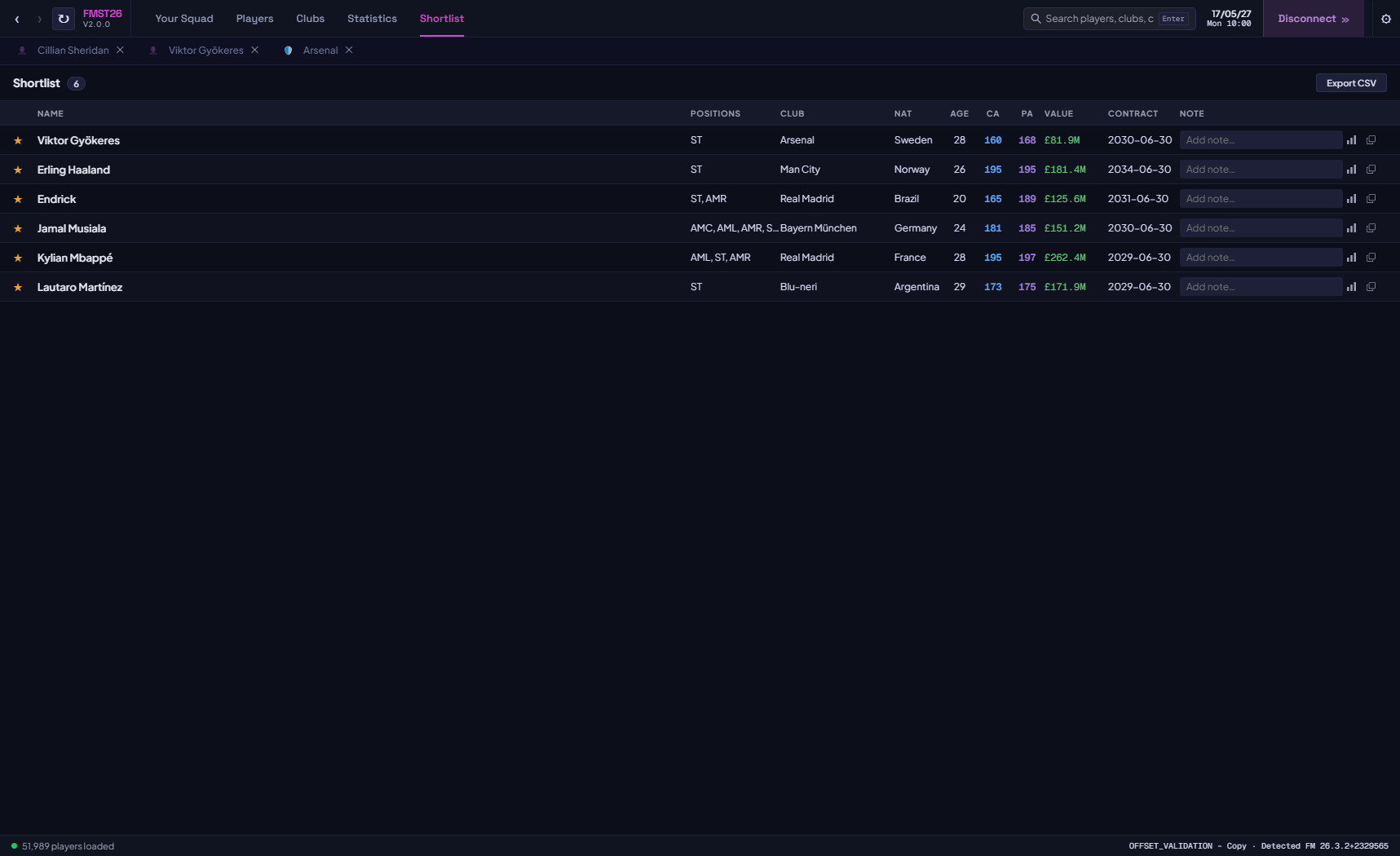
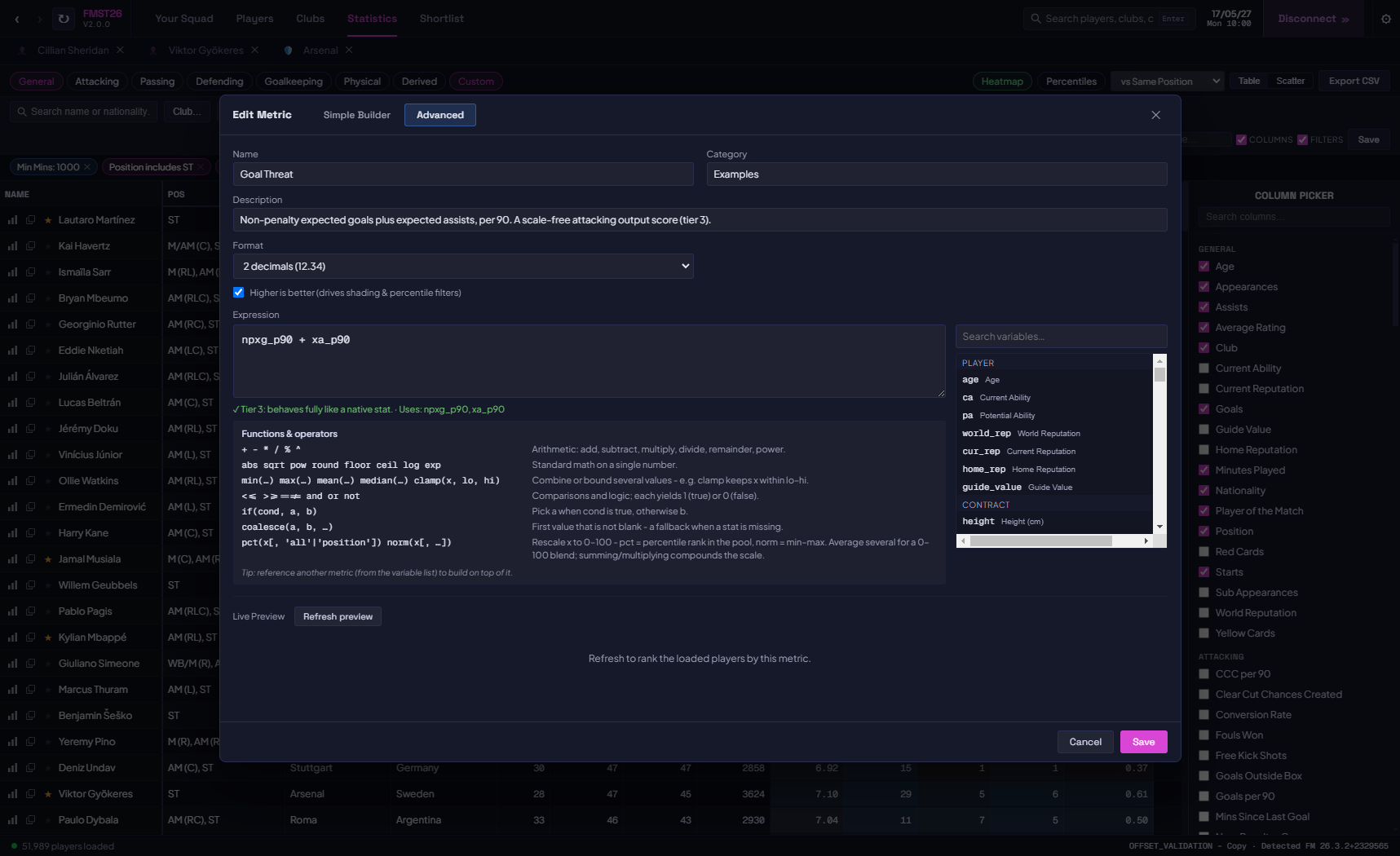
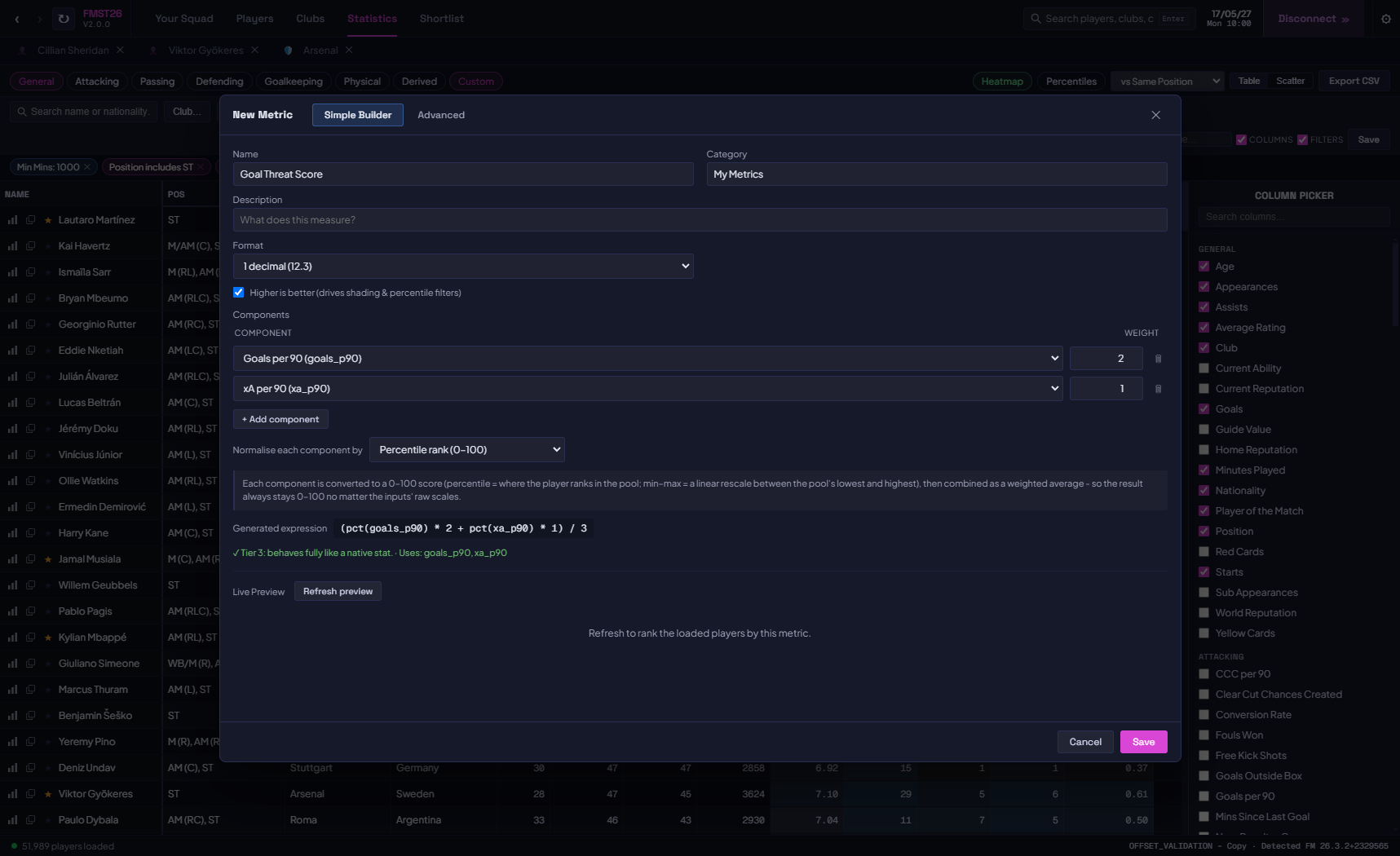
How to Use FMST26
FMST26 is compatible with FM 2026 v26.3.2 and FM 2024 24.4.2 on Steam only for now. Might work with Epic Games versions. Confirmed not to work for Game Pass at the moment. Only compatible with Windows.- Download and run the .exe file.
- Open Football Manager 2026 and load your saved game.
- Open FMST26.
- Click Connect Game. The tool will detect FM, scan all players, clubs, and competitions, and be ready in seconds.
- Use the search bar to find any player, club, or competition instantly.
- Open the Statistics tab to access the analytics table. Toggle column categories, apply position filters, or open Advanced Filters to drill down.
- Use Compare Against to set your comparison pool, then read any stat as a percentile.
- Switch to Scatter view to plot any two stats against each other.
- Enable the Live toggle on any player profile to watch their data refresh every second while you play.
Graphics: To display player portraits and club logos, click the settings gear and point FMST26 to your FM graphics folder. It will find and load images automatically.
Language: FMST26 is available in English and Korean, with more to come. Change it under the settings gear. Translators can also load their own language file at runtime. If you're interested in helping translate, get in touch!
Bug Reports
If you encounter any bugs, please report them in the comments below or via private message.Important: FMST26 is a read-only tool and does not modify your save game. As always, keeping a save backup is good practice.
Version History
v2.0.0 - 5 July: Major update. Added a percentile and distribution engine, Compare Against custom player pools, position benchmarks, relative (percentile) filtering, field-vs-field filtering, grouped filter conditions, custom metrics, shortlists, attributes and world reputation as columns, colour-blindness support, and save-change detection with auto-refresh on date change. Added Korean translation (by korzzzzeda). Many bug fixes and performance improvements.v1.1.0 - 14 June: Added support for FM24. Various other bug fixes and UI improvements.
v1.0.1 - 11 June: Fixed bug with incorrect Age showing for players. Added Guide Value (Transfer Value) and Age throughout statistics page.
v1.0.0 - 10 June: Initial release. Compatible with FM 2026 v26.3.2.



![FM26 Data Tweaks [v3.6 | v5.3]](https://fmdatatweaks.com/wp-content/uploads/fmdt-cover.webp)


Discussion: FMST 26 - FM Scouting Tool 26
32 comments have been posted so far.
I unzip the file and I only get 4 folders in chinese and no .exe file
Any idea?
Is there any possibility to implement filtering by realistic transfers (players that are actually willing to join), like you can in-game?
Just a a small bug I had. It wasn't showing the correct age of players.
Also, please could you add age and transfer value to the statistics page