


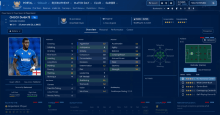
First of all, go to the people screen by selecting people in the left hand menu. The right side of the screen will be mostly blank, bar a search box and a few headers. You can use this search box to find people you want to edit. Please note that in this section you can edit all people in the database; players, staff, referees, and so on. We will not use the search box, but instead use the option in the bottom right hand corner where it says Add. Here it will give you the option what kind of person you would like to add. For the purposes of this guide select player.
You will now have a blank player screen where you can select the most basic information about your new player, such as the name, nationality, ethnicity and hair colour. Please note that the sub menu has changed giving you different options about this player. We will start with the “Details” screen.
Details
I want to create a player called John Doe a white bloke from the United States. The end product will look something like this. There are a lot of options which will make your player more unique, but the most important ones are.
Names, first and second name doesn’t require much explanation. If you choose to edit common name you can change “Ronaldo Luís Nazario de Lima” to Ronaldo. You can also change the full name in case John Doe has an unused middlename.
Person type, you can still change what kind of person this is.
Appearance, hair colour and skin tone decides how the player looks in the 3D match viewer.
Nationality and city of birth, nationality is important as FM won’t load players without it. City of birth will slightly change a players bias. John Doe is born in New York, this means he is slightly more inclined to accepting a job in New York than L.A.

Contract
If you select the contract item in the bottom left menu you will see that it expands. The new menu items are Club Contract, Nation Contract, Loan, Future Transfer and Extra Contract details.
Club contract is used to make a player or a staff member be part of a club. If you want your player to be a part of F.C. Barcelona you click the drop down arrow and search for Barcelona. You can set the date he joined, his preferred squad number and his bonuses.
Nation contracts is only used for staff. If you are creating a coach you can make sure he’s already a national team coach before the game starts.
Loan and future transfer works much the same way. Search for the team and set all the negotiable options from the game.
Extra contract details is for use for players starting in the unedited MLS or A-League. Play around with this only if you are creating a player that plays for a team in either league.
Person Data
This will make your person even more unique, you can here edit his hidden attributes, job preferences, retirements, languages, days in a nation and career plans.
You might not know the hidden attributes from the game, but they do feature when it comes to player personality. When you start out the player will be quite balanced as he will have 10 in every attribute. There are guides that can help you find the player personality you’d like, so we won’t go deeper there.
Days at a club / in nation is very useful for setting home grown status or citizenship status. Let’s say that our friend John Doe has played in England for 4 years, he would like to get a British citizenship when he can, so it would be a shame to waste those 4 years before.
Player Data
This is only available to players. If you are editing a Staff Member the panel will be called Non-Player Data, it covers much the same territory as in this is the information you will get about a person in the game. You can also set where (nations or club) your player has been trained during his youth.
In the general screen you will be able to change the players current and potential ability as well as his reputation. As for current ability, once you’ve set the playing skills you will get a suggestion as to what the players current ability is. With potential ability this is what a player might develop to. John Doe is from 1989 which would make him 24 at the start of the game, he will not be far from his potential. However if you make a player that will be 15 or 16 at the start of the game, you will want a bigger span. What ability will suit your player? From the CM 97/98 editor help I found this list:
197 = Ronaldo
150 = Average English International
120 = Average English Premiership player
100 = Average English First Division
70 = Average English Second Division
50 = Average English Third Division
Some 17 years later these have moved up a bit and the list would look something like this.
194 = Messi
170 = Average English International
155 = Average English Premiership player
120 = Average English Championship player
90 = Average English League 1 player
70 = Average English League 2 player
There’s also the option of giving your player minus potential, this doesn’t mean that he will be inherently poor, but rather that you’re unsure what his potential ability is.
0 = 1-200
-1 = 1-30
-2 = 10-40
-3 = 30-60
-4 = 50-80
-5 = 70-100
-6 = 90-120
-7 = 110-140
-8 = 130-160
-9 = 150-180
-10 = 170-200
In the next few panels you can set your player’s positions, attributes, and preferred moves, all of these you should know from the game and should require no other introduction. Just in regards to positions 0 is no proficiency at all and 20 is natural position.
Relationships
Here you have the option of setting who your person likes and doesn’t like. These options will have an effect in the game as your player will be more inclined to join a club that he supports or there’s a staff member he likes whilst the opposite is true with disliked teams and people. Quite logical.
Playing history and Non-Playing History
Here you can define what your player did before the game start. I’ve created 25 year old John Doe and would be odd if he suddenly started his career at this age. You can add all the seasons you want. When adding a season, you will want to write the year that season started. If a player has more than one team in a given season you can use the order box to arrange these chronologically. You then get the option to select the club and division for that season and if the player was on loan or part of the youth team. Lastly you can set the appearances and goals for the player for that team in that season.
As an example here’s Harry Kane’s playing history.
https://fmshots.com/bk/fhTbUGW.png
Non-playing history is built up so you set up the interval where the person has been part of a club and what role the person had at that club. It is here possible to select player as role as well and most players seem to have a non-playing history added as well.
Achievements
If you want your player to have won any awards or leagues, this is where you add them. This will only be of importance to the player bio in the game.





![FM26 Data Tweaks [v3.6 | v5.4]](https://fmdatatweaks.com/wp-content/uploads/fmdt-cover.webp)



Discussion: Introduction to the Pre-Game Editor
No comments have been posted yet..