Search
On FM Scout you can chat about Football Manager in real time since 2011. Here are 10 reasons to join!

The SAS skin is back for FM26 - A new era has begun.

This skin is mainly made with FMSB and also limited by FMSB (for now)

By Updated on Jun 12, 2026   37441 views   48 comments
Download Now
Downloads: 7575 / Added: 2026-05-27
Football Manager 2026 Skins - The SAS skin is back for FM26 - A new era has begun.
As in previous years, it's first and foremost made the way i like it to be

new changes will come as i discover a need for them.

3 versions of Sas26 is now available

* Sas26 is the normal one
* Sas26+ is having Match sharpness and condition as number values
* Sas26_Mac (the normal version, the number values version will have to wait abit)


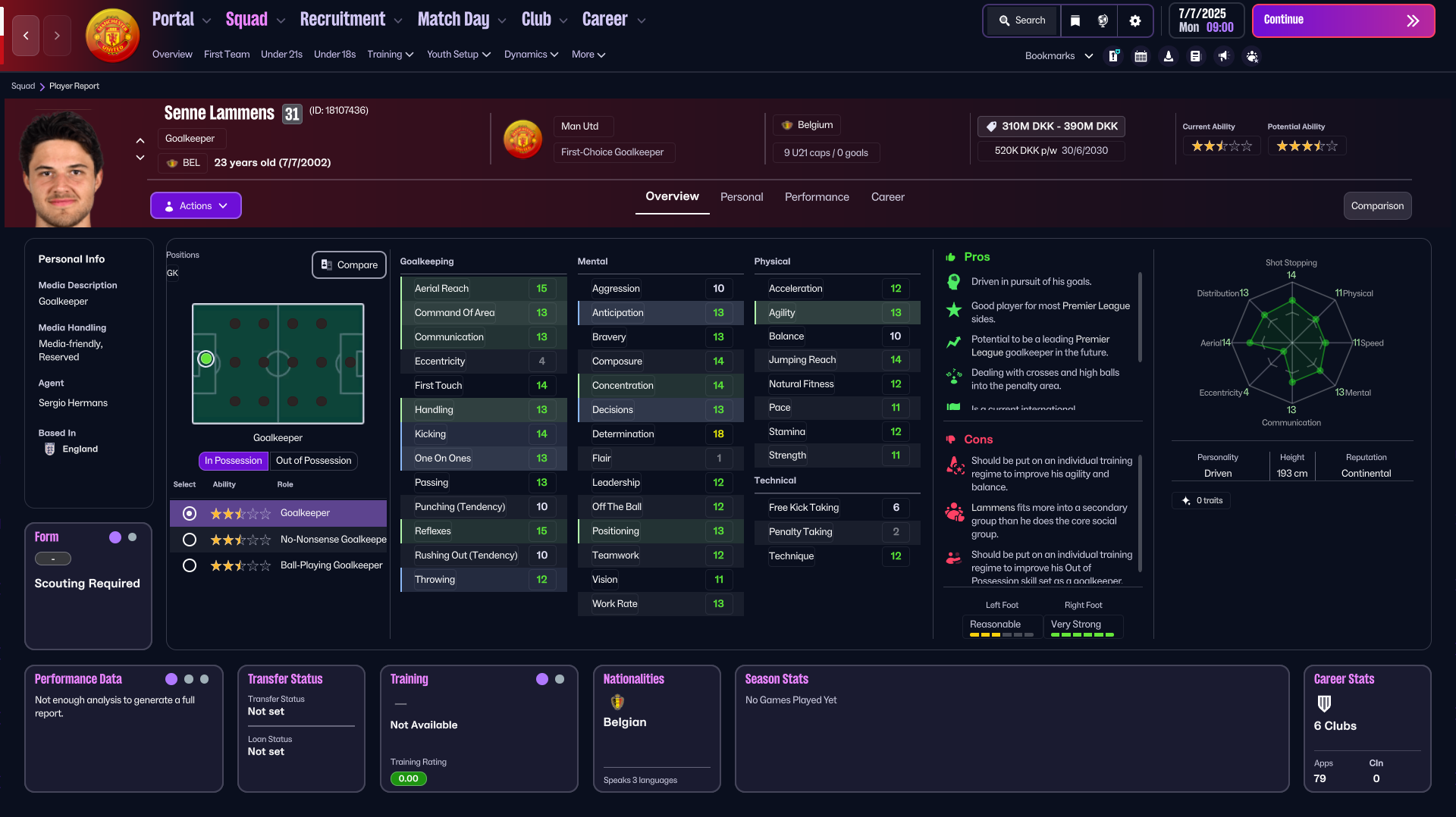
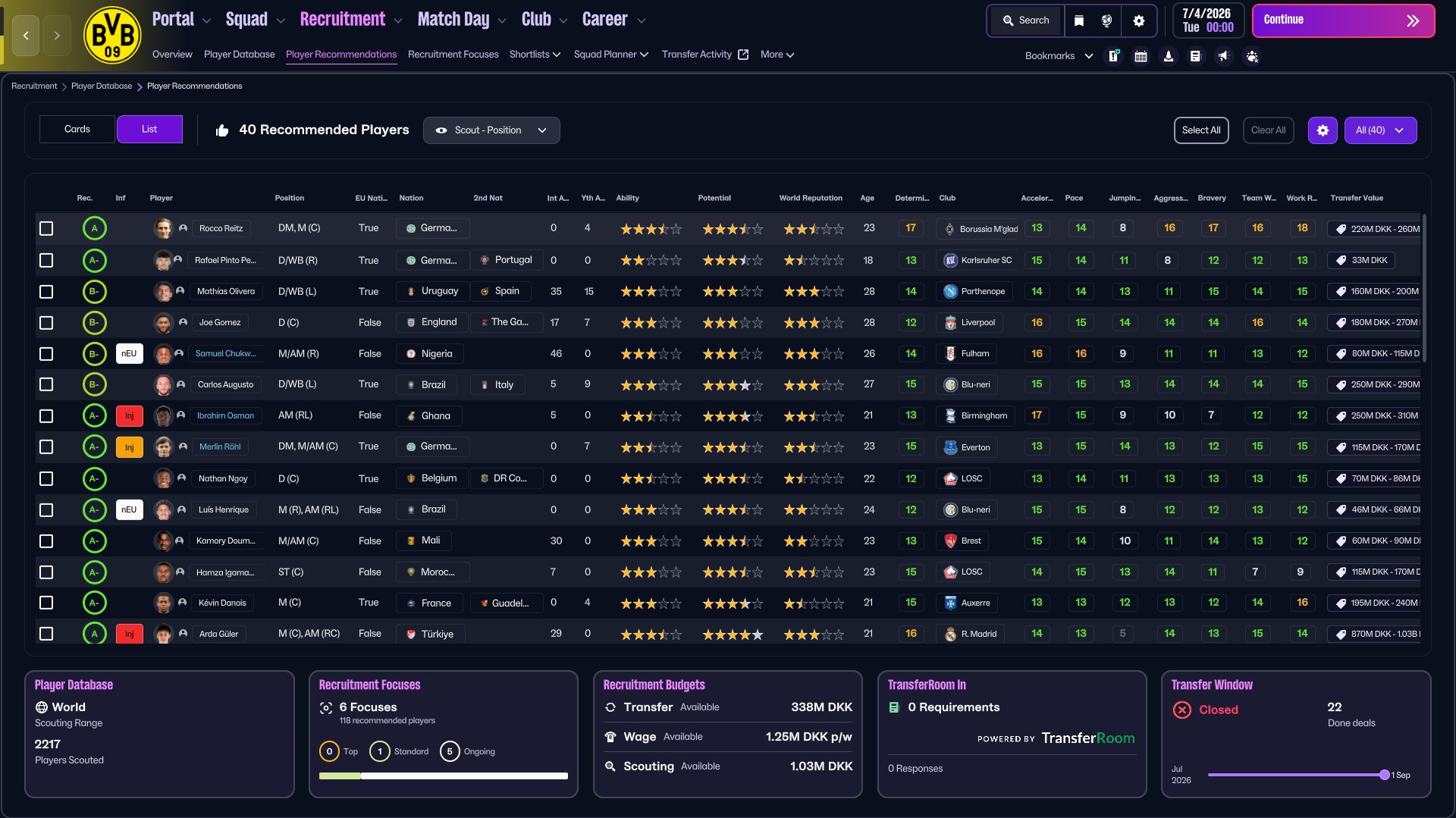
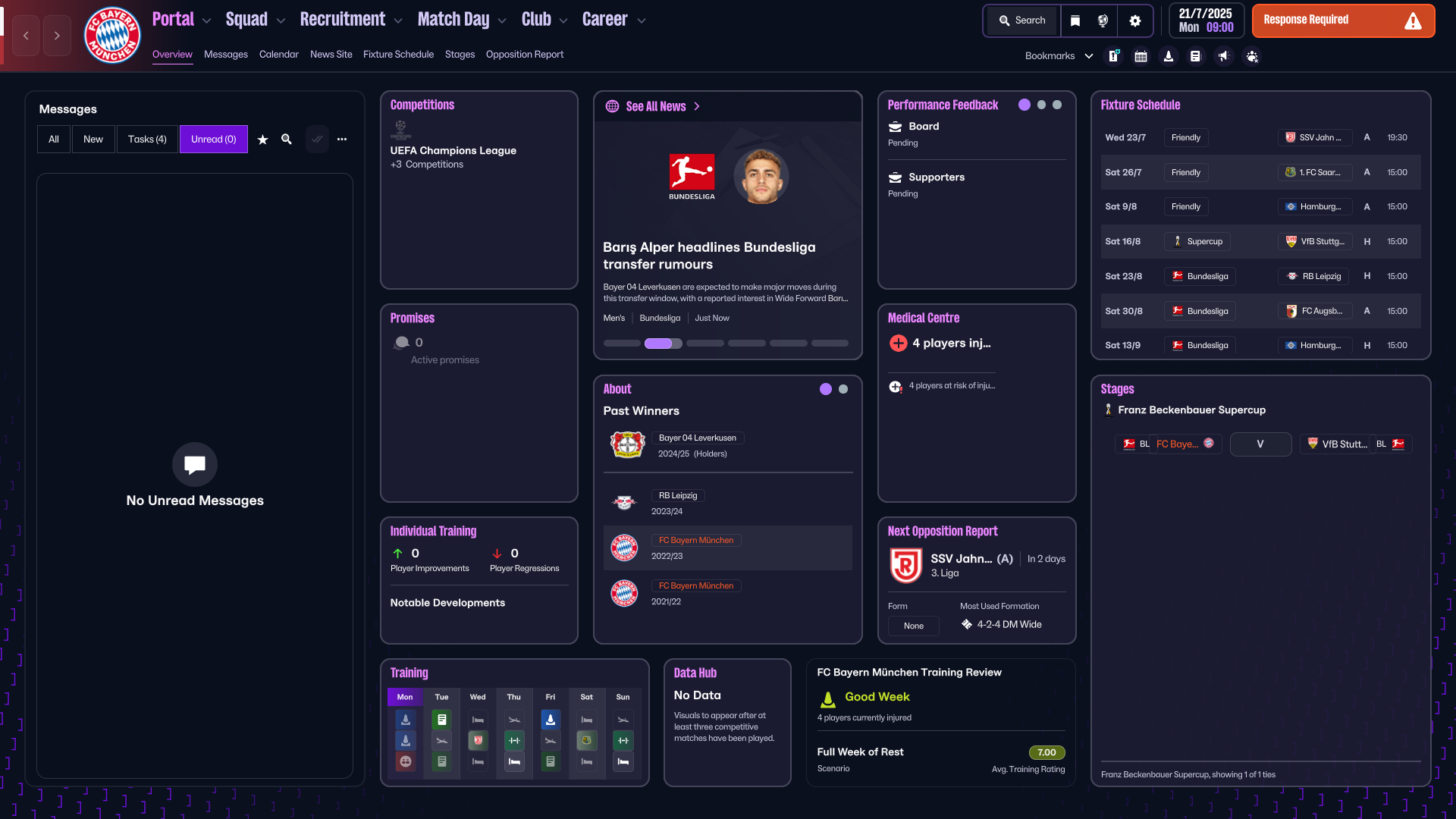
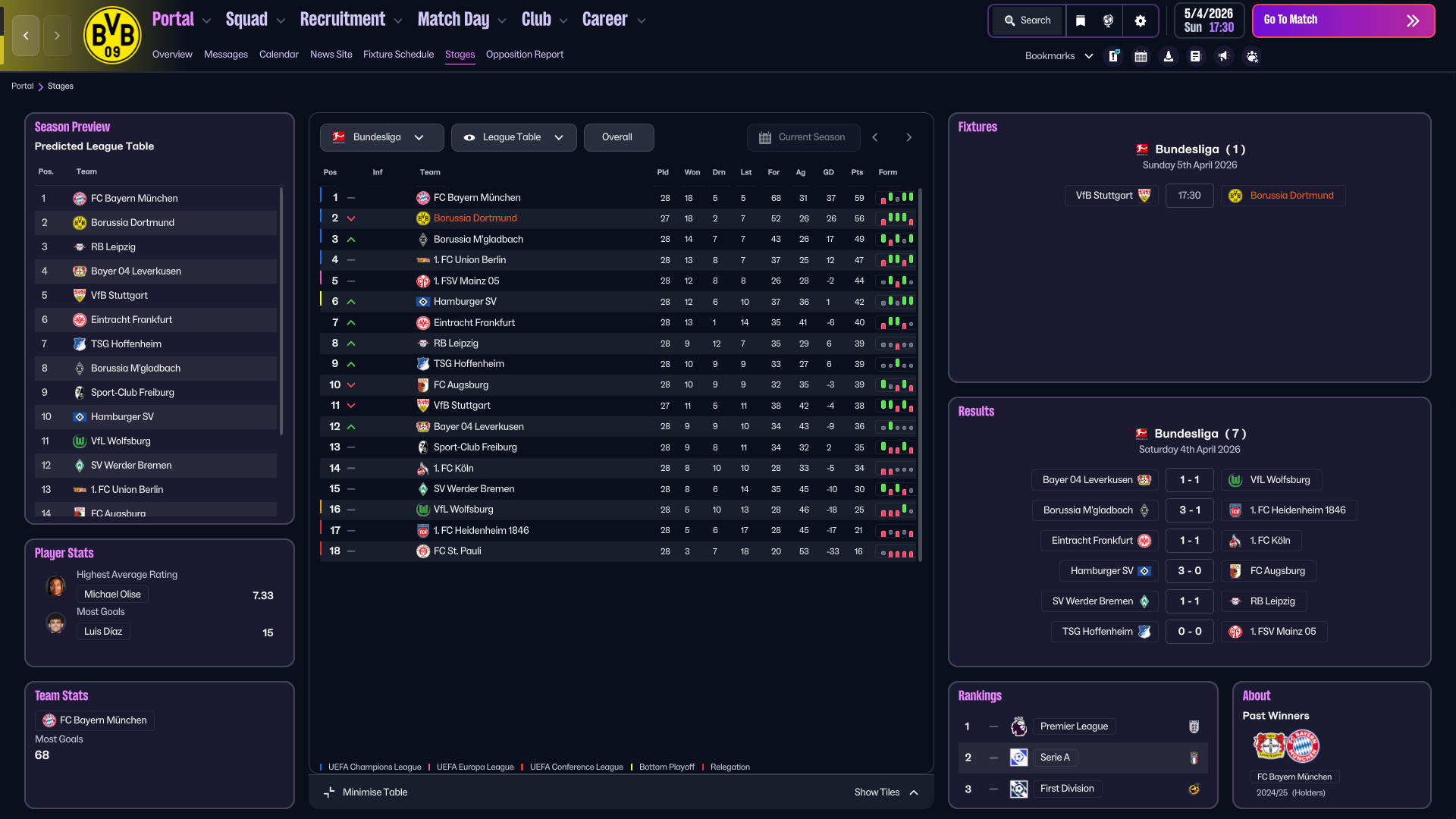
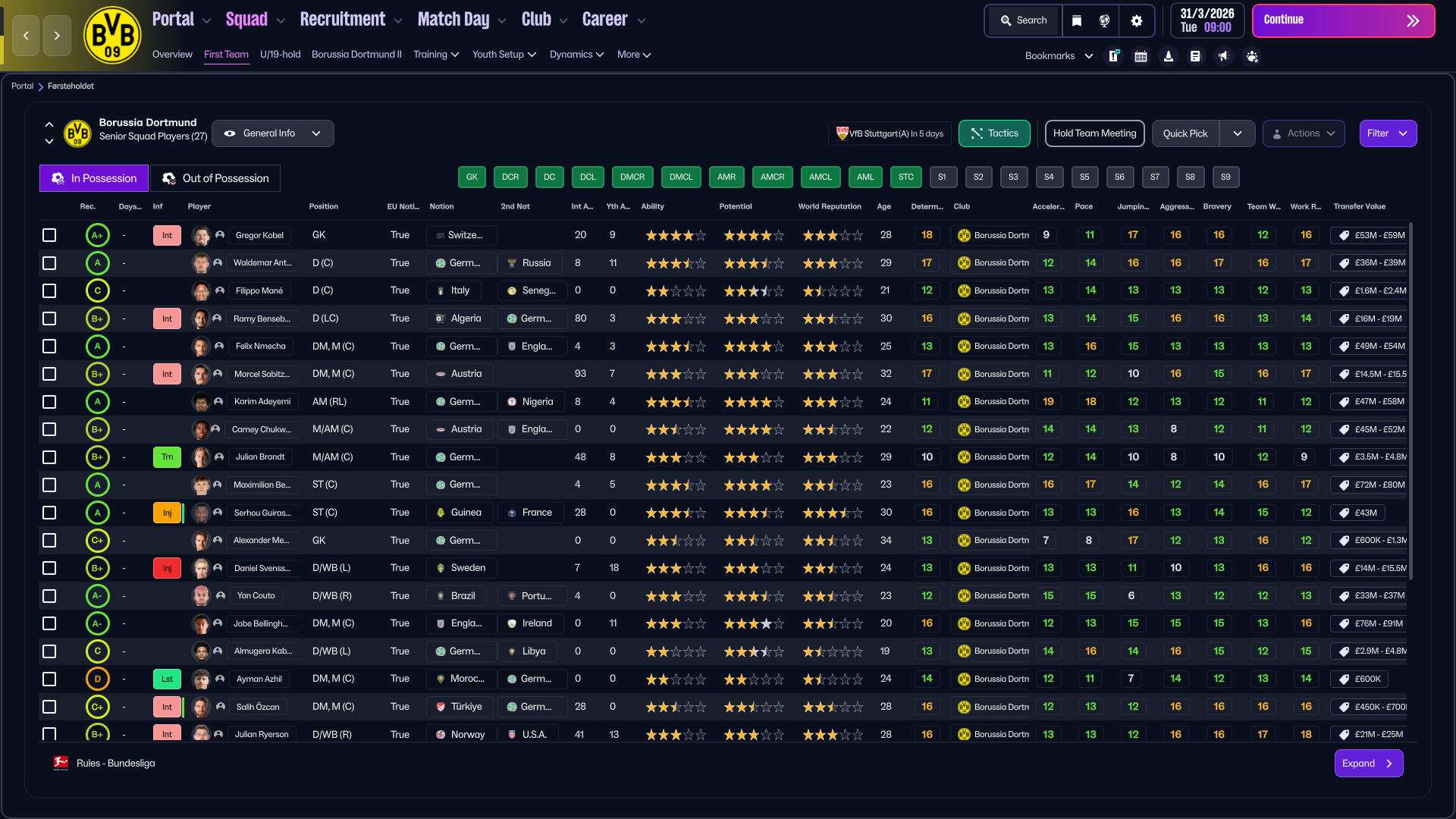
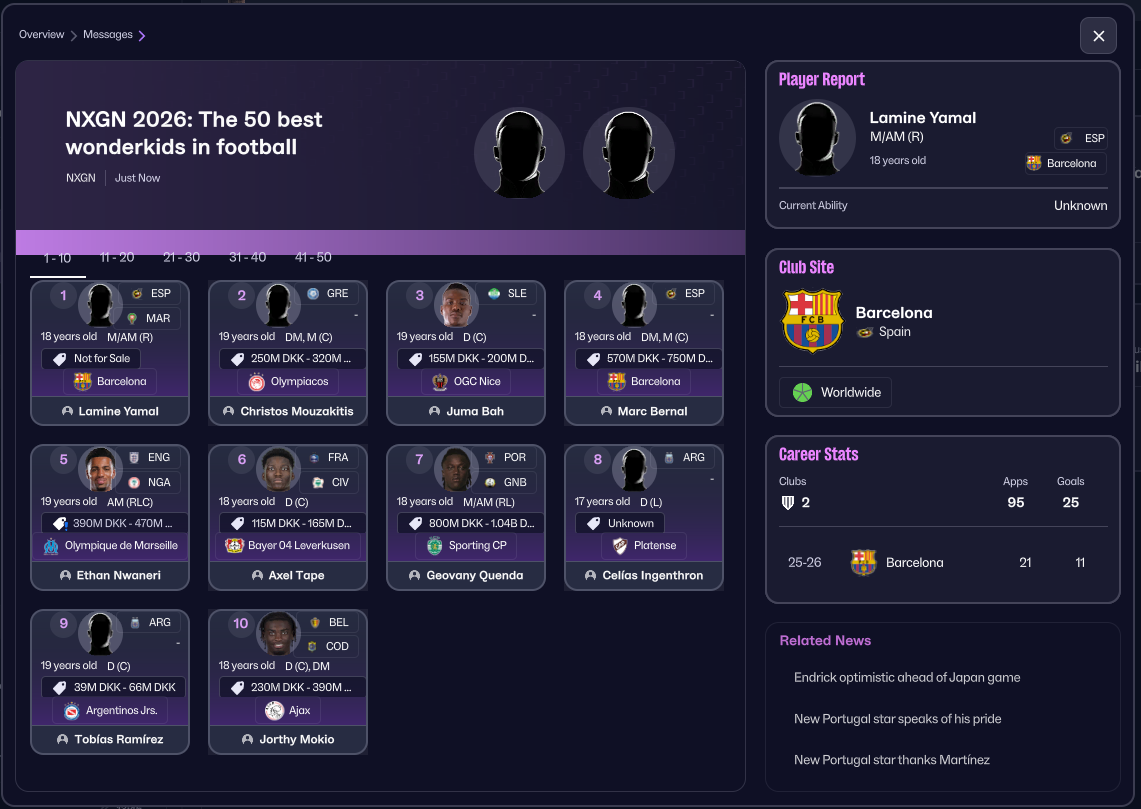
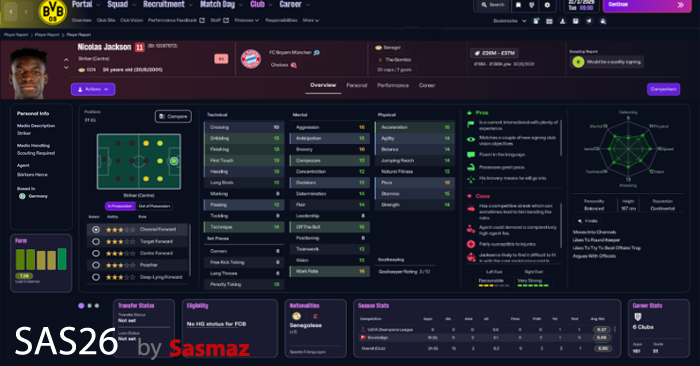
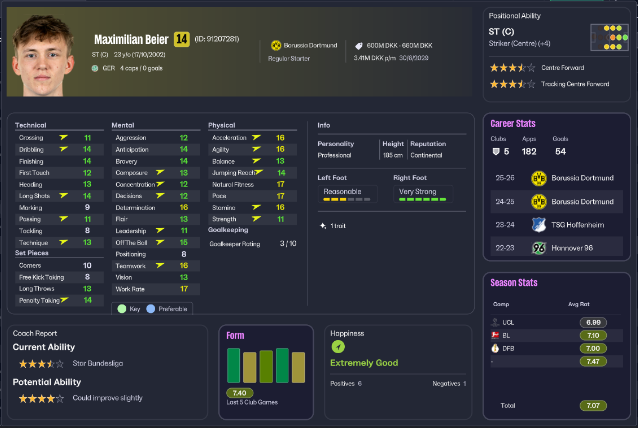
Pictures are below of some of the changes this year, and as always small QoL improvements are spread around for you to discover


The Skin is 100% free to use


Considering Donating

If you feel like buying me a coffee.
Buy sasmaz a coffee


Hope you'll enjoy using it
else there are plenty of other nice skins out there :)


How to install

*It's always recommended to take backups of the files before overwriting*

Close FM - Download and unzip the skin
Copy and replace the existing files in your folder


Installation path on windows
\Steam\steamapps\common\Football Manager 26\fm_Data\StreamingAssets\aa\StandaloneWindows64

Installation path for Mac
\Library\Application Support\Steam\steamapps\common\Football Manager 26\fm.app\Contents\Resources\Data\StreamingAssets\aa\StandaloneOSX

Changelog


Credits

Skogr for the value idea - visit there patreon to see there other work here
jneves for helping me testing the Mac version <3


Screenshots as of May 27th 2026


Download Now
Downloads: 7575 / Added: 2026-05-27
Your content on FM Scout

We are always looking for quality content creators, capable of producing insightful articles. Being published here means more exposure and recognition for you.

Do YOU have what it takes?

Discussion: The SAS skin is back for FM26 - A new era has begun.

48 comments have been posted so far.

  • the_guardian's avatar
    @sasmaz, sent you a scrrenshot by mp
  • sasmaz's avatar
    @the_guardian - the opening page ? if you mean the start page where you can load or start a save, then it's just the default one

    remember to verify your game files before applying a new skin
  • the_guardian's avatar
    @sasmaz, can you upload a screen of the oppening page of the game to see if it is the same as mine?
  • sasmaz's avatar
    @the_guardian - yes thats correct
  • the_guardian's avatar
    Hello, is this correct? Only 4 files? When i copied the files its seems the original Skin, attributes color are not the same.
  • Telutelu43's avatar
    @sasmaz Oh, what bad news. Well, you're the creator and there's nothing we can do.
    1
  • sasmaz's avatar
    @Telutelu43 thanks you and i had that at the start, but i didnt like it so i removed it again before release - Sorry
  • Telutelu43's avatar
    Excellent work! For me, the best skins since FM24. As a suggestion, could you add player photos to the tactics screen and substitute photos during a match? Thank you for your excellent work.
  • sasmaz's avatar
    @Rekoshooter yes that would be needed aswell
  • Rekoshooter's avatar
    Which programme? Skin Builder?
  • sasmaz's avatar
    @Rekoshooter - you will have to make those edits into the codes yourself. - i did it and wasnt a fan so i removed it again.
  • Rekoshooter's avatar
    I would like to see photos of players in the Tactics menu. Is it possible to do this?
  • sasmaz's avatar
    @fatunas - Download the zip, unpack the zip
    then copy my 4 files into your games folder and overwrite when asked (see path above in description) then you can start FM and skin will be loaded, (if your on mac it might not work)
  • fatunas's avatar
    Hi, trying to play fm26 for first time using this skin, once copied to given folder any further step need to do ?
    asking because game is loading without skin applied.
  • sasmaz's avatar
    @MigPost - that is correct, it's something i'm working on as we speak. but it's not playing nice..

    There is also the reputation in the info bar on the left side, that should be media handling - that has been fixed tho in my version
  • MigPost's avatar
    I noticed something. The GKs don't show the goalkeeping atributes in the polygon. It shows the same atributes as the outfield players.
  • sasmaz's avatar
    @Rizfar - from what i know, different files is needed for it to work on mac's,
    at this point in time, i do not exactly know what changes i would need to make, so all i can say is that it's not working for mac's as you've found out
  • Rizfar's avatar
    Great skin, but I have an issue...I cannot seem to load my saved games...there is no option to load a saved file? Using a MacBook (just to complicate things more!!!)
  • calypso's avatar
    The GOAT is back!!
  • sasmaz's avatar
    @panku123 - verify your game files, then copy the files over.
    it's optimized for resolution 1920x1080
    1
  • panku123's avatar
    I don't see the main menu; there's only “Add Manager” at the very bottom.
    1
  • sasmaz's avatar
    @Wojtek 842 - right now it's just 1920x1080, but my guess is that i will take a look at other resolutions soon'ish
  • Wojtek 842's avatar
    Hello. Is there an option to make it at a lower resolution?

FMS Chat

Stam
hey, just wanted to let you know that we have a fb style chat for our members. login or sign up to start chatting.