


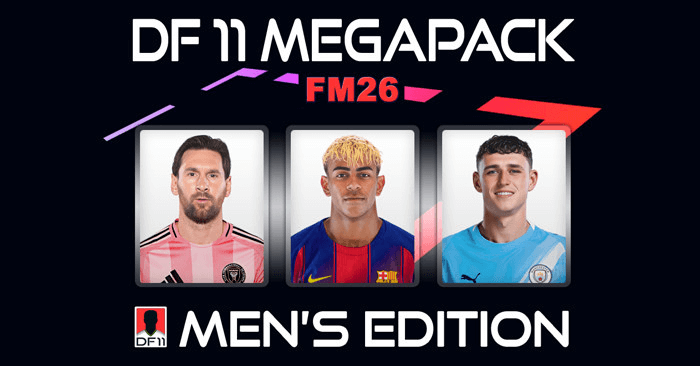
MEGAPACK 26
The DF11 Megapack brings the world of football to life with a massive collection of high-quality player faces, covering most playable leagues in FM26!
This Megapack includes more than 243,000 real player faces from leagues all around the world, covering both the biggest competitions and countless lower divisions. From global superstars to rising talents, the DF11 style makes every squad screen, lineup, and transfer feel more realistic.


Every face is created in the recognizable DF11 format: clean, consistent and perfectly aligned for the best possible in-game experience.
Whether you’re managing a top club or building a new dynasty from the ground up, this pack adds realism to men's football in the game.
- Free download
- High-quality DF11 style player faces for men’s football
- Faces for almost every league worldwide
- Includes both global stars and rising talents
- Clean, consistent DF11 format for the best in-game experience
- Brings more realism and immersion to your saves
- Perfect for managing men's football in Football Manager
Download your DF11 Men's Megapack for free and bring FM26 to life!


UPDATES
The great thing about DF11 Faces is that you’ll receive a free update every month.Each update lets you replace old faces with the latest ones, keeping your game fresh and up to date.
These monthly updates will further expand your Megapack during the season.
Current amount of faces available for men's leagues: 253K+
WOMEN'S MEGAPACK
Since you're here, make sure to grab the women's Megapack as well – featuring faces for over 20 women's leagues!ABOUT US
DF11 Faces is one of the most experienced facepack developers in the FM community.Known for its consistent style, high quality, monthly updates, free services, and a track record dating back to 2010!




![FM26 Data Tweaks [v3.2 | v4.5]](https://fmdatatweaks.com/wp-content/uploads/2026/04/fm-datatweaks.webp)




Discussion: DF11 Men's Megapack FM26
19 comments have been posted so far.
[img]https://www.instagram.com/p/DABmg1ItLzA/?igsh=MTBiaGlsdDYwb281aQ==[/img]
Can you make this picture a df11 face pack? I beg you.[img]https://www.instagram.com/p/DABmg1ItLzA/?igsh=MTBiaGlsdDYwb281aQ==[/img]
New config file included in all our downloads
for all others ive translated below
For those who can't get it to work in FM26,
Go to C:\Users\[YOUR_USERNAME]\Documents\Sports Interactive\Football Manager 26\graphics\[YOUR_DF11_FOLDER].
Find config.xml and edit it in any text editor.
You search for this text: <record from="14181373
You'll find 3 results for the same player, one of the lines is corrupted and looks like this, followed by another unnecessary line:
<record from="14181373 option 2" to="graphics/pictures/person/14181373/portrait"/>
<record from="14181373-" to="graphics/pictures/person/14181373/portrait"/>
Remove both and leave only this one:
<record from="14181373" to="graphics/pictures/person/14181373/portrait"/>
Save the file and close the text editor.
Again in the DF11 folder, it searches for "14181373," without including the ". png" in your search. You'll find three photos. Remove two of them ("14181373 Option 2.png", "14181373-.png") and leave only "14181373.png".
Restart the game
Vai em C:\Users\[SEU_NOME_DE_USUÁRIO]\Documents\Sports Interactive\Football Manager 26\graphics\[SUA_PASTA_DF11].
Procura por config.xml e edita ele em qualquer editor de texto.
Procura por esse texto: <record from="14181373
Você vai achar 3 resultados pro mesmo jogador, uma das linhas tá corrompida e parece com isso, seguido por outra linha desnecessária:
<record from="14181373 op??o 2" to="graphics/pictures/person/14181373/portrait"/>
<record from="14181373-" to="graphics/pictures/person/14181373/portrait"/>
Remove as duas e deixa só essa:
<record from="14181373" to="graphics/pictures/person/14181373/portrait"/>
Salva o arquivo e fecha o editor de texto.
De novo na pasta DF11, procura por "14181373", não inclui a extensão ".png" na sua busca. Você vai achar 3 fotos. Remove duas delas ("14181373 Opção 2.png", "14181373-.png") e deixa só "14181373.png".
Reinicia o jogo
Can anyone help?
es steht inhalte können nicht angezeigt werden!
gibt es da eine lösung? mfg stefan