


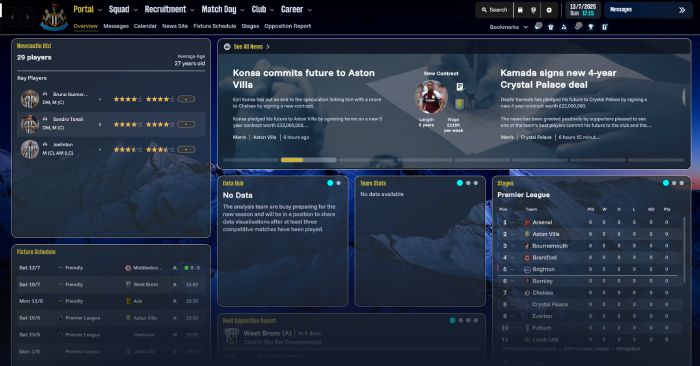
Some changes in this skin:
- Changed the tile format of the portal page
- Changed the format of the club info page
- Background and main background changed throughout
- Matchday highlights portal, changed a few tiles and removed the 2d pitch
Hope you like it. This will probably be my main skin so any suggestions welcome.
The Special One - FM26 Skin Preview


How to Install the skin on FM 26
1. Extract the contents of the downloaded file2. Locate the Game Directory: Navigate to your Football Manager installation directory.
The standard path for Windows is typically:
\Steam\steamapps\common\Football Manager 26\fm_Data\StreamingAssets\aa\StandaloneWindows64\3. Locate the original files in the game's data folder and make a backup copy before proceeding.
4. Copy and paste the files into the game directory. When asked, choose to overwrite/replace the existing files.


![FM26 Data Tweaks [v3.6 | v4.9]](https://fmdatatweaks.com/wp-content/uploads/fmdt-cover.webp)





Discussion: The Special One FM26 Skin
2 comments have been posted so far.