Search
On FM Scout you can chat about Football Manager in real time since 2011. Here are 10 reasons to join!

SAS26 - A new era has begun.

This skin is mainly made with FMSB and also limited by FMSB (for now)

By Updated on Jun 26, 2026   74925 views   71 comments
Download Now
Downloads: 16072 / Added: 2026-05-27
Football Manager 2026 Skins - SAS26 - A new era has begun.
As in previous years, it's first and foremost made the way i like it to be

new changes will come as i discover a need for them.

3 versions of Sas26 is now available

* Sas26 normal
* Sas26+number values (is having Match sharpness and Condition as number values)
* Sas26_Mac (normal version)


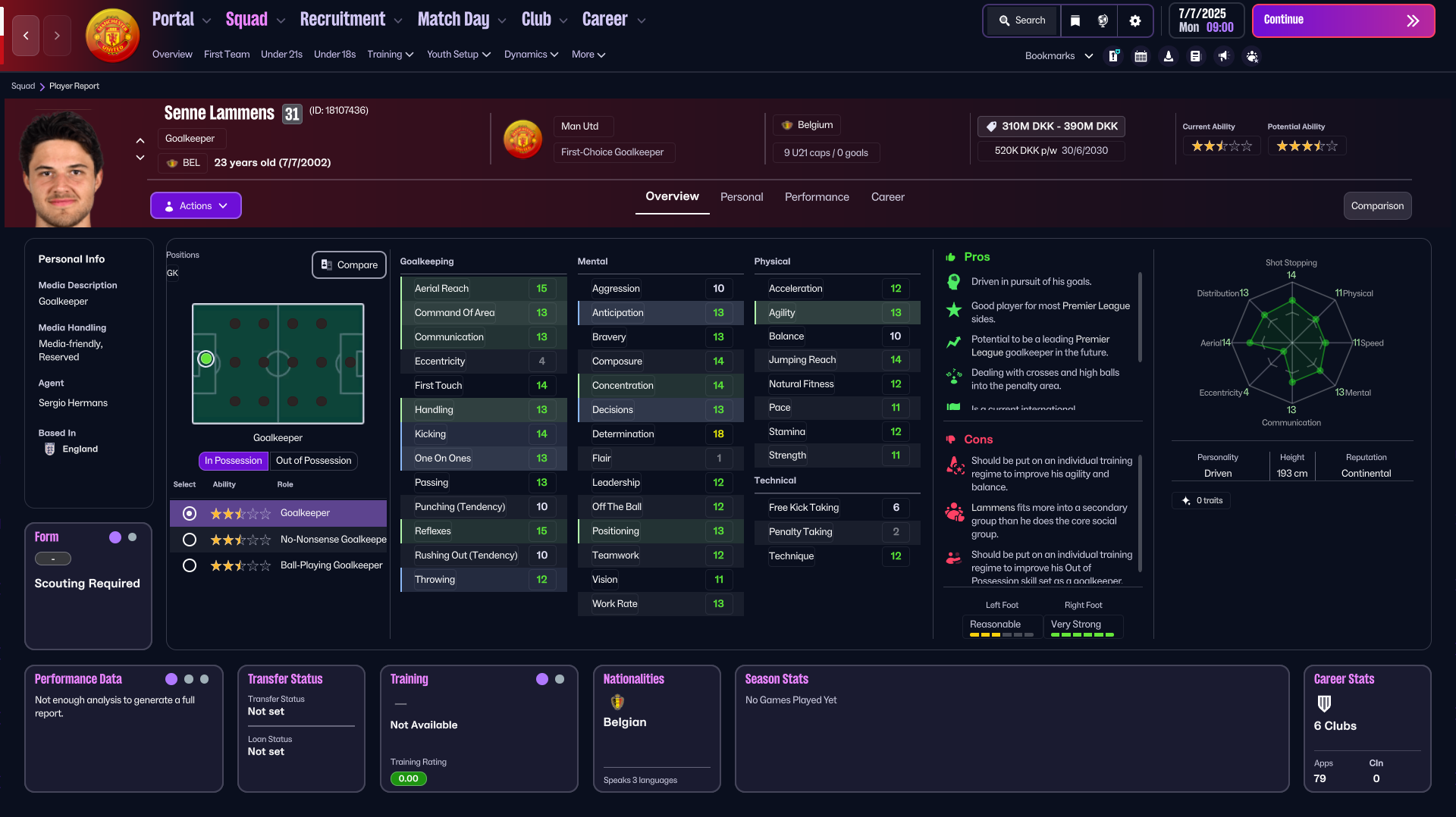
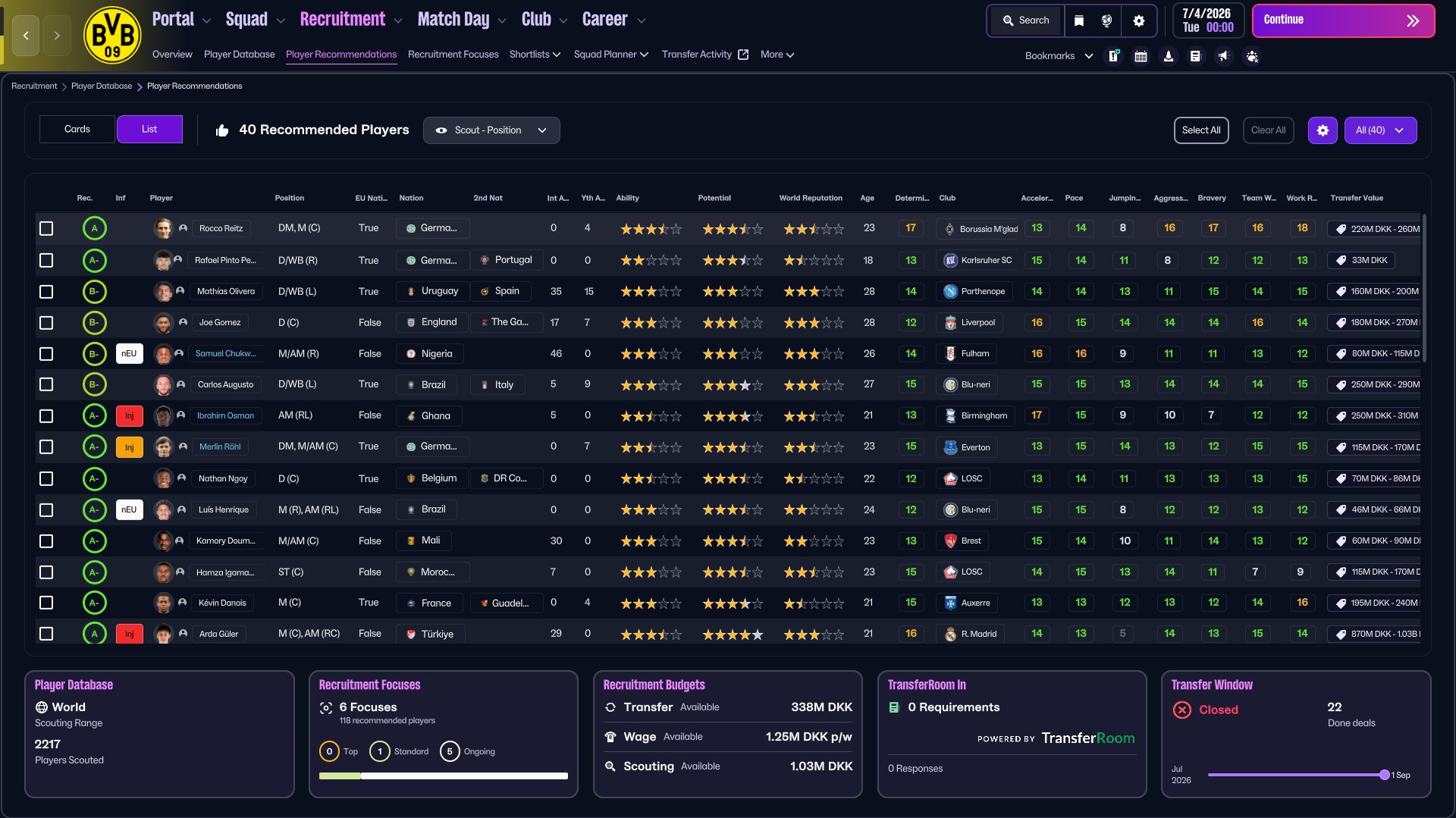
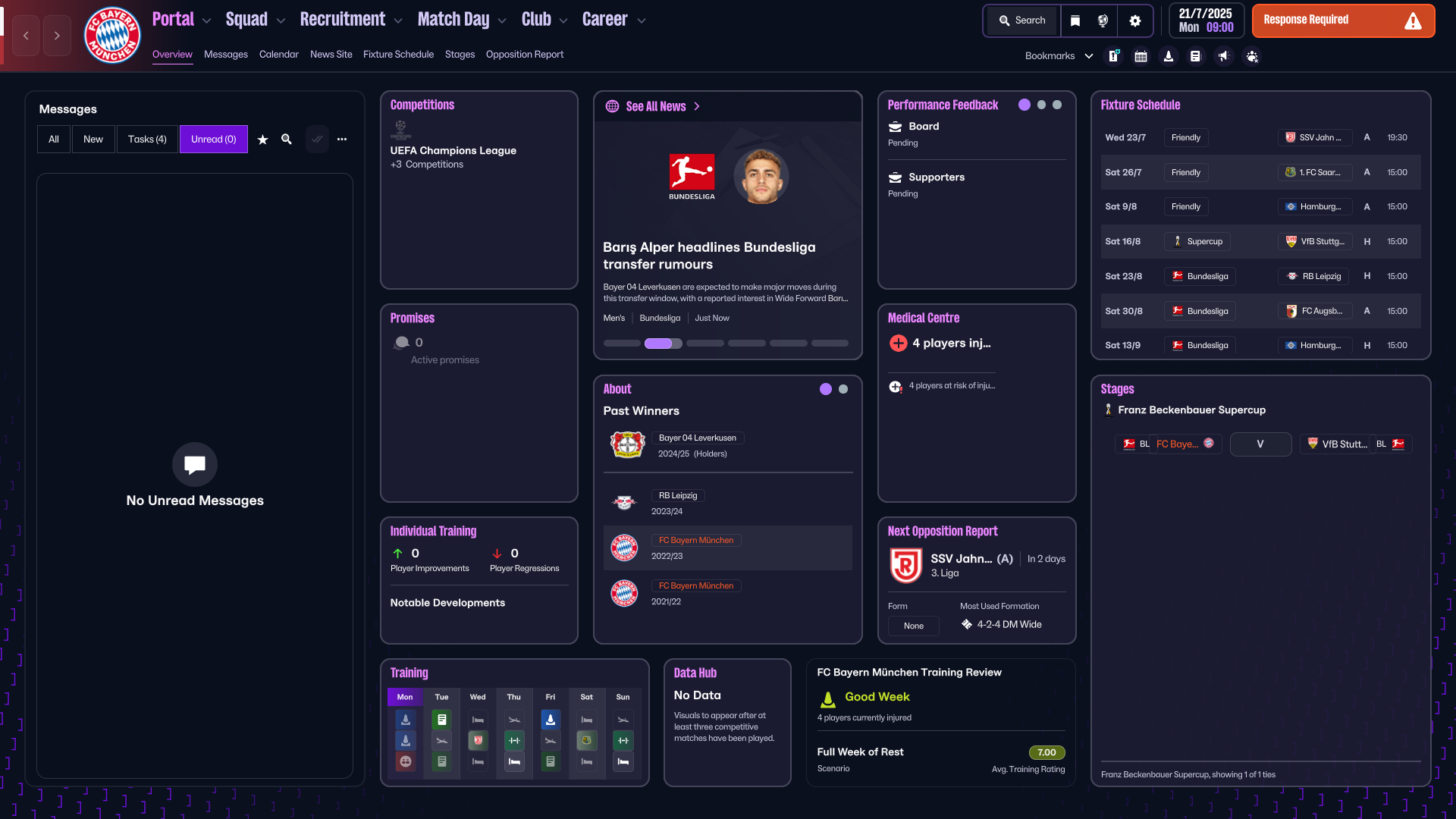
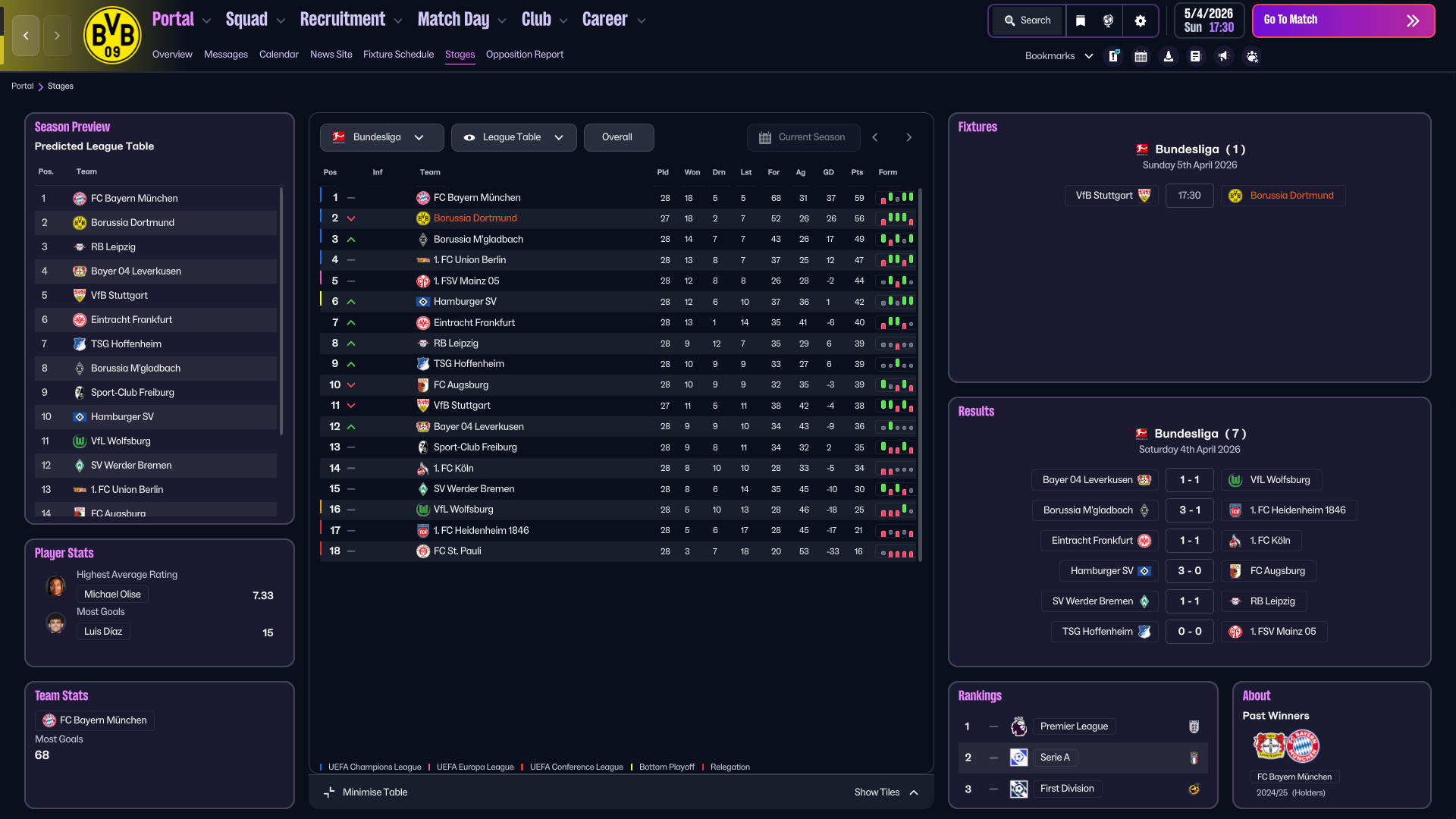
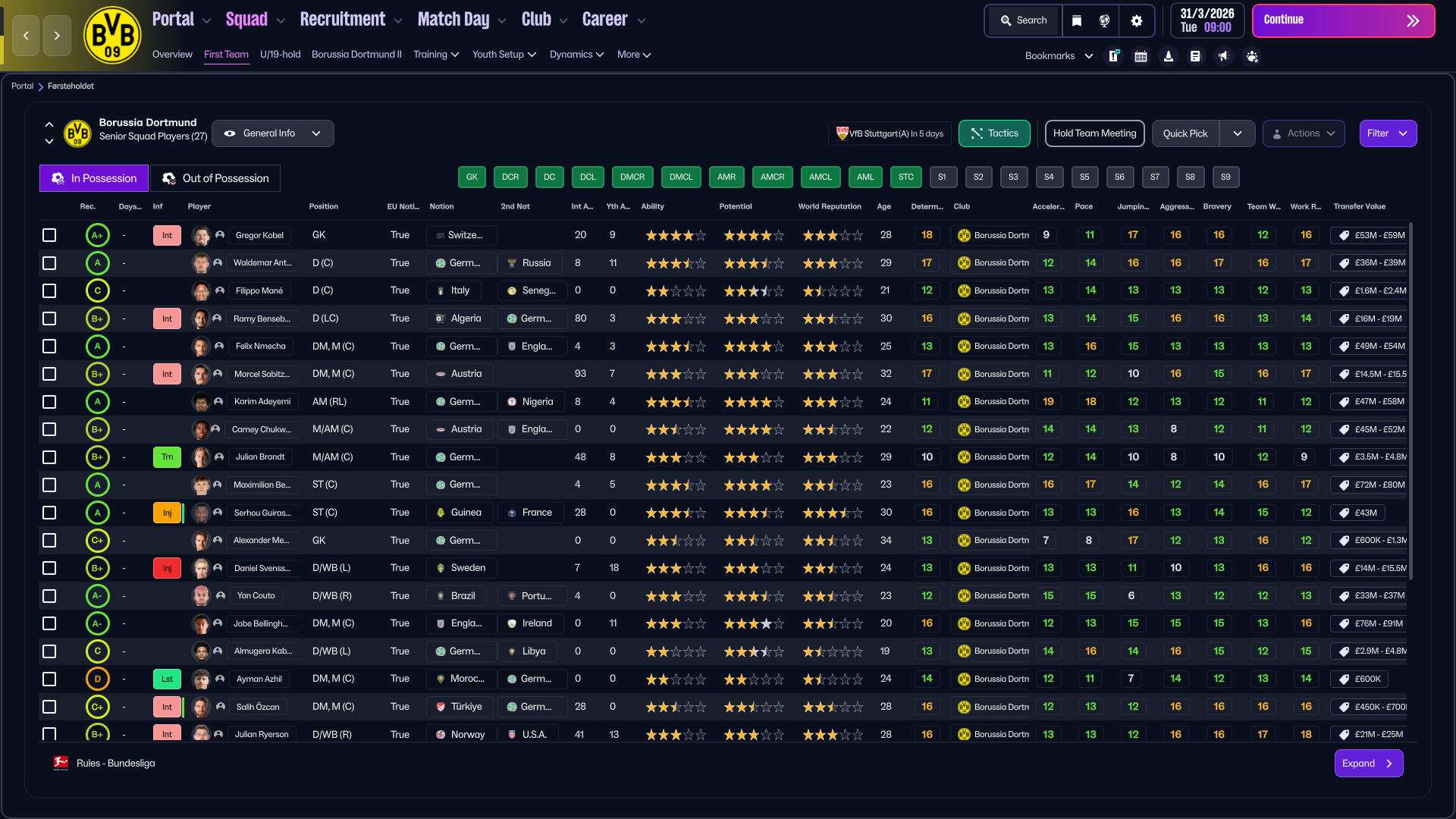
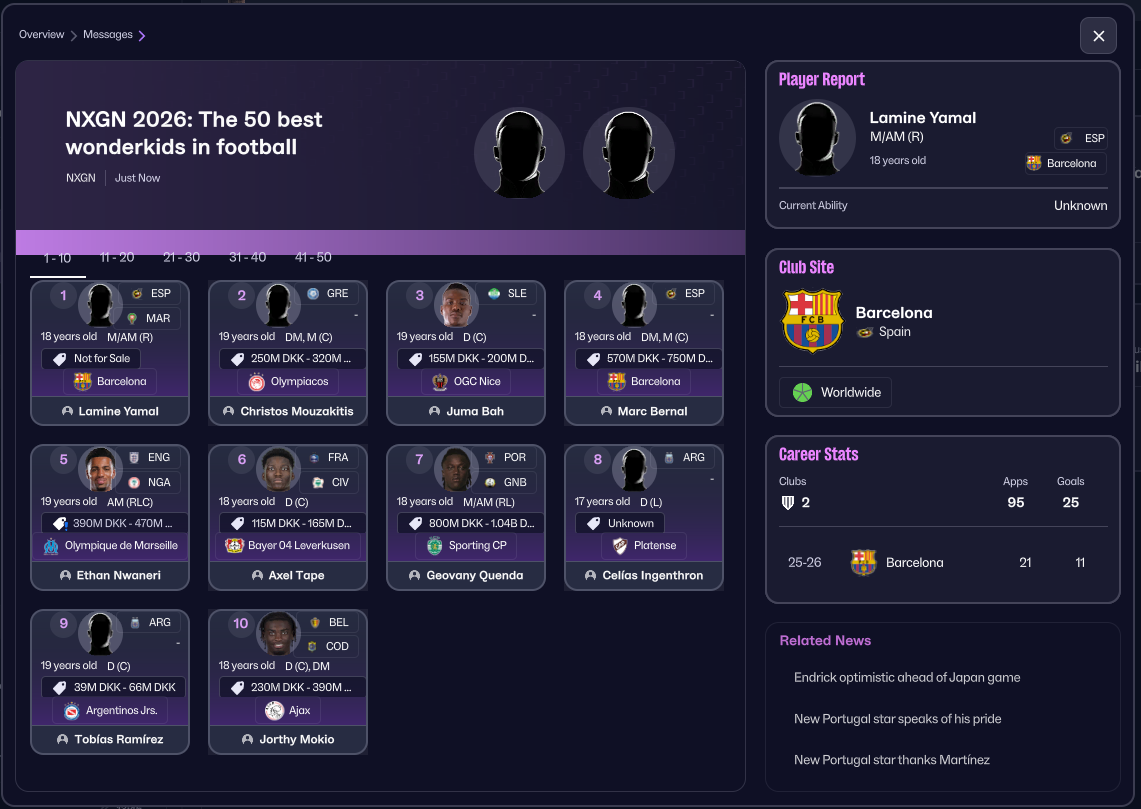
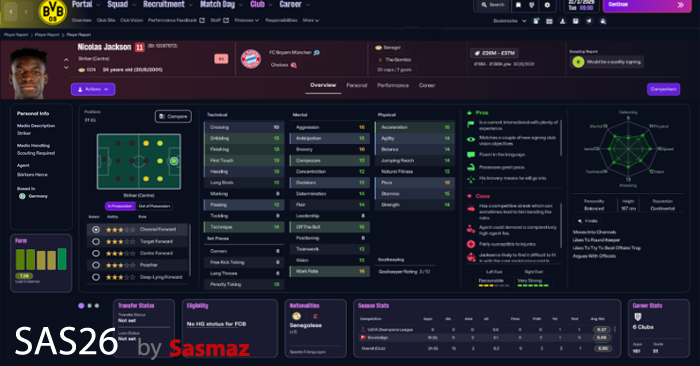
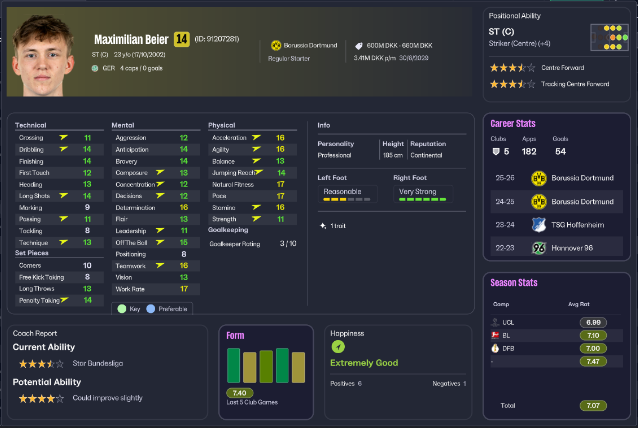
Pictures are below of some of the changes this year, and as always small QoL improvements are spread around for you to discover


The Skin is 100% free to use


Considering Donating

If you feel like buying me a coffee.
Buy sasmaz a coffee


Hope you'll enjoy using it
else there are plenty of other nice skins out there :)


How to install

*It's always recommended to take backups of the files before overwriting*

Close FM - Download and unzip the skin
Copy and replace the existing files in your folder


Installation path on windows
\Steam\steamapps\common\Football Manager 26\fm_Data\StreamingAssets\aa\StandaloneWindows64

Installation path for Mac
\Library\Application Support\Steam\steamapps\common\Football Manager 26\fm.app\Contents\Resources\Data\StreamingAssets\aa\StandaloneOSX

Changelog


Credits

Skogr for the value idea - visit there patreon to see there other work here
jneves for helping me testing the Mac version <3


Screenshots as of May 27th 2026 and may have changed slightly


Download Now
Downloads: 16072 / Added: 2026-05-27
Your content on FM Scout

We are always looking for quality content creators, capable of producing insightful articles. Being published here means more exposure and recognition for you.

Do YOU have what it takes?

Discussion: SAS26 - A new era has begun.

71 comments have been posted so far.

  • AlexTheTall's avatar
    Thank you.
  • sasmaz's avatar
    @AlexTheTall - yeah that would be the reason for sure

    it's made for 1920x1080 as thats what i am running myself.
  • AlexTheTall's avatar
    I sent you a private message, I am on PC and 3840 x 2160
  • sasmaz's avatar
    @AlexTheTall - version ? PC or MAC and can you show me a screenshot

    Also which resolution are you using ?
  • AlexTheTall's avatar
    I am not complaining, but when I look at "Stages" and than "Show tiles" The boxes like "Rules" are barely visible due to the other square popping over it.


    Thank you.
  • sasmaz's avatar
    @popo94 No i desided to only have Sharpness and Condition as numner values - I may change it later.
  • popo94's avatar
    Does the players fatigue not count as a number by any chance?
  • sasmaz's avatar
    @ruanba can you show me some screenshots as i have no problem and no one else have reported it in

    and which version ? PC or MAC
  • ruanba's avatar
    Nothing, same problem overlap
  • sasmaz's avatar
    @ruanba - always apply a skin from a fresh validated FM
    I normaly validate FM, start FM until the menu and then closes FM and apply the skin
  • ruanba's avatar
    “I’ve just installed the patch. It looks good, but when I switch between screens, there is some overlap between the two screens.”
  • sasmaz's avatar
    @moschonitro - no :)
  • moschonitro's avatar
    Good afternoon, are you planning on releasing a version with bigger player pictures?
  • sasmaz's avatar
    @Deanoo_7 - when you click the download, it should open a mediafire folder where the files are in.

    You do not need any premium or anything, just make sure you don't try to download the folder,
  • Deanoo_7's avatar
    hey man, im trying to download the skin but keep getting directed to mediafire and when i try to download the skin on there it wont let me? ive to subscribe to a premium service to media fire? can you help thanks.
  • AlexTheTall's avatar
    Thanks you Sasmaz!!
    1
  • sasmaz's avatar
    Little update
    *changed*
    Legends panel added to Club Site
    Player profil have had bottom panels changed abit
    Player popup have had panels changed abit
    Added playing time panel to Player popup
  • AlexTheTall's avatar
    oh my god, I am so dumb! thanks
  • sasmaz's avatar
    @AlexTheTall - personality is just under the polygon on the right side

    same as Height and reputation
  • AlexTheTall's avatar
    i was wondering where you see personality... I do not see it anymore on the main player page. Thank you!
  • sasmaz's avatar
    Just a little update

    Staff panel as been added to AI Club Site as the last dot in the Transfer history panel
    Fixed inbetween match player stats blank page
    Nationality and 2nd nationality in views has been changed from full name into 3 letters
    1
  • sasmaz's avatar
    @elevenGarlic - I currently have no plans on colour change, but lets see what the future brings.
    1
  • elevenGarlic's avatar
    Hi mate. firstly love your tactic. amazing work. Question: are you going to bring the sas24 skin colours in to this year skin?
  • sasmaz's avatar
    I will see if i can find one and add it to the AI club site

    Thank for the input
    1
  • 321lele's avatar
    One thing I've noticed is that I can't find the staff members of other clubs anywhere in the skin. It would be a useful addition to include a Staff panel/tab on the Club Site screen, allowing users to quickly view a club's staff structure.

FMS Chat

Stam
hey, just wanted to let you know that we have a fb style chat for our members. login or sign up to start chatting.