


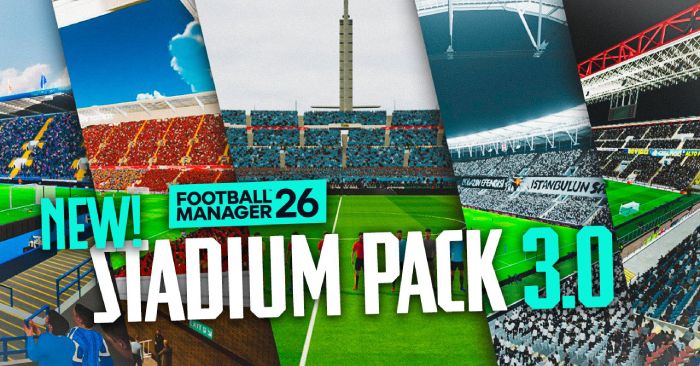
3D Stadium Megapack v3 - Features:
It is time for 3.0, the big one! Update 3.0 of my Football Manager 26 3D Stadium megapack is finally here! This wraps up everything since 2.4 went public back in March, and a LOT has changed in the two months since.A total of 1600 hours of work has gone into this update! As well as containing 278 stadiums from all around the world, it also includes many more overhauls such as free cameras, weather tweaks and countless fixes!
I am super happy to announce that this update fixes most lighting issues and adds tonnes of new features, like camera control and post processing. Version 2.4 went out with 213 stadiums total. Since then the focus has been a mix of new additions and major reworks on the existing roster.
EVERY stadium shipped before this version got the bench/lighting/camera overhaul somewhere along the way. If you played a stadium pre-2.4 and revisit it now, it's not the same stadium.
Below it's organized by what's different now. If you're coming from 2.4 directly, every section below is new to you. These are the Patch Notes, so if you're interested read through them at your own pace. It is quite long!
But before we go in, I want to express my gratitude to everyone who has supported this mental project. Whether you've been here since day one or this is your first time, the support allowed this idiot to spend the time and effort on this, and hopefully enhance your experience.
But above all, genuinely, thank you.
But above all, genuinely, thank you.
2.4 to 3.0 Patch Notes
COMPATIBILITY & PERFORMANCE
- Full FM 26.2 / 26.3 compatibility.- Cross-plugin performance audit. Lighting, cameras, crowds, seats, stadiums all got cleaned up in one pass. Average FPS up 50%, worst-moment FPS up 275%, big stutters basically eliminated.
- Major FPS killer found and removed: a second camera was re-rendering every crowd instance every frame. Reducing FPS for nothing, this is obviously removed.
- Crowd cleanup between matches. Old crowd objects were stacking up invisibly.
- Six silent failures in stadium injection were swallowing errors without logging. If your stadium wasn't loading and the log was empty, this is why. Errors now properly reported.
- Newgen screens going black after custom lighting fixed. Ambient now properly restored on UI enter/exit.
- Bundle load time logging so we can track which stadiums are slow.
CROWDS
This is where the most visible work has gone in.- Crowds react to what's actually happening in the match.
- 26 different match moments now have their own animations: goals, dramatic saves, VAR checks, red cards, full time, boring 0-0 stretches, the lot.
- Up to 17 different animations sprinkled across the stands per reaction so the whole crowd doesn't do the same dance.
- Reactions ripple across the stands naturally instead of all firing at once.
- The frame stutter that used to come with mood changes is gone. Old version hitched visibly every time the crowd switched reactions. Now it's seamless.
- Choreographies. The home end now holds up colored cards forming an image at scripted match moments.
- Crowd colors pull from each team's actual kit colors.
- Crowd attendance now is accurate to in game attendances, so no more full stadiums when 4k/25k should be there.
Performance: in heavy stadiums at cranked-up settings, average FPS went from 108 to 165, and big stutters over 50ms went from 452 per match to basically zero.
STADIUMS
- The stadium plugin had a structural rebuild and every stadium got passed over by hand.- Post-processing included. This gives night matches a colder look, and day games a warmer look.
- Bench placement: Every stadium got home and away bench empties added so substitutes show up in the right spot. Manual per-stadium work, took a while.
- Camera placement: The stadiums with camera issues in broadcast mode are all tackled and now have no roof in the way anymore. If they do, please let me know.
- Stadium segmentation: same stadium can serve different teams in different competitions via ID mapping.
- Pitch shader rewrite (Partial): Rewritten the pitch shader and rolling out gradually.
- All stadiums now have their lighting overhauled. Took the most time, but it now looks good.
- Using the Tilde key (~ Key, next to 1 and above Tab) now copies the stadiumID for you to map.
LIGHTING
- Lighting toggle got a performance pass. Was making 28+ expensive object searches per call, now caches. Dynamic GI updates only fire when something changes. Noticeably smoother.- Skybox stutter fixed. No longer forces dynamic GI updates every time the skybox is reapplied.
- Memory leak from skybox materials being duplicated and never cleaned up between matches. Long sessions stable now.
- Bloom tweaker is added. Use Numpad 1 to tweak the bloom of your matches. Only affects custom-lighting stadiums, vanilla stadiums keep FM's own bloom system.
- Vanilla stadiums no longer get the wrong skybox/exposure after you've played a custom one.
- Bloom threshold vs per-light lens flare conflict resolved. Floodlight flares no longer wash out.
CAMERAS
- Custom Camera: (NOT Free Camera) got added.- Player nametags now line up correctly with custom cameras. They were drifting before.
- FM's dynamic zoom still works on top of your custom positions. The camera still zooms based on where the ball is, just from your placement.
- Toggle keybind: F1. F2 toggles LookAt re-aim - off is smoother when FM blends between sideline cameras, on is smoother for static presets. Try both.
- FreeCam Bloom Tweaker: Numpad 1 during a match opens the in-game adjustment panel. Arrow keys tune intensity, threshold, scatter, iterations, player brightness clamp. Saves automatically.
- FreeCam ball tracking. Three modes cycled with F4:
- Mouse: original free-look. WASD flies, mouse looks around.
- LookAt: WASD flies, camera auto-aims at the ball with smooth easing. Cinematic.
- Chase: camera follows the ball at the offset you had when you switched in. WASD steers the offset live. Broadcast camera you can move.
- FreeCam now takes priority correctly when toggled on after CameraInject is already active.
WEATHER
- New plugin: WeatherOverhaul. Custom rain and snow particles that work alongside FM's weather system. Looks the part now.- Weather particles no longer randomly stop mid-match. The stadium's internal weather system was killing the custom effects. Sorted.
BALLS
- Custom ball lighting completely rewritten. Tested across night, day-shadow, day-sun and vanilla stadiums. Should look correct everywhere.- Balls appearing black in non-custom stadiums fixed. Custom materials were using a shader incompatible with FM's vanilla lighting. Now grabs FM's own shader and applies it to custom materials.
- Memory leak in ball injection (cached textures not cleared between competitions). Long multi-comp sessions don't eat memory anymore.
- Custom ball textures per competition still work as before, just better-lit now.
HOW TO USE THE NEW STUFF
- Choreographies fire automatically once your team has them authored. No keybinds needed for normal play. F9/F10 are for testing.- Bloom tweaker: Numpad 1 in match.
- FreeCam ball tracking: F5 to use Free Camera, F4 to cycle modes, after activating FreeCam.
- Numpad + toggles the crowd off for screenshots.
- Tilde (~) during a match logs the current stadium_id, team_ids and bundle name to the BepInEx log AND copies the stadium_id to your clipboard. This is your stadiumID to map a custom stadium to. Works in vanilla matches too.
Known Issues
Some choreographies don't fire on shared bundles where the same stadium bundle is used by multiple teams (ongoing work, edge case for non-league teams playing in famous stadiums).Bugs:
Considering my level and skill in programming, it was only going to be natural that bugs would happen. I have not received any mention of either game breaking, save corrupting or other catastrophic errors. The bugs are relatively minor such as the position of the ball not always aligning or the referee and linesmen disappearing for some reason. Just like the animations of crowds, they will be ironed out over time.If you come across a bug, feel free to let me know, but do so respectfully please 😀
I need to stress, it will not work on macbooks with apple silicon, and steam deck is still experimental. I will therefore not provide technical support for issues related to apple silicon.
3D Stadiums Megapack - Windows Installation Instructions:
(1) Download the file “FM26 3D Stadium Megapack Version 3.0 - The Total Rebirth.zip”(2) Open the zip file so you are left with one folder:
- FM26 3D Stadium Megapack Version 3.0 - The Total Rebirth
Steam
Program Files (x86)SteamSteamAppscommonFootball Manager 26Epic
Program Files (x86)Epic GamesFootballManager26Gamepass
XboxgamesFootball Manager 26
(5) Copy the follow files from “FM26 3D Stadium Megapack Version 3.0 - The Total Rebirth”
- BepInEx/
- dotnet/
- .doorstop_version
- changelog.txt
- doorstop_config.ini
- winhttp.dll
IMPORTANT: Do not copy the whole “FM26 3D Stadium Megapack Version 3.0 - The Total Rebirth” folder. Only the files inside it e.g.
✅ GOOD: Steam > Apps > common > Football Manager 26 > BepInEx
❌ BAD: Steam > Apps > common > Football Manager 26 > FM26 3D Stadium Megapack Version 3.0 - The Total Rebirth > BepInEx
✅ GOOD: Steam > Apps > common > Football Manager 26 > BepInEx
❌ BAD: Steam > Apps > common > Football Manager 26 > FM26 3D Stadium Megapack Version 3.0 - The Total Rebirth > BepInEx
Alternatively, you can watch the video tutorial:
3D Stadiums Megapack - FAQ:
- Will it be free?Yes. 100%! If you see it somewhere and they're charging for it, step away, (kindly) report it to me and I will take the required actions if need be. My mods will always be free in its core, with you having the option to send a donation if you wish to do so!
- Will it work on FM24?
No. Plain and simple this will not work in FM24 due to the difference in game engine.
- Do I need to start a new save?
Nope! Fully compatible with your saves as well as match history. So if you won the final of the UEFA Champions League in your home stadium, you can replay it with your ground 😉 this is also the case for saves from FM23 and FM24.
Credits
Lastly, this has been a mammoth effort, but could not have been done without the support from everyone who has been involved. In the google sheet there is a credits page and if I forgot to put anyone on there, let me know and we'll get it sorted because this has been a huge collaborative effort from so many people on the background and the talented PES modders. Just insane!! You guys will all get a mention on here too.Thank you everyone!








Discussion: 3D Stadium Megapack for FM26 (v3.0)
6 comments have been posted so far.
Loving the megapack so far. Just a quick question: in my game, the crowds behind the goal are facing the wrong direction and seem to be looking away from the pitch.
Is this a known bug or have I installed something incorrectly?
Cheers!
Als ik herhalingen terug kijk van doelpunten zit ik altijd tegen het dak van het stadion te kijken?
Doe ik iets verkeerd of komt daar een update voor?
Bedankt !