


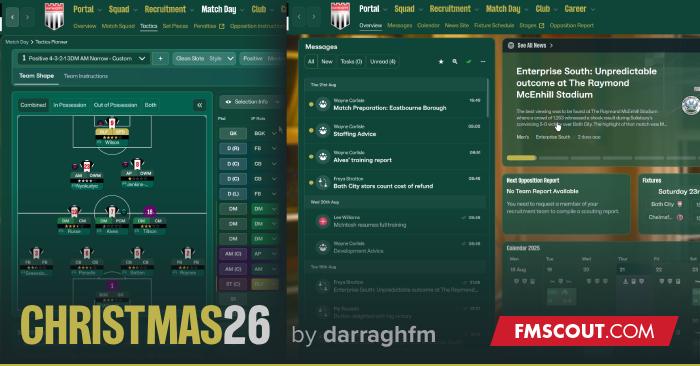
It has been tested fully and works beautifully.
If you like it or have and problems or bugs, please comment and I will try my best to make it perfect!
Holly Joly Christmas Skin Preview


How to install the Skin
- Extract the contents of the downloaded file.
- Locate the Game Directory: Navigate to your Football Manager installation directory.
The standard path for Windows is typically:
\Steam\steamapps\common\Football Manager 26\fm_Data\StreamingAssets\aa\StandaloneWindows64\
And for Mac:
~/Library/Application Support/Steam/steamapps/common/Football Manager 26/fm.app/Contents/Resources/Data/StreamingAssets/aa/StandaloneOSX
- Before first time locate the original files in the game's data folder and make a backup copy before proceeding.
- Copy and paste the files into the game directory. When asked, choose to overwrite/replace the existing files.









Discussion: Holly Jolly Christmas FM26 Skin by DarraghFm!
18 comments have been posted so far.
Unfortunately for Mac users the skin remains impossible to use, also with the updated version of the skin, the game immediately gives an error and crashes.
Would therefore be great to see a version being released that will also work on Mac.
unfortunately I have the same issue on my Mac as Morrel :-( ! I will try a version 2 if it ever comes out ! Good job
All we want for Christmas is a opportunity to change the UI so we can get rid of all the useless BS that fill our screen ! Perhaps also a new squad overview without player images !
This does not work. Just a warning for people trying to download.
First of all the whole game crashes. Also the top menu buttons just says 'Item' instead of Portal, Squad, Recruitment...
Whats the point of posting these skins when they don't work?