


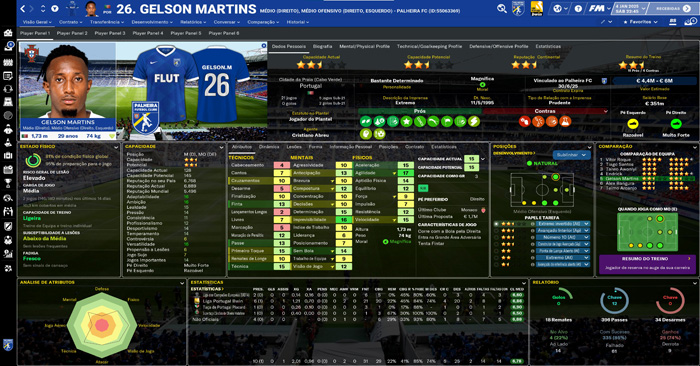
This is FLUTSKIN version 8.0 for FM23!!
First of all I would like to give a great thank you to all FM fans who choose to play with FLUTSKIN and always keep me motivated to still editing the skin and gave me new ideas!!!
A special thank you to all of players who decided to distinguish my work with a donation!! Although just a small part of FM Players who use the skin made a donation (I edited the skin as a hobby and, as you know, completely free), I always feel honoured and happy when people recognize the work done and decide to contribute. So, I reinforce, I have to give a special thank you to that friends of FlutsKin!!!!!!
Also a thank you to all the skin makers who indirectly contribute to my work, and a special thank you to PATRES10, from fmslovakia for the 2D default kits (especially tailor-made for FlutSkin), to MICHAEL MURRAY since I started editing the match inbetween highlights panel based on his amazing work, to QVORDRUP, for the metallic “Round country flags” and his great collaboration in the “country locator maps”, to NUNO KOPIO for the “Square shiny flags” I included as alt files (for using as an alternative to the “Round country flags”) to PMPOU for his great contribution with many tickets to customize the skin, and to DAZS8 for his great work in the addons for Flutskin. I also thank you for the contributes made by NOLEAFWILEN and RICHBELL.
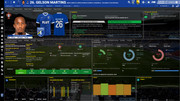
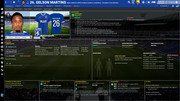
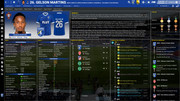
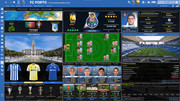
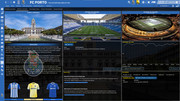
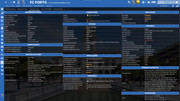
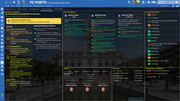
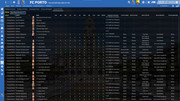
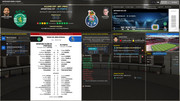
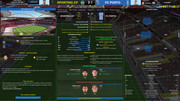
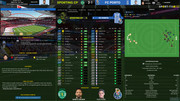
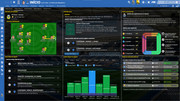
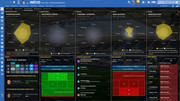
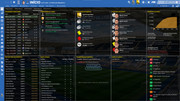
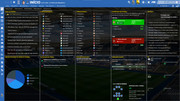
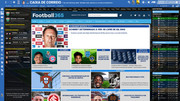
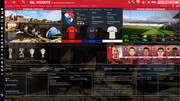
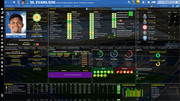
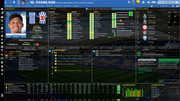
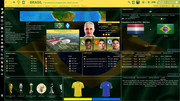
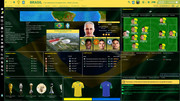
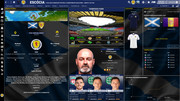
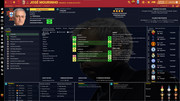
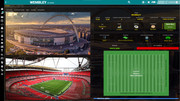
In FlutSkin you can find so many changes comparing to the default skin that I can’t present all of them here. I suggest you to go through the panels in order to see with your eyes all the changes!! (it includes the most required stuff such as instant result during a match, picture of the player who scores a goal in the match, last starting XI in club overview panel, citypics, outside and inside stadiums vision, real 2D kits in player overview panel, etc, etc).
Main Changes in Version 8.0
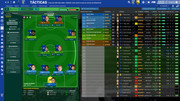
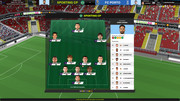
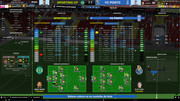
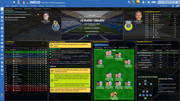
- Tactics Overview Panel (now the subs bench includes the player pictures)
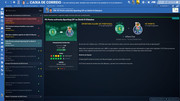
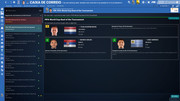
- Inbox panel (the height of the head bar was increased and tweaked)
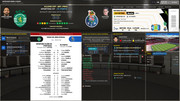
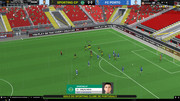
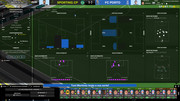
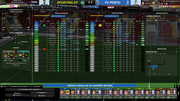
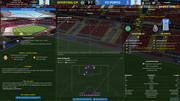
- Match Inbetween highlights (now all the panels can be resized with the mouse, in height and width, for a better customization)
- Data hub → next opposition tweaked
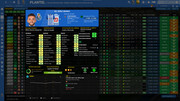
- Player popup panel tweaked (pros and cons panel included in the drop down arrow)
- New alts included (tickets alts - thank you PMPOU!; alt for black sidebar)
- Some other tweaks here and there
Main Changes in Version 7.0
- Club Overview Panel (now 5 tabs, new information and tweaks)
- Player Overview Panel (new information and the panels arrangement tweaked)
- Tactics Overview Panel (bigger pitch, subs bench on the left and information about previous matches with the opponent tweaked)
- Home panel (more results included in the results panel)
Main Changes in Version 6.0
-Home panel
-Reported bugs fixed
“Main Changes” in Version 5.0
“Main Changes” in Version 4.0
Finally, I would like to thank you Robin Heart who challenge me to do new things in the skin and gave me a new background picture for including in the background selector. Thank you, my friend!
“Main Changes” in Version 3.0
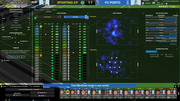
- Match inbetween highlights panel tweaked (now includes new information – pass map and match momentum – and four tabs for easily choose the information we want to see during the match)
- Ingame editor included in match day header panel
- Club affiliates panel tweaked
- Club overview panel tweaked (club details tweaked)
- Some other tweaks here and there
- Reported bugs fixed
- New Alts added: 1. grey titlebar and sidebar
2. player attributes not displayed (since I didn’t test all the panels, if you find a panel including player attributes yet, please let me know)
3. club details in club overview panel as it was in the last version of the skin
“Main Changes” in Version 2.0
Changes
- New Intro panel, now with 4 backgrounds rotating with each other
- New ticket picture in the pre-match panel (thank you, NunoKopio, for the new image)
- A few panels in news panel tweaked
Bugs fixed
- Competition Team stats panel and competition player stats panel
- Shorlist panel
- Player coach report for contract negotiations
- Player coach report for contract promises
- Tactics set pieces panel
- Team report scout report panel
- Scouting centre assignment card for recruitment focus panel
- Coach summary report boxes (player profile panel and player attributes panel)
“Main Changes” in Version 1.0
- Intro panel (new background included)
- Social news (size of the panels increased)
- New alt for match titlebar/scoreboard, including clock, teams (only the team logos) and score
- Reported bugs fixed
- Note 1: I also decided to keep the panels of the Uefa Cups, Bundesliga and EFL as default. However, I included a new alt for those who prefer using the match titlebar of the FlutSkin, in all competitions.
The pack includes many alt files for customize the skin (please read the read me file included in the pack) and several tutorials: 1) how should be the configs for the stadiums packs; 2) how can you adjust the size and the place of the kit number in player overview panel; 3) how can you do the 2D kits adapted for Flutskin. BEFORE ASKING QUESTIONS OR REQUESTS, PLEASE TAKE A LOOK AT THE ALT FOLDERS AND ALSO AT THE READ ME AND TUTORIAL FILES!!
You also can download the stadiums megapack and the citypics released by DAZS8 (thank you, my friend)
HERE, HERE and HERE
Important note regarding TV LOGOS:
Although the default tv logo is the one I use, of course you can easily change it; for that you just have to go to skin/graphics/icons/tv logos. In that folder there is a alt folder with many TV logos. You just have to replace the tv logo.png and the tv [email protected] for that one you want. Of course you should rename the new logos as tv logo and tv logo@2x. You also can use other logos made by you. The procedure to use them is exactly the same. However, I should remember that yo should use logos with the right height. For tv logo you should use 25px and for the @2x you should use 50px.
As always FlutSkin is completely free to download and I hope you enjoy it. However, if you want, you can reward my work donating whatever amount you wish. Any small amount is really appreciated.
You can do so by clicking the button down below:

Resolution requirements:
This skin was made to work properly in 3840x2160 (4K with windows display settings 200%) and also 1920x1080 (1080p) full screen mode, sidebar icons only. As a result, some panels won’t work properly in other resolutions..
How to add Flut Skin in FM23
Download and extract the .zip file (using either 7-Zip for Windows or The Unarchiver for Mac).Place the "fm2023flutskin_dark" folder here:
Documents\Sports Interactive\Football Manager 2023\skins
- Create the folder "skins" if it doesn't exist.
- Start FM23 and go to Preferences screen and then into the Interface tab.
- You should see FM 2023 Flut Skin dark - 8.0 as an option in the skin drop down of the Overview box.
- Hit the Confirm button.
Please note this skin is provided as is. It has nothing to do with Sports Interactive or SEGA and won't be supported by them.
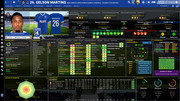
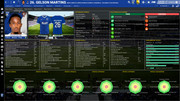
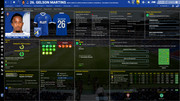






Discussion: FM 2023 FLUT skin - Version 8.0
434 comments have been posted so far.
I want to see player CA-PA attributs between 0-200 how can i do that?
No comp logo
No stadium
No Kits
No Team Name?
Thanks for the best skin
Thanks!
DOWNLOAD 2DKITS
SOUFMIAMI: thanks. If you are talking about the colour of the background attributes boxes, you can do it in fm2023flutskin_dark settings.xml and change the values in the following code:
<colour name="unknown attribute background" red="146" green="82" blue="143"/>
<colour name="low attribute background" red="247" green="121" blue="121"/>
<colour name="normal attribute background" red="245" green="245" blue="85"/>
<colour name="good attribute background" value="green 200" />
<colour name="excellent attribute background" value="green" />
smyattusa: did you download the pack for 2D kits adapted to the flutskin? If you don’t have the pack, you can download it in the following link
DOWNLOAD
Aktham Shraiba: thanks. Regarding the icons only, you should choose that option in the preferences of the game, like AurionVII explained. For remove the backgrounds in some panels go to the folder graphics/backgrounds (in the skin folder) and remove the files board1, fixtures, inbox, medical, press, training and tunnel.
Regarding the flag, if you play with icons only that problem will be fixed.
For the kits You can download the pack in the following link (and you hould place the folder in Documents\Sports Interactive\Football Manager 2023\graphics|logos
DOWNLOAD
Lukilinder: after downlod the skin, unpack the zip file. Inside the extracted folder you can see two folders. The folder fm2023flutskin_dark is the folder you should place directly in the skins folder of the game.
coldpost22: Great you solved the problem!
aardvaark82: Try the following: go to sidebar menu table.xml and change
<container class="main_box" id="colm" appearance="boxes/custom/interface/sidebar/paper" red_replacement="dark accent" blue_replacement="black">
For
<container class="main_box" id="colm" appearance="boxes/custom/interface/sidebar/paper" red_replacement="black" blue_replacement="black">
Moudishatila; Thanks! Regarding the light skin, I can’t promise because I have not much free time to edit two skins…..
Cobrauk: for change the colours of the background attributes boxes, go to fm2023flutskin_dark settings.xml and change the values in the following code:
<colour name="unknown attribute background" red="146" green="82" blue="143"/>
<colour name="low attribute background" red="247" green="121" blue="121"/>
<colour name="normal attribute background" red="245" green="245" blue="85"/>
<colour name="good attribute background" value="green 200" />
<colour name="excellent attribute background" value="green" />
Gameragemanager: you’re welcome!
Footymad_Red: thanks!! I really appreciate your kind words.
Slav85: Thanks and great you found the fix for your first problem. Regarding the second problem, I believe in my game is okay. However, for edit that information you should go to player additional attributes panel.xml. In the following piece of code you can edit the last club and the last proposal:
<list id="viewed_property_ids">
<record id="Plcl" size="9" icon_alignment="right" alignment="right,centre,can_scale"/><!--Last Club-->
<record id="hsLF" alignment="centre,centre,can_scale" /><!--last proposal-->
</list>
AurionVII: Hi and thanks. If you want, you can use the “alt for skin without backgrounds”. Regarding the bug you reported in the inbox panel, I already fixed it and it will be included in the next update of the skin. Thanks.
anybody can help
Thank you
wonder if someone can help me as im a complete novice, Ive got the skin on but cant get the kit logos on or a plane dark background on??
I have also this issue I hope that you can fix it
here in the player menu you see the amount of transferring and the flag are not arranged properly ...
https://ibb.co/hVBgPBF
Also I have background still in some areas in the game
https://ibb.co/5xmQSHr
https://ibb.co/WGxCNQj
https://ibb.co/tb97D7d
Thank you
I have this issue also ...
When trying to register player this image appear .... can not check to register
https://ibb.co/jRcVjmt
Bravo pour le travail, je souhaite savoir comment modifier votre les couleurs des attributs des joueurs car cela ne me convient pas
Merci
Thank You for your effort ...
How can make the sidebar only icons ...?
I replaced the file to remove background but still have background in some places like training and medical .. how to remove it ...
Thank you
Thanks for the reply on prev post but what I mean is where you have the porto shirt on Ivan Marcanos profile in your first pic of this page i simply have the blank red shirt... Where do i need to put ehst to msk e it show the current LFC shirt?
Thanks