



Exclusively available from fmscout.com.
Released: 18 October - v2.0.2.0
Updated: 20 September - v2.1.23.0
Redistribution Policy
| People who want to put FM Scout Editor on other sites, you may link back here but you cannot host any files yourselves. Thank you! |
FMSE Features
FMSE19 is packed with a plethora of options and running lightning fast. The focus is on the editing side of things. The scouting capabilities are limited. For more advanced scouting, it's recommended to try Genie Scout 19.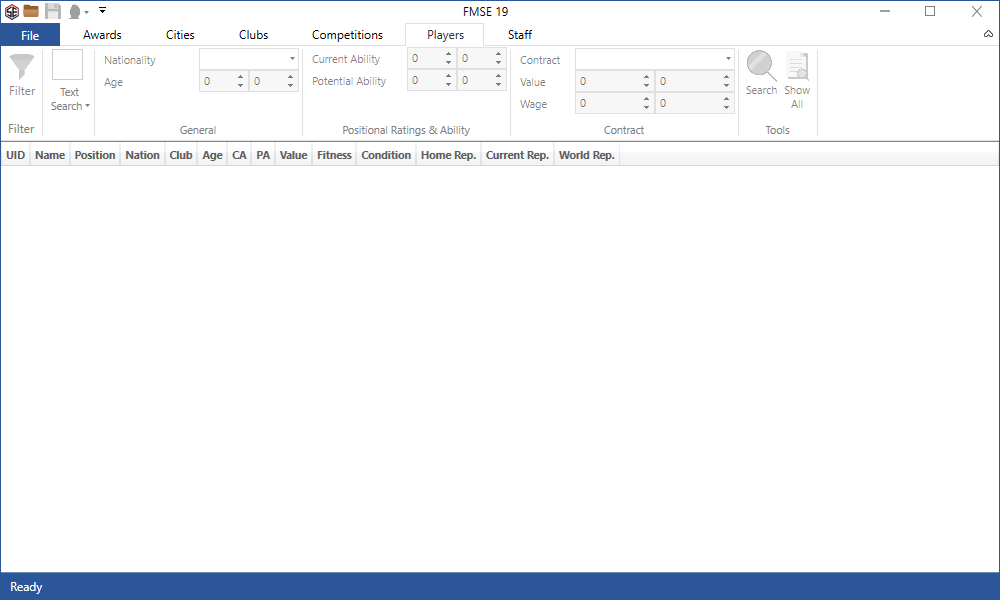
Here's an overview of the key features...
UnsackableBecome unsackable! No matter what happens, the board will never fire you. Have no fear of getting sacked ever again! |
Nation EditingEdit Nation general data, teams, Kits and Agreements. For example, you can disable Brexit by adding England back to EU. |
In-Game AssistantSee hidden player attributes, CA/PA & actual left/right foot values right in the game (attributes screen). This is an exclusive feature no other tool for Windows is offering! |
Edit Club FinancesEdit all kinds of club finances, such as budgets, ticket prices, sugar daddy, sponsors, debts and more. |
Edit Club InfoFiddle with year founded, facilities, youth recruitment, morale, attendances. |
Edit PlayersA vast amount of player details can be edited, including value, all attributes, abilities, contract data, reputation, positions, preferred moves and so on. You can also heal injuries, destroy a player (fitness to 1%) and remove bans. |
Freeze Player AttributesYou can now freeze attributes so they remain unaffected by CA, PA or training. |
Edit CompetitionsExtensive editing for competition, with more editable data than other real-time editor. |
Edit StaffScout for and Edit Non-Playing staff like Coaches, Assistant Managers, etc. |
Mass Edit TeamsQuick-actions to Heal Team, Remove Unhappy, Remove Bans and Destroy Team. |
Edit Club KitsChange kit style and colours every new season and see these changes apply to the 3D match as well! |
Edit AwardsIn-depth editing of awards is possible for all sorts of award details. The most advanced FM Award Editor is here! |
Edit CitiesEdit city details such as coordinates, attraction, altitude and amount of inhabitants. |
Mass Edit Players, Staff, Clubs, Awards & CitiesAdvanced Mass Edit dedicated panel you can access after selecting 2 or more entities in search results. Multi-select entities using Shift-click, Ctrl-click or click-drag. |
How to use FMSE
Current version 2.1.23.0 is compatible with Steam and Xbox Game Pass for PC 64-bit Windows editions only.- Unzip and install by running the .exe file.
- Open Football Manager 2019 and load your saved game.
- Open FMSE 2019.
- Click on the load icon (small folder, top left).
- Search for awards, cities, clubs, players...
- Double-click on an item from the results.
- A new window will pop-up and you can edit data there.
- Once done editing click on the save icon (small disk, top left) for the changes to take effect.
Support FM Scout Editor
You can support the development of this tool by purchasing a license which unlocks the ability to save your edits for the 2019 version. This is an one time upgrade which costs £5.99 / €5.99 / $5.99 (VAT is included!).
User guide: Registering your FMSE license
Software licenses issued for FMSE19 are NON-refundable. Please make sure the app and the features provided are what you are looking for, before purchasing. If you have any questions about purchasing a license, you can contact [email protected] prior to your purchase.
Bug Reports
If you encounter any bugs, please report them in the official FMSE forum, or by sending an email to [email protected].Important:
Please keep a backup of your save game before using FMSE 19 to edit your game’s data. AppCake Ltd and FMScout.com cannot be held liable for any corrupt game files, or any other issue caused by the use of FMSE 19. A backup will make sure that whatever happens, you will still have your saved game.

![FM26 Data Tweaks [v3.6 | v4.8]](https://fmdatatweaks.com/wp-content/uploads/fmdt-cover.webp)







Discussion: FM Scout Editor 2019 - Exclusive Download
312 comments have been posted so far.
When I install the editor has an error 0x80070652
You don't have to bite my head off. In my country it is not possible to buy a license for FMSE 19. Hence the question for @Stam.
Is it possible to get a free license?
Help, please.
@4000LIEGE: Yes, you can. To download / install / explore the app is free. Make sure you see for yourself all the available options it has before investing in a license.
@right_winger: 1) Club names are not editable.
2) Club names are not editable. It doesn’t do anything to the game.
3) FMSE does not alter game files, so that’s impossible. All changes are temporary in the database and only affect the current loaded game.
@Kove4evr: Have a look at this screenshot for all available options.
1) club names did not change in the game after editing
2) despite the above failing, now in the game the drop down list of clubs (eg. from one league) has FULL club names instead of short ones which is very annoying
3) the same problem appears in other saves so backup file is pointless as it has ruined the game anyway...
It seems the failed attempt on editing changed some setting responsible for showing short/full names but now I am not able to change it back manually.
Disappointed & wasted money, not good...
@GeeGeeW @kenz24 @flamma: Try to run the app as admin. Open Windows start menu, find FMSE19, right-click on it and select "Run as administrator".
@heirtothestar: We'd love to add that, but don't know how this is calculated yet. In the meantime, you could use the "Freeze Attributes" feature.
@Meazer: That's odd. We'll look into it.
@WhiskyPriest: Good shout. We'll add those as soon as we're done with localization. We're currently preparing the app to be translated into more languages.
- Judging Player Data
- Judging Team Data
- Presenting Data
- GK Distribution
- GK Handling
- Sports Science
None are avaliable to edit in the staff editor (as far as I can see).