


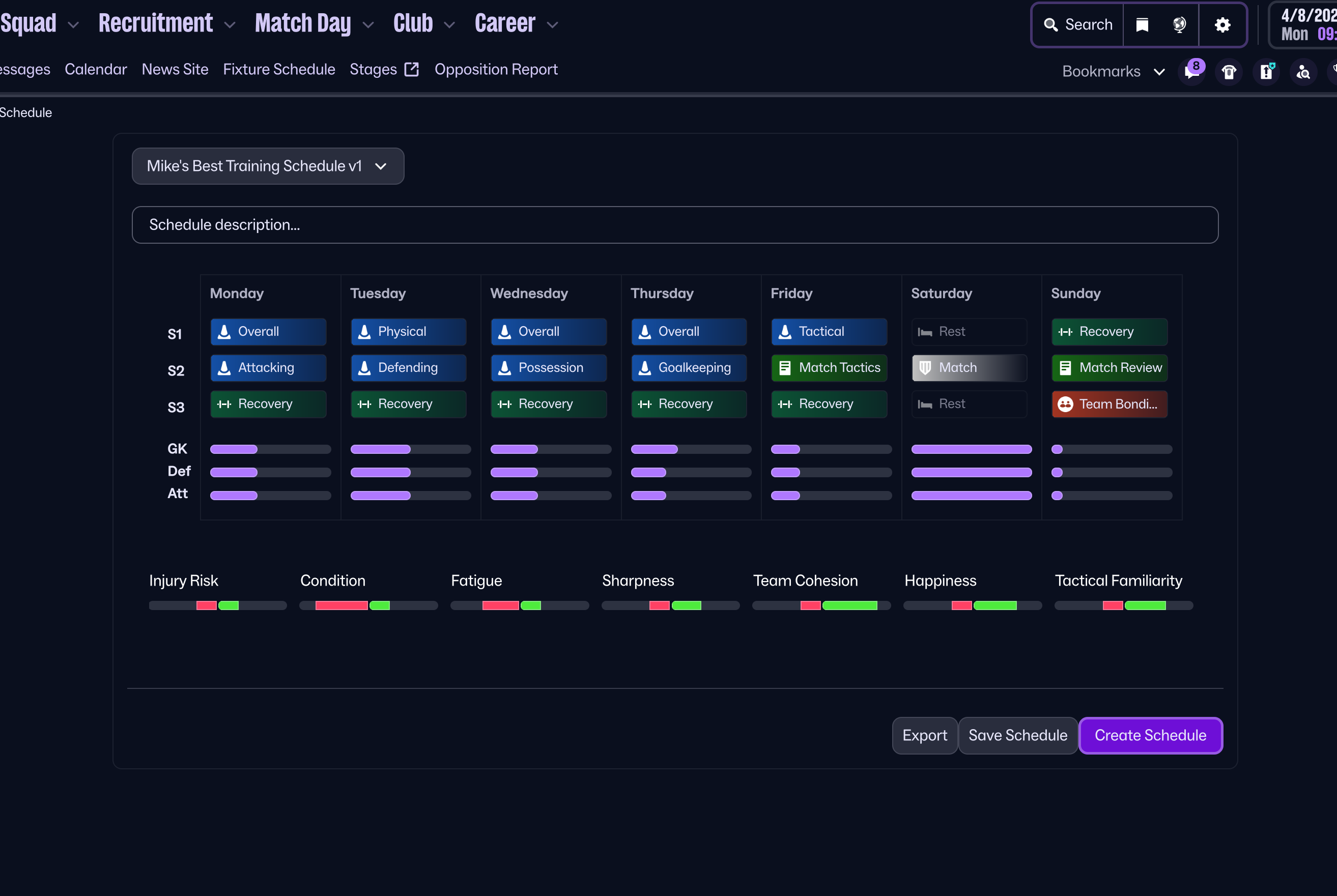
You may use just one schedule for the entire season, ideally Mike's Best Training Schedule (v.1) or pick one that's more relevant to your situation.
I have vigorously tested my main schedule (Mike's Best Training Schedule v.1) throughout the beta and have been having great success with it, massively improving team cohesion, tactic familiarity and most importantly players attributes.
All other schedules have been created based on this blue print.
Instructions
Go to calendar> then training> click on one of the week's schedules on the left> create new schedule (bottom left)> then new schedule (top left)> scroll down to custom schedules> then across to Load> select your desired schedule and Load> nothing will appear> now select new schedule (top left)> custom schedules> the schedule will now be visible, select it> now go back to calendar> then training> this time on the left select the training schedule a week on from the one you selected first time round> then training style (top left)> finally select custom schedules....they should now appear
Screenshots
Pre-Season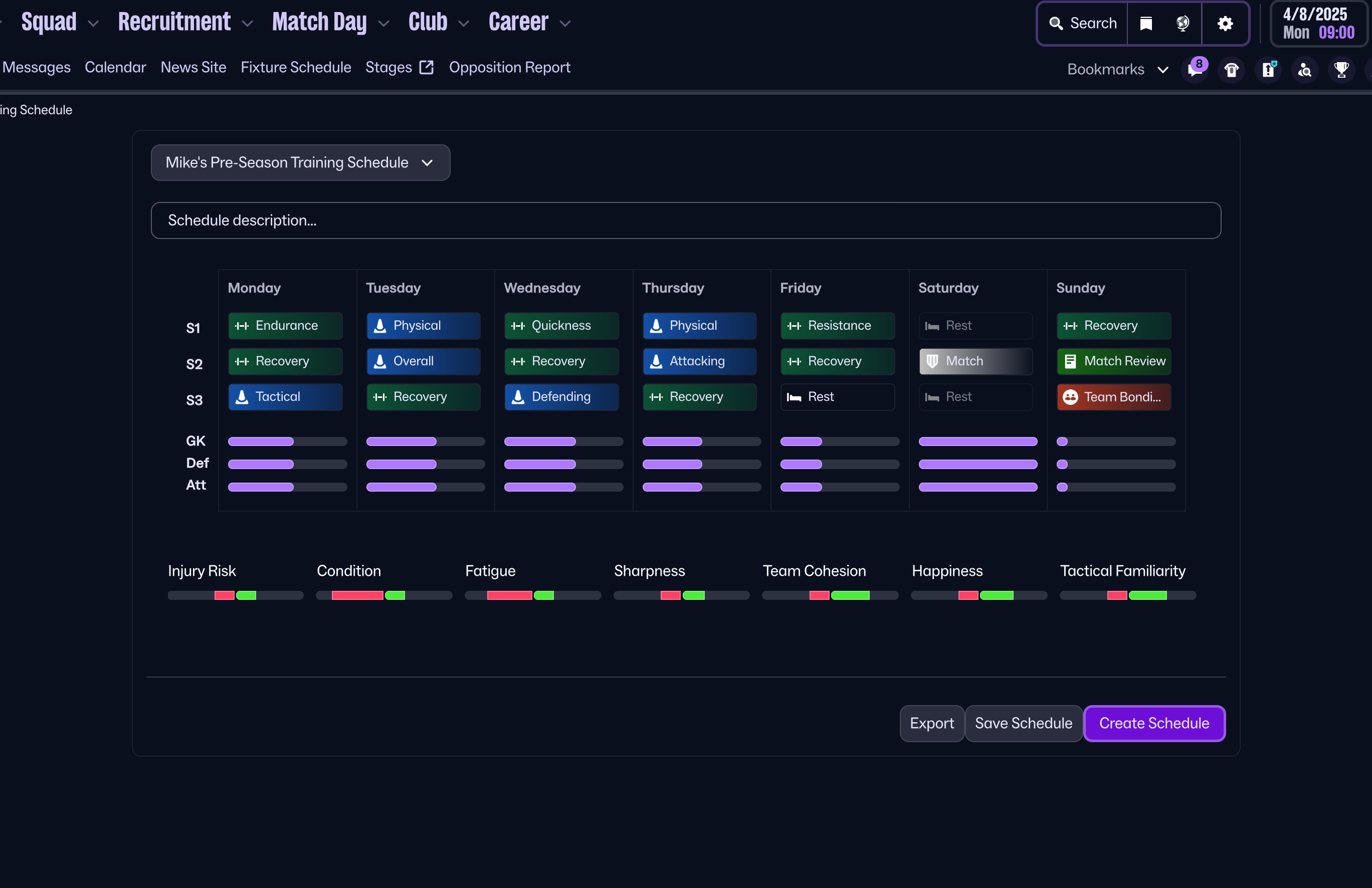
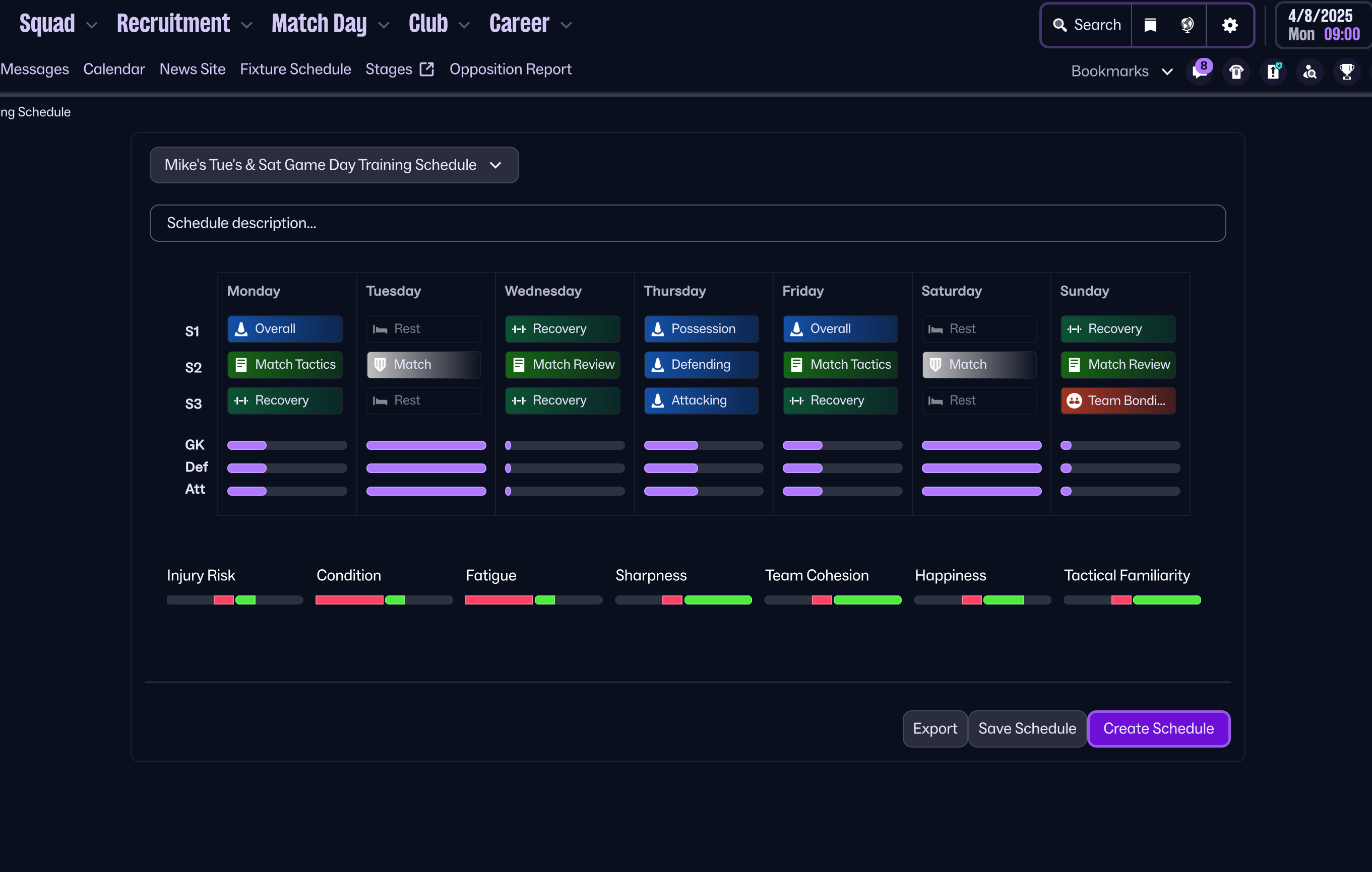
Tuesday & Saturday
Thursday & Sunday
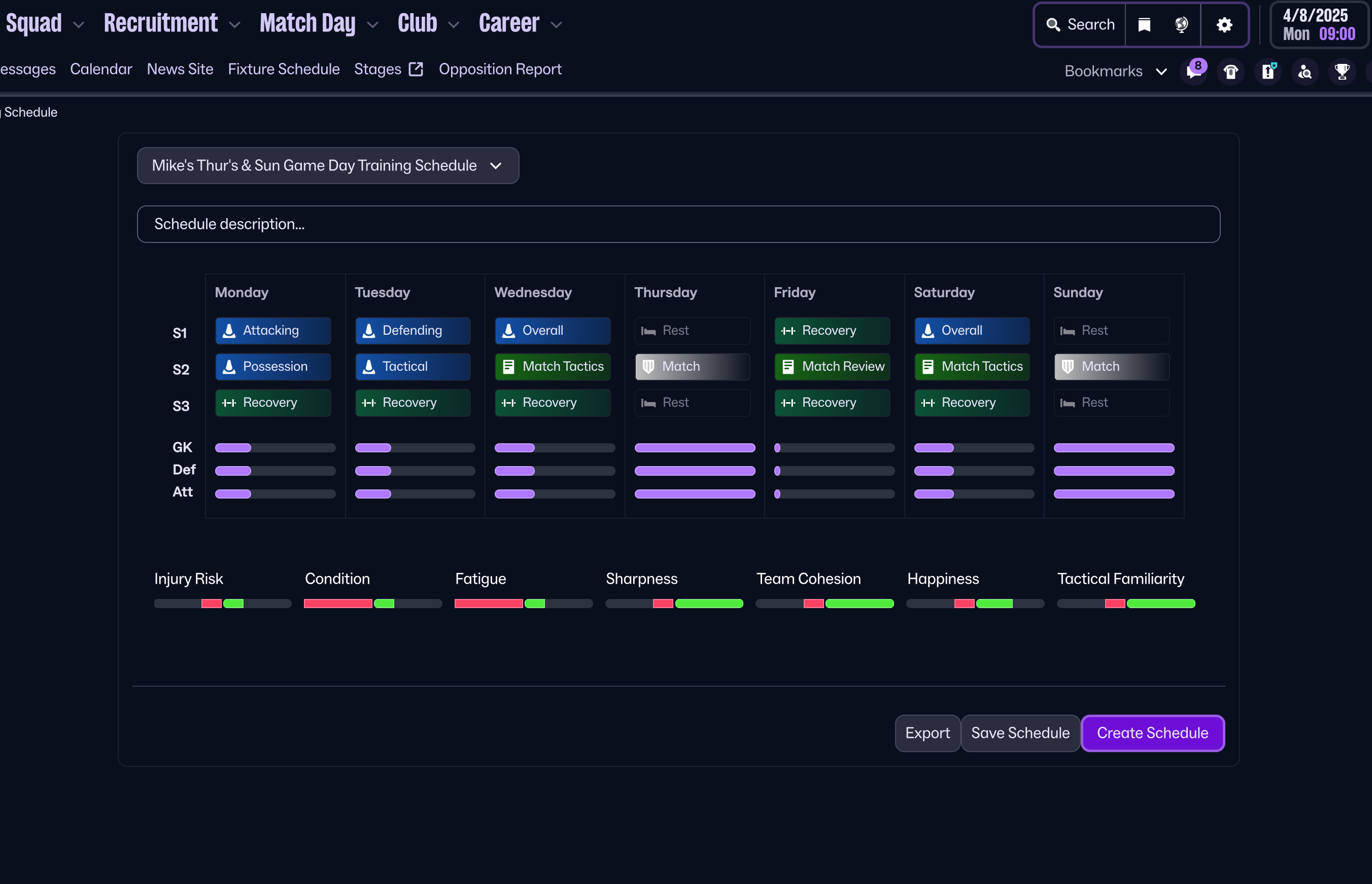
Wednesday & Saturday
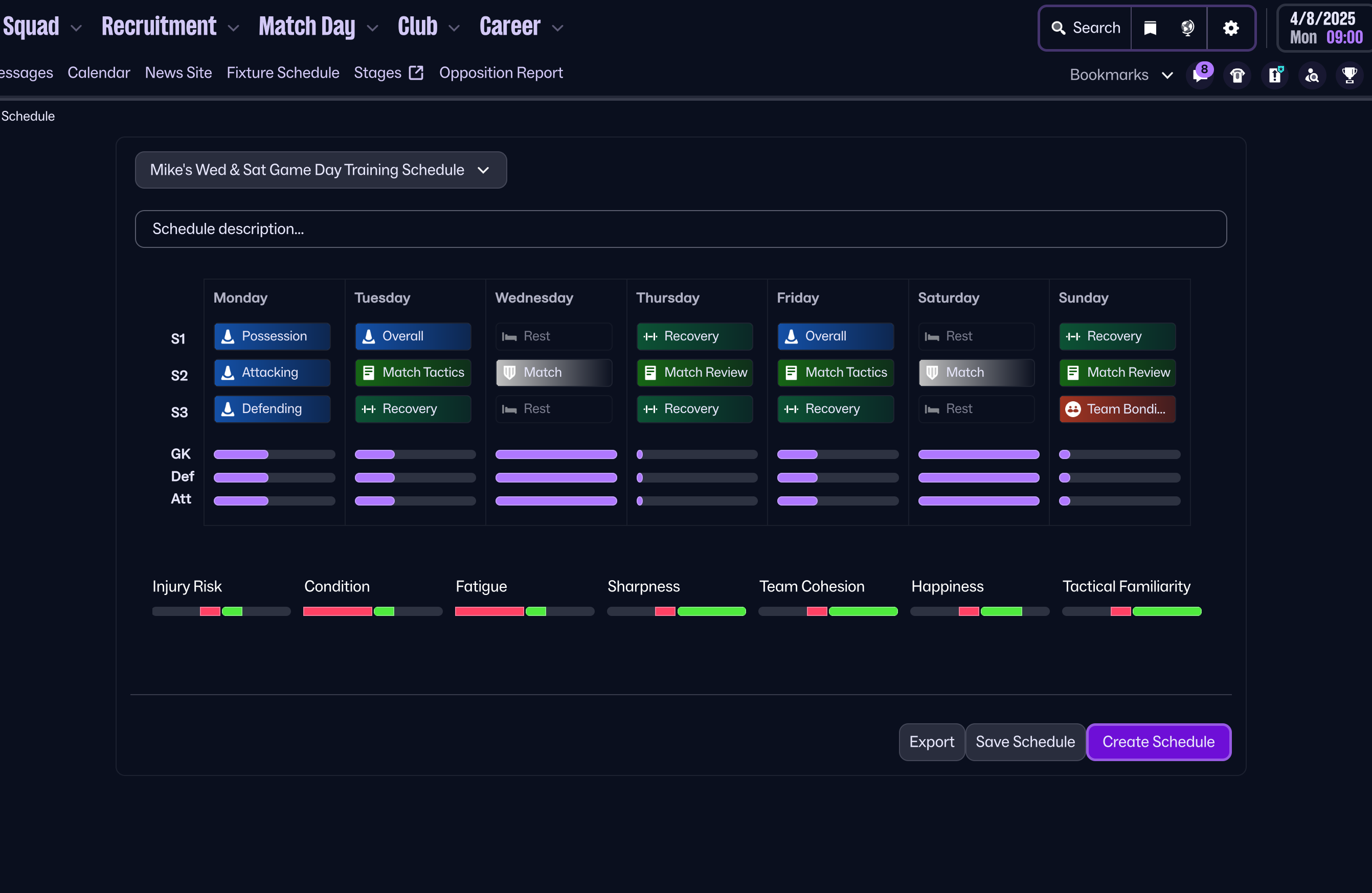
Friday
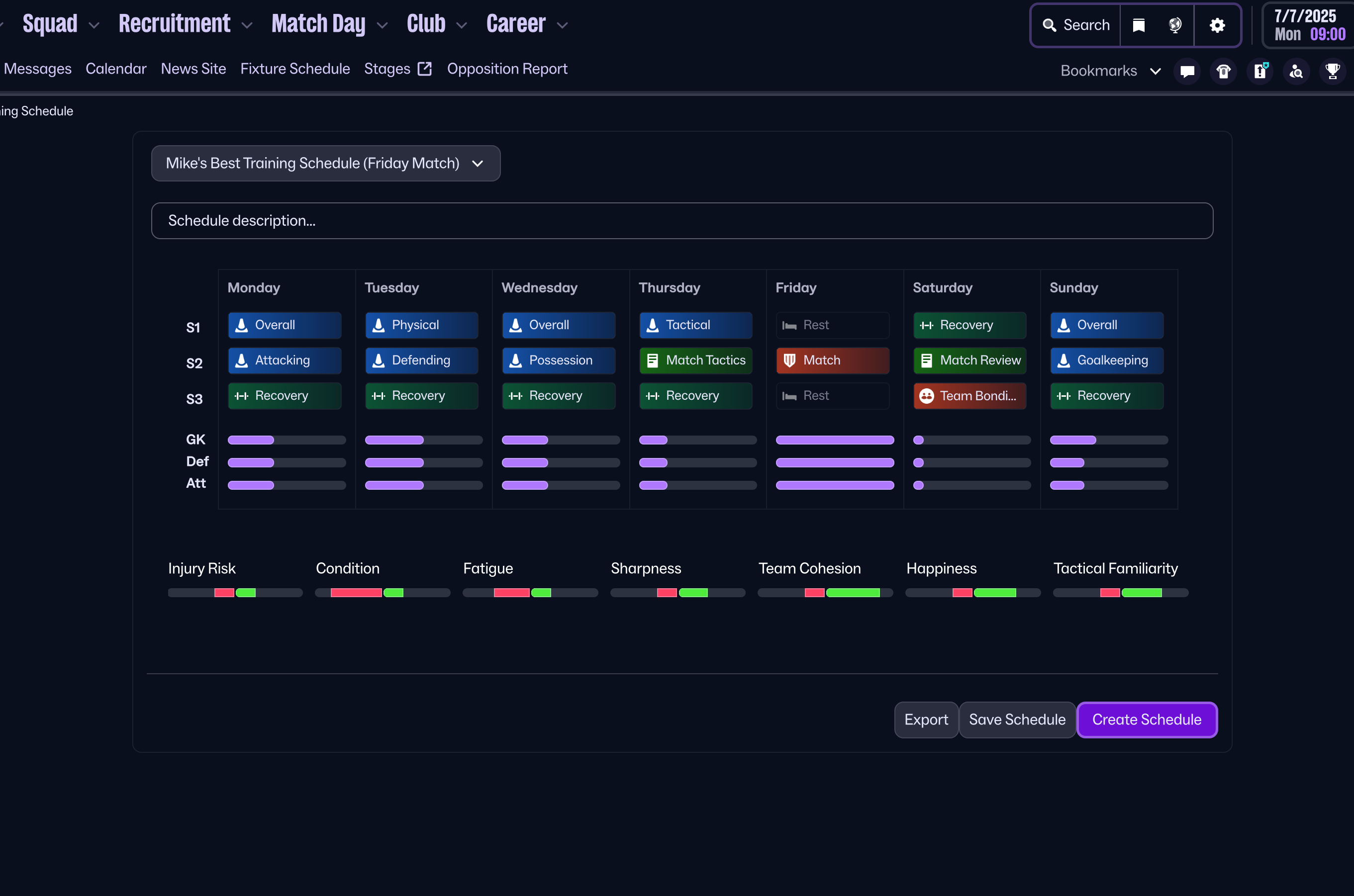
Sunday
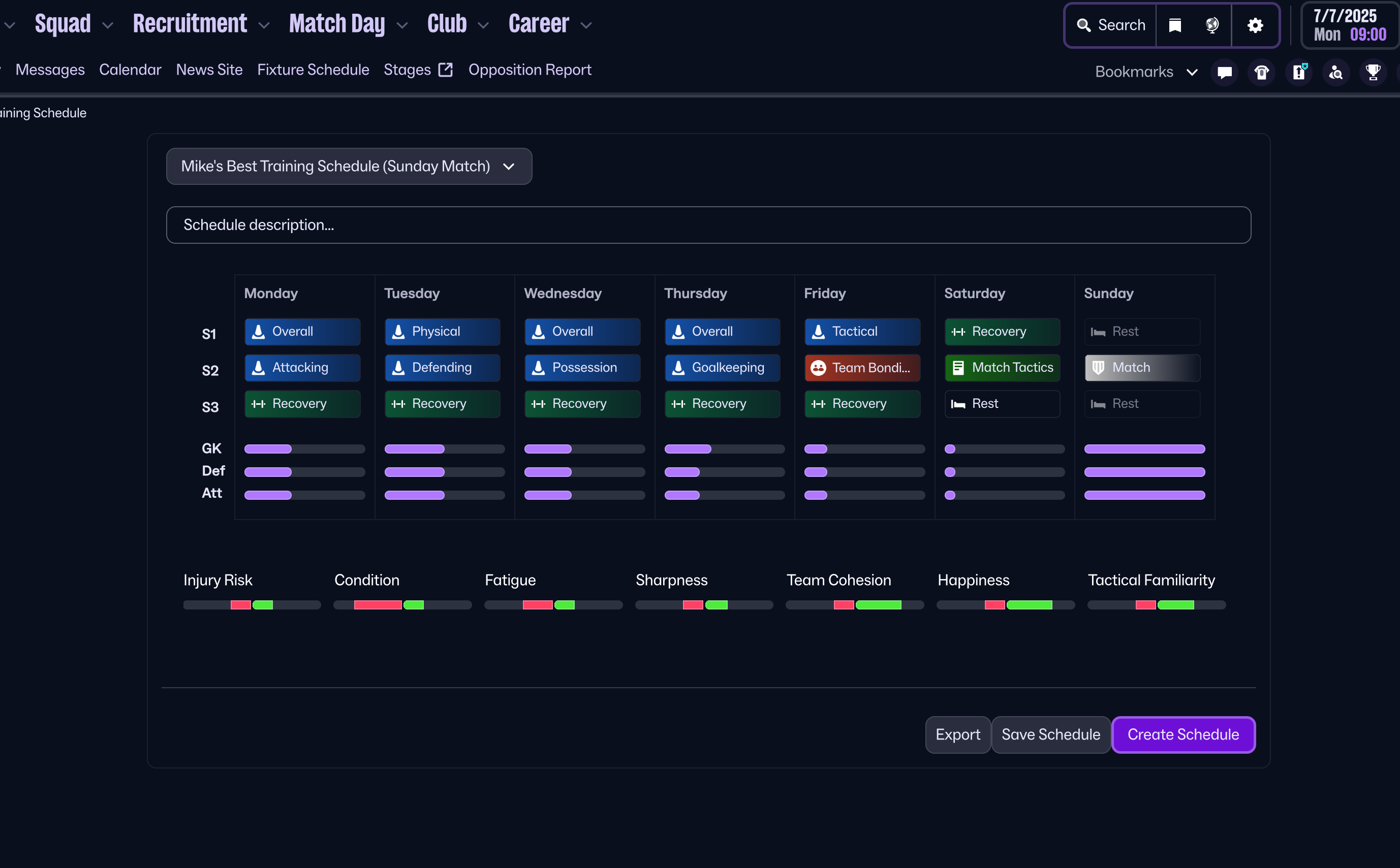
Player Development

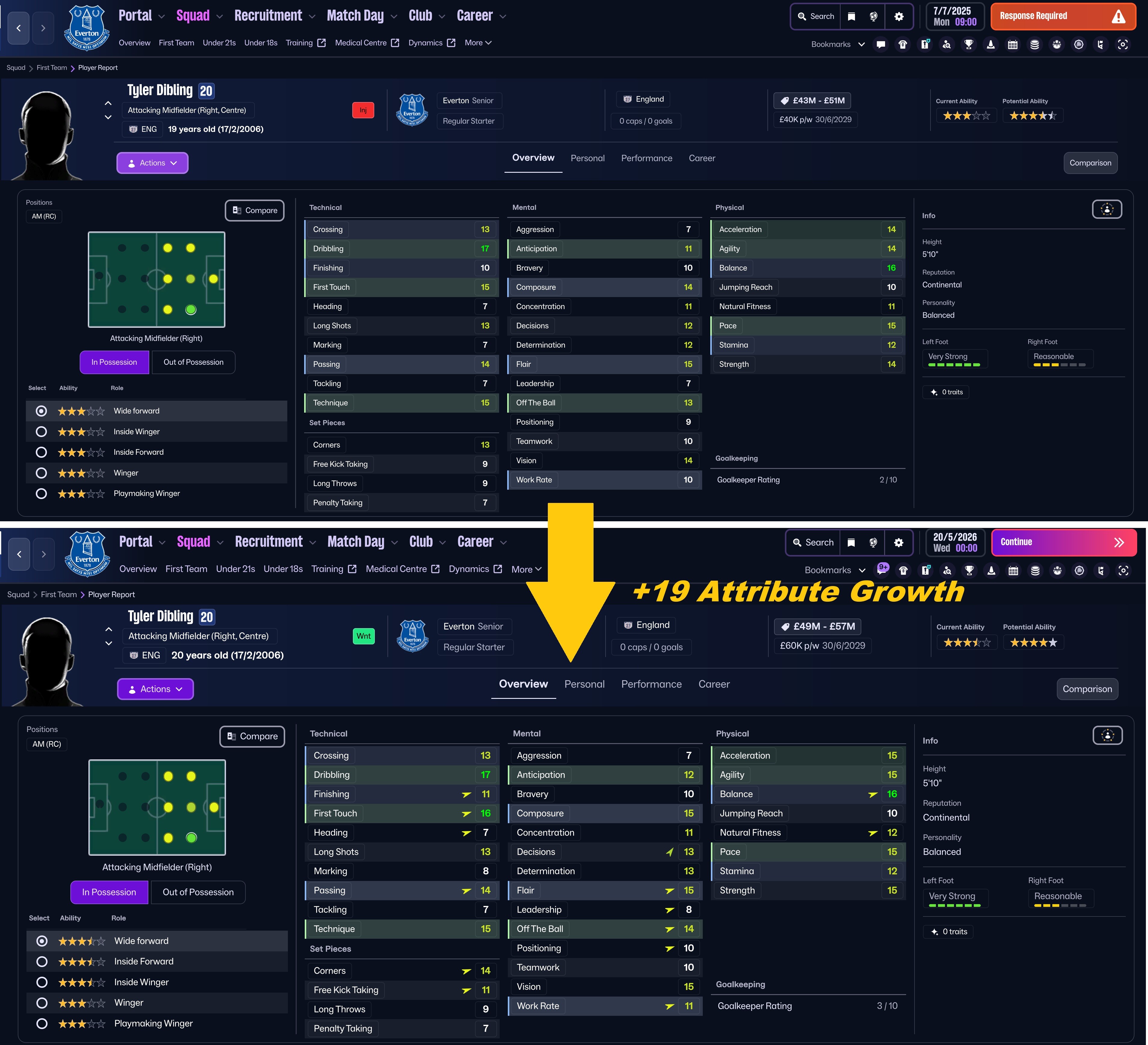
The development of the two players above was achieved by using Mike's best Training Schedule (v.1) for the entire season.

![FM26 Data Tweaks [v3.2 | v4.6]](https://fmdatatweaks.com/wp-content/uploads/2026/04/fm-datatweaks.webp)






Discussion: Mike's Best FM26 Training Schedules
43 comments have been posted so far.
The training is done by my assistant but loading and selecting a certain schedule does not overwrite the training set by my assistant?
Sorry.
Once the file has been extracted open it and cut the contents and paste into the schedules folder.
Load the schedules in game using Mike's instructions.
There seems to be a bug in game where if you have previously set or tried to set a custom schedule on a game week, you cant load or see another one. The way to get around this is to keep trying on each game week until your custom schedules become available to select.
i followed all the steps below and still can't import them ... ;(
Then new schedule
Then custom schedule
Then load and load the schedules up
Click continue or go forward a day
Then back on training and when you click on the box top right that has different training types you should have a custom training option and they should be in there and ready to go
However, I've downloaded them, but can't import them. When I click on "Create New Schedule", then "New Schedule, Custom Schedule", I get an option to "Load." When I click on this, it lists all your files. But when I click "Import" it tells me that the file cannot be imported.
Do you have any advice?
When you play away, especially 2 games in a week, 4 training sessions get replaced with "traveling".
So now we have to create more training schedules:
- 1 game away on Sat (because 2 training session get replaced with "traveling")
- 2 games away on Wed and Sat (4 get replaced)
- 1 game at home on Wed and 1 away on Sat (2 get replaced)
- 1 game away on Wed and 1 home on Sat (2 get replaced)
- Click on the left side box with the training
- Down left in the pop-up box click on create new schedule
- Load up a custom schedule
- Sometimes it works, sometimes it doesn't work (good job FM)
- Go back because f*k you why make it easy I guess? (again, good job FM)
- Click on the left side box with the training again
- In the pop up, on the upper left side click the tiny box
- Click on custom schedules (last option)
- Click the training you want to use
- Do this for every single week
There might be an easier way, but this is honestly the only way I've found out how after looking for it for an hour. This is the worst and least practical design I've ever seen.
Macbook user here... any help is appreciated.