Search
On FM Scout you can chat about Football Manager in real time since 2011. Here are 10 reasons to join!

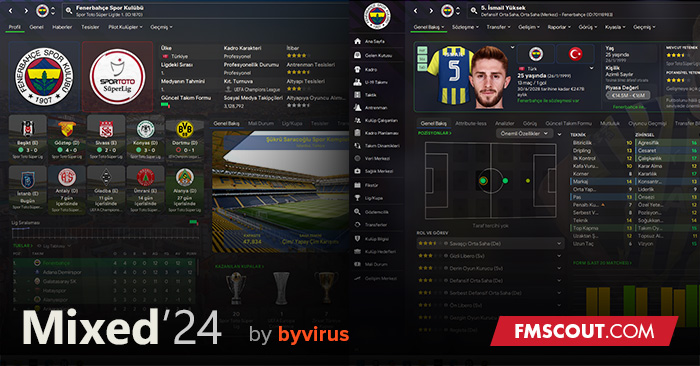
Mixed Skin 24.4.1

Transparent skin for FM24 Updated on 11 January

By Updated on Jan 11, 2024   212969 views   204 comments
Download Now
Downloads: 43034 / Size: 31.7 MB / Added: 2023-11-08
Football Manager 2024 Skins - Mixed Skin 24.4.1
I'm not a coder, I'm just a football manager fan.
I combined and edited the panels of the skins I liked into a Mixed 24 skin.
This took me so long. I hope you enjoy it :)


1 January Update
New Manager Home Panel and some bugs fixed
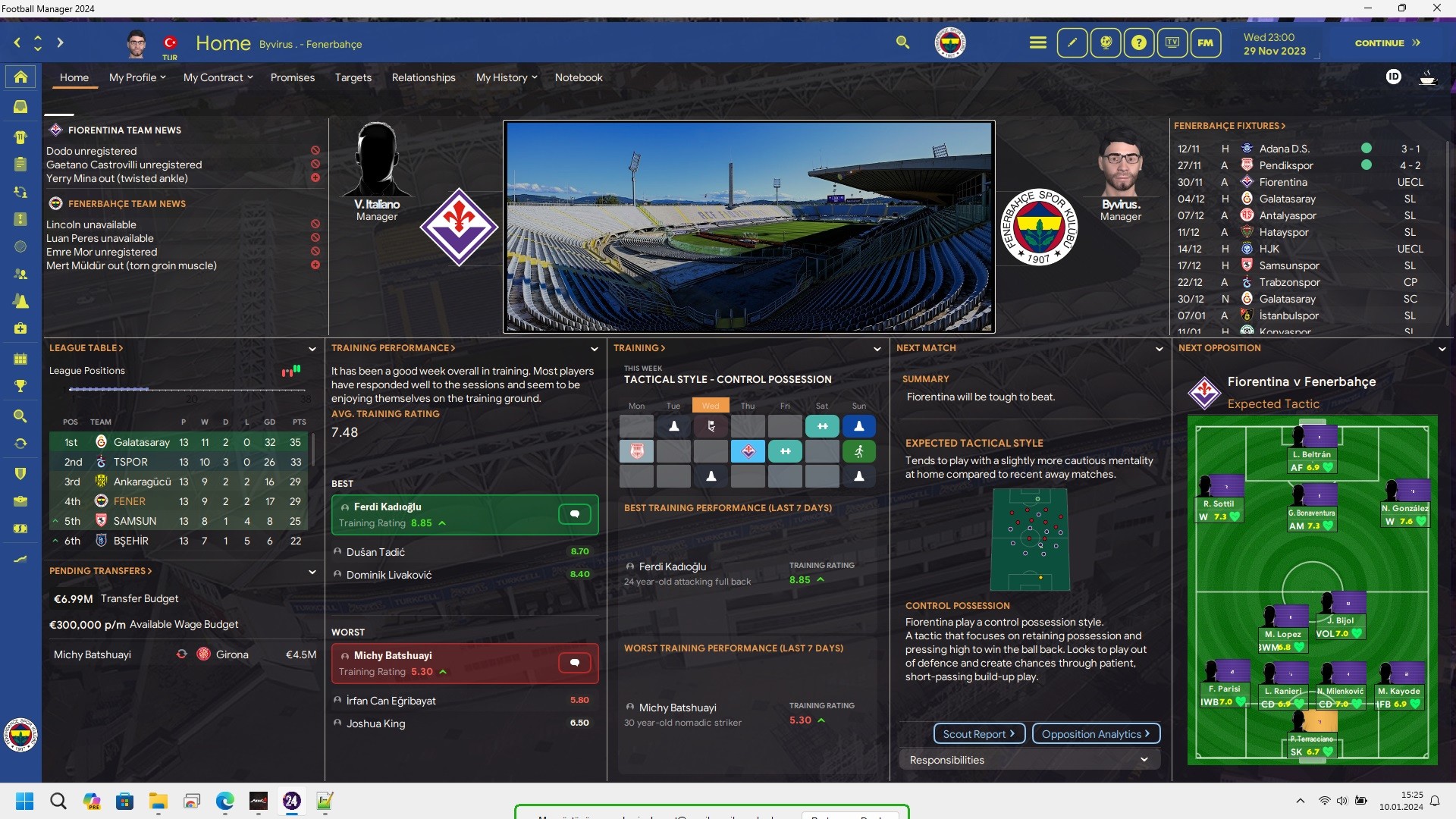


28 December Update
Skin without colour added

25 December Hotfix
Some bugs fixed

19 December Hotfix
Selector panels on player overview panel fixed.
Affiliate club background in news panel fixed
New Affiliate club overview added.

v24.4.1 Update
changed the tactic screen due to some issues


Mixed Skin 24.4 Preview


Instant Result button included.

24.4 Download
City Background Pack Download (3.97gb)



Special Thanks
Thank you for all the support!
arturs123, @underground83


Credits

Those who inspired me to create this Skin. Thanks to them for their work:

*flutskin
*Just Skin
*OPZ Elite
*WTCS Gold v1.1
*Tangfu

Download Now
Downloads: 43034 / Size: 31.7 MB / Added: 2023-11-08
Your content on FM Scout

We are always looking for quality content creators, capable of producing insightful articles. Being published here means more exposure and recognition for you.

Do YOU have what it takes?

Discussion: Mixed Skin 24.4.1

204 comments have been posted so far.

  • byvirus's avatar
    CoachKnapovic

    Set resolution to 100%
  • CoachKnapovic's avatar
    Club overview panel is different to what it is in game. In game where the league table is I have the city and blank space. Any idea why? [img]https://gyazo.com/4d27c3c3403bb7f0e9ebdd1e4eda1695[/img]
    1
  • byvirus's avatar
    @daniswara

    Thank you :)
    1
  • byvirus's avatar
    @_zuanburn

    in font folder, replace the font you want to use with the fonts there, you also need to change the name of the font you use to the same names.
  • byvirus's avatar
    @GreekHoper

    in settings folder, open DarkSkin settings with notepadd++ change this value
    <colour name="tcs_accent" value="rgb(50, 205, 50)" />
    for example 50, 50, 205 for blue.
  • byvirus's avatar
    @vitozi

    Üstteki panellere ekledim gizli özellikleri.
  • GreekHoper's avatar
    Excellent job there mate!! Realy nice skin!

    Any chance i can change the green colour selector? Where can i change that?
    1
  • vitozi's avatar
    Eline sağlık :) henüz indiremedim. İlk fırsatta indirip deneyeceğim. Şehir fotoğrafları çok şık duruyor. Konuştuğumuz konularla ilgili bir şeyler yapabildin mi?
    1
  • _zuanburn's avatar
    How to change the font?
    1
  • daniswara's avatar
    This skin just keeps getting better and better with the new update!

    Really love the additional of city pictures and especially the new opposition report!
    1
  • byvirus's avatar
    @vitozi

    Ben %100 çözünürlükte oynuyorum 85 ayarı yok bende 125 denedim dediğin gibi bende de kayboldu. Üstteki panele de ekleyelim o zaman gizli özellikleri.
  • vitozi's avatar
    @byvirus

    dostum şunu yazmıştım en son gördün mü bilmiyorum. Bizde (yani en azından bende) %85 uzaklıkta bile o alt panel görünmüyor. Sen sanırım %125 te yaşıyorsun o sorunu. Nedenini bilmiyorum. Başka temalarda da benzerleri oluyor. Ya bizim bilmediğimiz bir ayar falan var yapamıyoruz belki de laptoptan kaynaklı bir durum var. Senin temayla ilgili olmayabilir problem. Ama mesela yukarıdaki panele eklenmiyor gizli özellikler. Sanırım bunu bilerek yaptın. Belki alttaki paneli tam ortadan ikiye bölersen de çözebilirsin. Ama her türlü eline emeğine sağlık ben keyifle oynuyorum bu temayla.
    1
  • byvirus's avatar
    @Stam
    Yes, light skin coming soon
    2
  • byvirus's avatar
    @vitozi
    Benim 2 konu vardı ikisini birleştirmişler diğerindeki konuşmalar silindi :)
  • vitozi's avatar
    What happened to our comments? All deleted?
    1
  • Stam's avatar
    Any chance for a light skin this year? :)
    1
  • byvirus's avatar
    @Sportmad72
    you can see that informations in the data hub menu
  • Sportmad72's avatar
    Any chance you could add the old squad depth screen that you used to get to see who your best players are that was on FM22 and before. It's a great
    skin I love it.
    1
  • daniswara's avatar
    @byvirus Thank youuuu!!!
    1
  • byvirus's avatar
    @daniswara
    Next patch i will work on it
    1
  • daniswara's avatar
    Do you mind if you change the scouting centre? It will be nice if it shows the player attributes, not only the pros and cons

    Great skin btw!
    1
  • byvirus's avatar
    @GreekHoper
    Open settings folder and then click darkskin settings. Change the value next to tcs_accent to the color rgb code you want.
  • GreekHoper's avatar
    very nice one!!! Can you tell me how can i change the colour of the text highligher i nthe inbox news from green to blue?
    1
  • Nobnab's avatar
    @byvirus
    no problem at all, i even thank you for taking the time to explain it.

    Thanks again for the great skin
    1
  • byvirus's avatar
    @Nobnab
    i think that background selector is not useful. That's why i didn't add it.
    1

FMS Chat

Stam
hey, just wanted to let you know that we have a fb style chat for our members. login or sign up to start chatting.