


FMEL 2013 was released last February and it was the only free real-time editor for FM13. Its simplicity, speed and flawless functionality made it popular fast; counting over 250,000 downloads to this day. These characteristics remain in this new FM14 compatible version.
FMEL is exclusively available from fmscout.com
Redistribution Policy:
People who want to put FM Editor Live 2014 on other sites, you may link back to this very page but you cannot host any files yourselves. Thank you!
This tool is released for FREE, as we feel you shouldn't be forced to pay for 3rd party tools of a game.
Released: 18 March 2014 - v2.0
Updated: 4 May 2014 - v2.1.1
Requirements
► .NET FRAMEWORK 4.0 (standalone offline installer) or higherTo find out if you have .NET Framework 4.0 installed, you can use Framework Detector (free tool).
► Patch 14.3.1 or Patch 14.3.0 (International)
To use this version of FMEL, you must have your game updated with 14.3.1 or 14.3.0.
Please note it won't work with the special editions of the game (Russian, Korean...). If you have one of the mentioned special editions of FM14 and you want to help us add support for it, please follow the instructions outlined on this topic.
► Microsoft Windows
Compatible with Windows XP (SP3), Vista, 7, 8.
If you're looking for a similar tool for Mac, please check out MacAssistant RT for FM14 (another exclusive tool we release).
Features
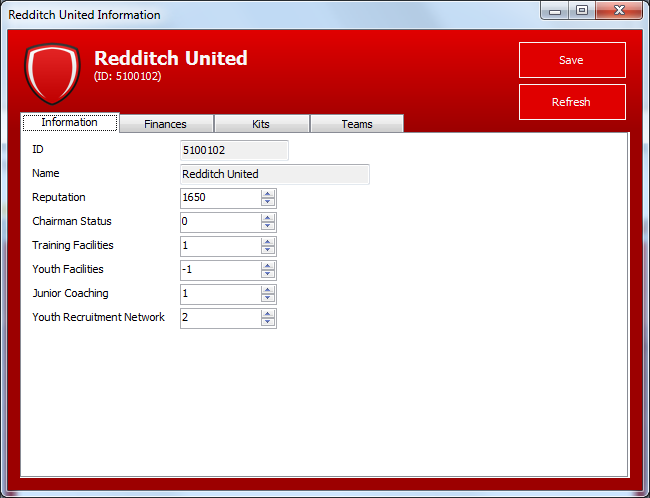
FMEL allows you to search for the club, person or stadium of your choice and edit:Clubs
- Reputation
- Chairman Status
- Training Facilities
- Youth Facilities
- Junior Coaching
- Youth Recruitment Network
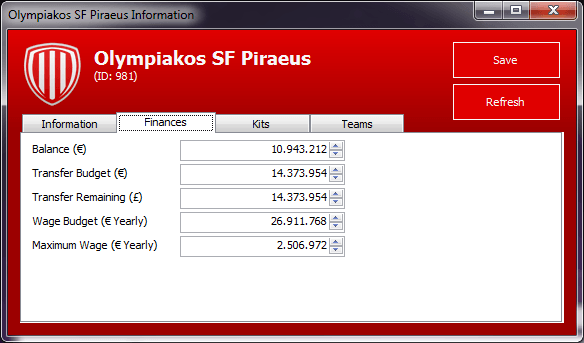
- Transfer Budgets (Season and Remaining)
- Wage Budget
- Maximum Wage
- Overall Balance
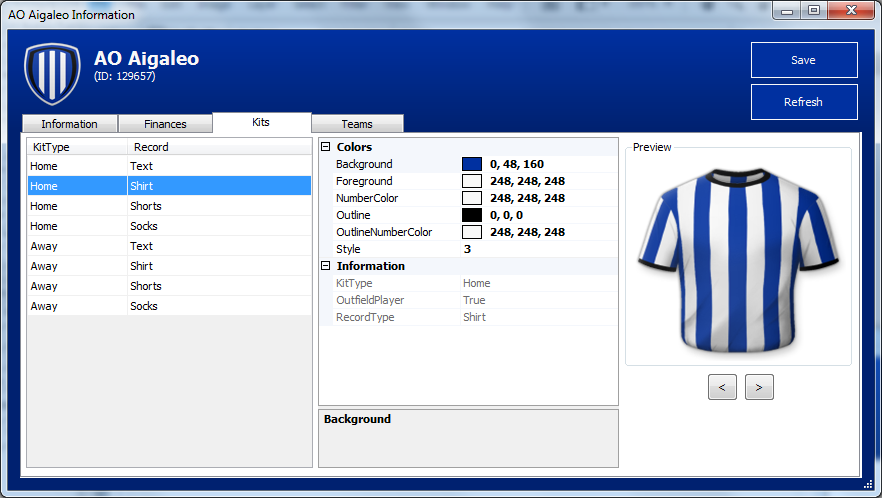
- Kit Colors (icon, shorts, socks, text, shirt)
- Heal Team / Destroy Team *
Persons
- Heal / Destroy (condition, jadedness)
- Birthday
- Nationality
- Height / Weight
- Foot
- CA / PA
- Fitness / Match Fitness / Jadedness / Condition
- Reputation (Current, Home, World)
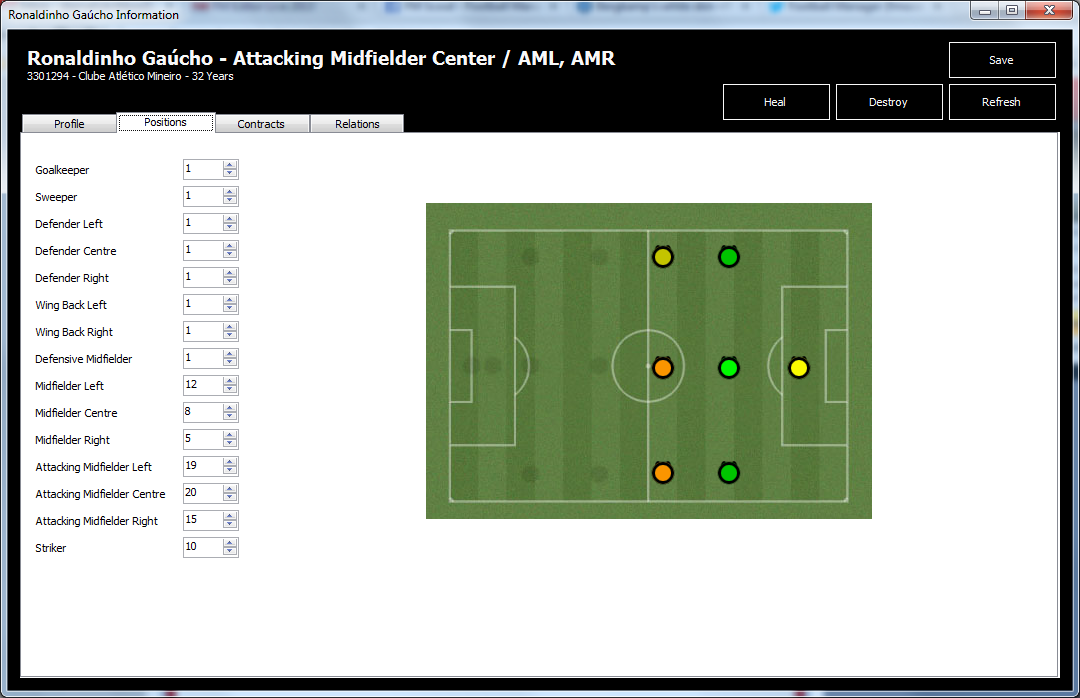
- Positions
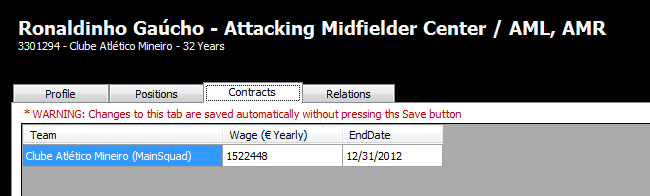
- Contracts (wage and end date)
- Relations
- Heal / Destroy *
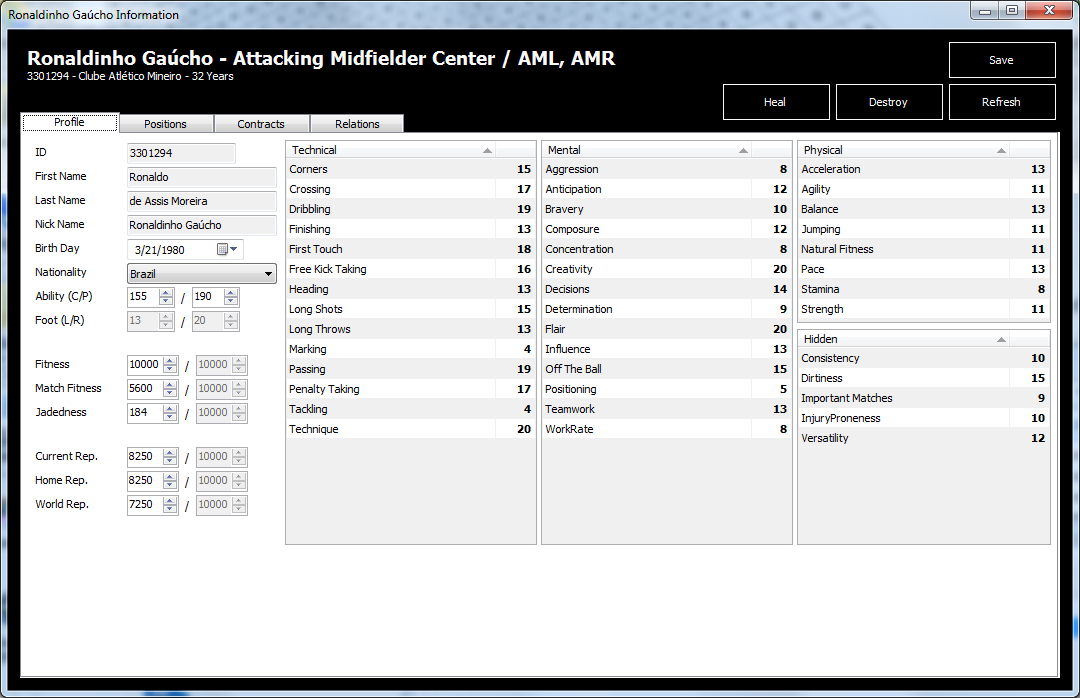
- Attributes (view only)
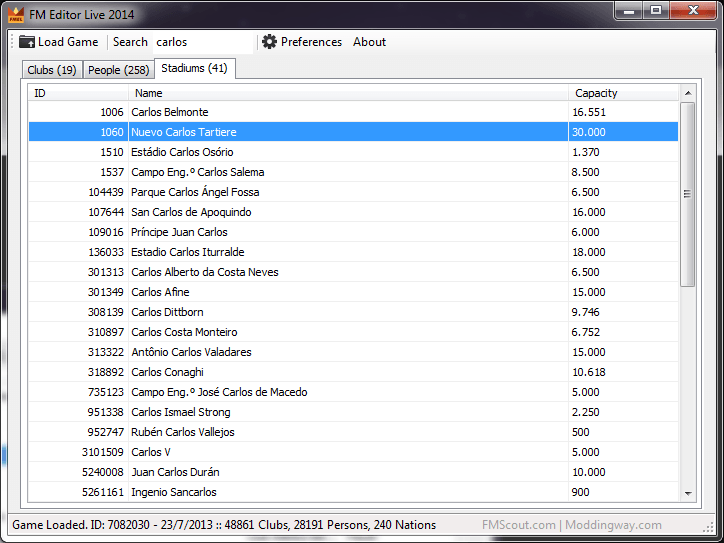
Stadiums
- Name
- Capacity
- Seating Capacity
- Expansion Capacity
* Heal not only heals injuries but also changes the player's condition to 100% and clears his jadedness. Destroy is the exact opposite.
FMEL is a simple editor that allows you to quickly adjust information of clubs, persons and stadiums. It should be safe to use it, but at any case make sure to keep a backup of your savegame before using.
How to use
1. Extract the downloaded FMELv2.0.zip in a folder of your choice.2. Run Football Manager 2014, and load your save game (or start a new one).
3. Run FMEditorLive.exe (ALT+TAB to desktop first if you're running FM full screen).
4. Click the "Load Game" button.
5. Enter club's name in the Search input box and hit Enter.

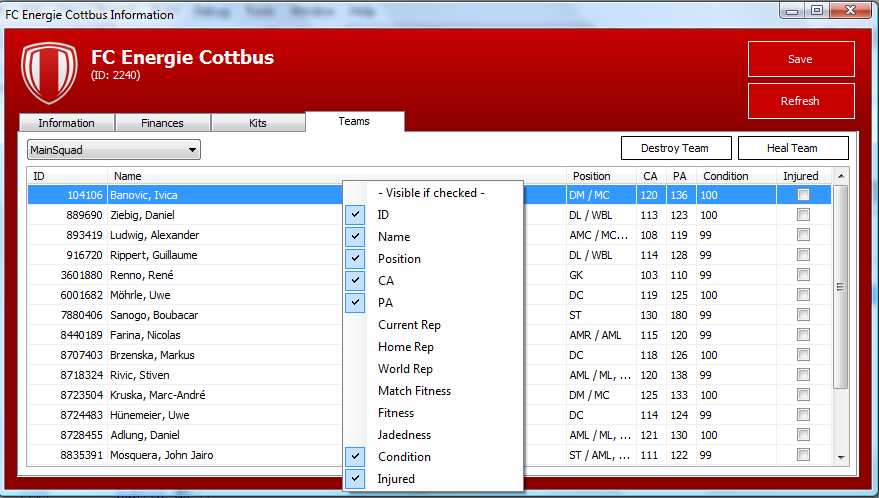
6. Double-click on the club's row. Edit what you wish in the 4 tabs available (Information, Finances, Kits, Teams) and click Save.
Double-click on the person's row. Edit what you like and click Save.


Double-click on the stadium's row. Edit what you like and click Save.

Known Issues
If you close FM14 before FMEL14, the app will crash and trigger error popups. To avoid this, please close FMEL14 before closing FM14. Otherwise, you'll have to terminate the FMEL process using Windows Task Manager.Credits
This tool is an FMScout.com and Moddingway.com association.The main author of FMEL is Stelios. Unfortunately, he was unable to work on FMEL14. Stelios had to join the army around November to serve his obligatory duty for 12 months.
Thankfully, Thanos (creator of MacAssistant RT) kindly agreed to undertake the task of porting the tool to work with FM14, and he succeeded. He was helping with information and research last year.
Jay was a major help in the last version of FMEL 2013, and kindly helping out this year too.
Many thanks to: Eugene (Information & Research), Panos (super-tester), Ariel (super-tester), Stam (super-tester), Messy (Russian version tester) and Ronald (tester)!
Logo by Stam.
Changelog
v2.1.1- Fixed Value -1 error (when editing unregistered players)
- Player Attributes Editing temporarily disabled
v2.1
- CA Fix
- Pitch Condition
- Stadium Build Date
- Club Founded Date
- Club Morale (overall)
- Players age on team list
- Players Happiness
- Players Team Status (First Team, Back Up etc)
- Squad Number
- Player Attributes Editable
- Attendance (Max, Min, Avg)
- GUI Tweaks
v2.0
- Initial release, support for 14.3.0
- Added selection box to highlight key player attributes
- Added in Min Weight/Height
- Added in Transfer Budget Remaining
- Fixed Main form not resizing correctly









Discussion: FM Editor Live 2014
264 comments have been posted so far.
Changing CA/PA affects player attributes, sometimes seemingly randomly.
Changing any of the physical/mental(like concentration, decisions)/technical attributes changes the CA.
Changing the positions a player can play in can change the CA if it's totally different from their original playable positions, e.g. Striker changed to Wing-back. This is because for different positions, different attributes cost different amounts of the CA. So, for a Wing-back, a 15 in tackling will cost more than it would for a Striker.
Some attributes do not cost any CA, so any change in them should not affect CA. Determination, the Hidden atributes like injury proneness, Personality attributes like ambition, professionalism etc. and even the set pieces attributes.
Flair and Bravery, I'm not sure about. They apparently cost some CA forspecific positions, such as Bravery for defensive players/flair for offensive. But these remain unconfirmed.
The new version of this app is way too buggy, avoid using it guys.
Since the addition of the attribute editing this thing went downhill.
When they fix that, it should be great again.
When will new release come??????
Is this some bug?
I have encountered difficulties when trying to edit a player on FMEL with a pop-up showing the following message:
System.ArgumentOutOfRangeException: Value of '-1' is not valid for 'Value'. 'Value' should be between 'Minimum' and 'Maximum'.
Parameter name: Value
(note that this is only part of the message as I don't want to spam this page)
I couldn't even open the player's information and it keeps popping-up whenever I try to edit his information. It's not a regen player or a player from lower division, it's Ibrahim Afella fro FC Barcelona. I just want to know if this is the problem with my save only, or it's a persistent problem. Thank you Stam anyway and it's a brilliant app.
im fairly new to this. I thought I would use the editor because im an Oldham fan and due to the financial fair play rule it prevents me from buying players I want to.
is there a way of taking this off with the editor?
I have also just used the editor to transfer a player over who has just moved away from Oldham (back to Norwich), but when I change the contract in the player, he remains at the club, but his contract is non existent?
I'd really like to be able to continue with one of my saves, but I can't considering some of my best players rated at 50+ million dollars have a "7" for passing after using FMEL lol.
Is there going to be a way to restore the "default" attributes?
Or, is there going to be a way to edit the attributes w/o bugs?
Basically.. am I stuck with my players having awful ratings for passing, penalties, and etc or will the FMEL update / fix address that?
thanks.
First, thanks for you and developers, it is very useful tool.
But it always gives error when i want to edit "loan players". I dont know this is a known error or not ?
You can see the detailed error of Exception.
--------------------------------------------------------------------
See the end of this message for details on invoking
just-in-time (JIT) debugging instead of this dialog box.
************** Exception Text **************
System.ArgumentOutOfRangeException: Value of '-1' is not valid for 'Value'. 'Value' should be between 'Minimum' and 'Maximum'.
Parameter name: Value
at System.Windows.Forms.NumericUpDown.set_Value(Decimal value)
at FMEditorLive.frmPerson.RefreshControls()
at FMEditorLive.frmPerson..ctor(Person person)
at FMEditorLive.frmMain.dgvPeopleList_CellDoubleClick(Object sender, DataGridViewCellEventArgs e)
at System.Windows.Forms.DataGridView.OnCellDoubleClick(DataGridViewCellEventArgs e)
at System.Windows.Forms.DataGridView.OnDoubleClick(EventArgs e)
at System.Windows.Forms.Control.WmMouseUp(Message& m, MouseButtons button, Int32 clicks)
at System.Windows.Forms.Control.WndProc(Message& m)
at System.Windows.Forms.DataGridView.WndProc(Message& m)
at System.Windows.Forms.Control.ControlNativeWindow.OnMessage(Message& m)
at System.Windows.Forms.Control.ControlNativeWindow.WndProc(Message& m)
at System.Windows.Forms.NativeWindow.Callback(IntPtr hWnd, Int32 msg, IntPtr wparam, IntPtr lparam)
Now I've got players like Kroos, Gotze, and Muller with a 7 rating for passing and technique. I can't edit them back to normal, and I don't know what their original attributes were!
Will the fixed version of FMEL be able to reverse those changes? I'm afraid I might have ruined an awesome save because of this...
Or, if I can at least get the attribute editing to work, then I would be okay with that. Obviously that would be better than not being able to change it at all. But, yeah this is really annoying for sure.
The changes I make to those attributes don't even appear in game.
It's worked for everyone I've tried it with, including regens and the real players that I mentioned earlier.
See the end of this message for details on invoking
just-in-time (JIT) debugging instead of this dialog box.
************** Exception Text **************
System.ArgumentOutOfRangeException: Value of '-1' is not valid for 'Value'. 'Value' should be between 'Minimum' and 'Maximum'.
Parameter name: Value
any fixes as of yet
I don't know if it's solely an age thing or not, but it also seems to be affecting younger real world players as well. I wasn't able to edit Islam Feruz or Tony Watt, among others, when I tried.